



Question: Above is the assignment that I have been working on. I am running into an error and I do not know how to fix. Please
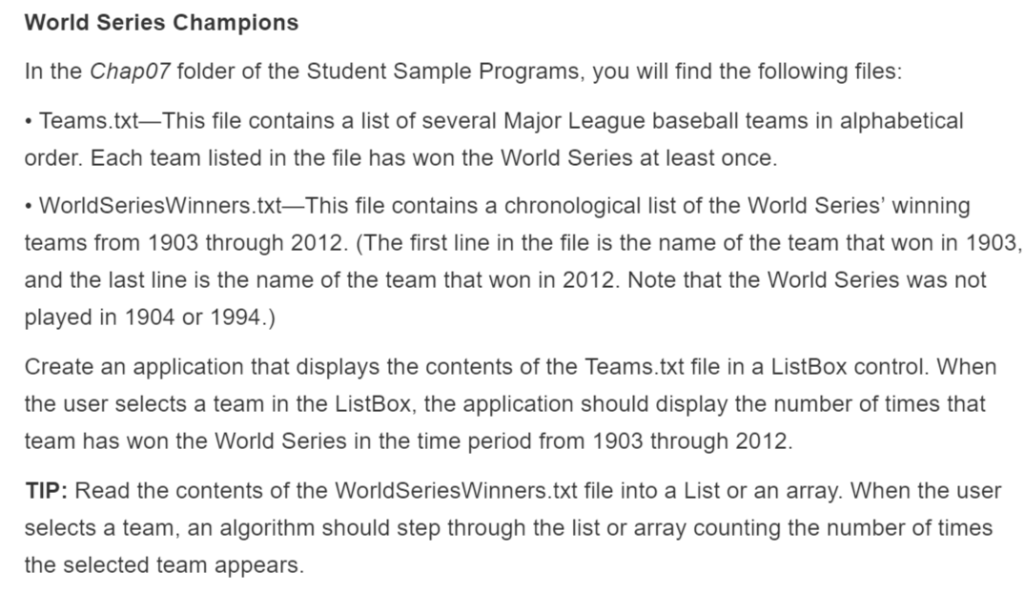
Above is the assignment that I have been working on. I am running into an error and I do not know how to fix. Please help me resolve it. Below is the code and the screenshots of Error & Design.
using System; using System.Collections.Generic; using System.ComponentModel; using System.Data; using System.Drawing; using System.Linq; using System.Text; using System.Threading.Tasks; using System.Windows.Forms; using System.IO;
namespace SinghAjayProgram07 { public partial class worldSeriesChampions : Form { public worldSeriesChampions() { InitializeComponent(); }
List
int i = 0;
private void worldSeriesChampions_Load(object sender, EventArgs e) { StreamReader teamsFile = File.OpenText("Teams.txt");
StreamReader winnersFile = File.OpenText("WorldSeriesWinners.txt");
string reader;
while ((reader = teamsFile.ReadLine()) != null) { teamsListBox.Items.Add(reader); }
while ((champList[i] = winnersFile.ReadLine()) != null) { i++; } }
private void teamsListBox_SelectedIndexChanged(object sender, EventArgs e) { string reader = teamsListBox.SelectedItem.ToString();
int j = 0; int count = 0;
while (j
j++; }
resultTextBox.Text = (reader + "Won" + count + "times."); } } }
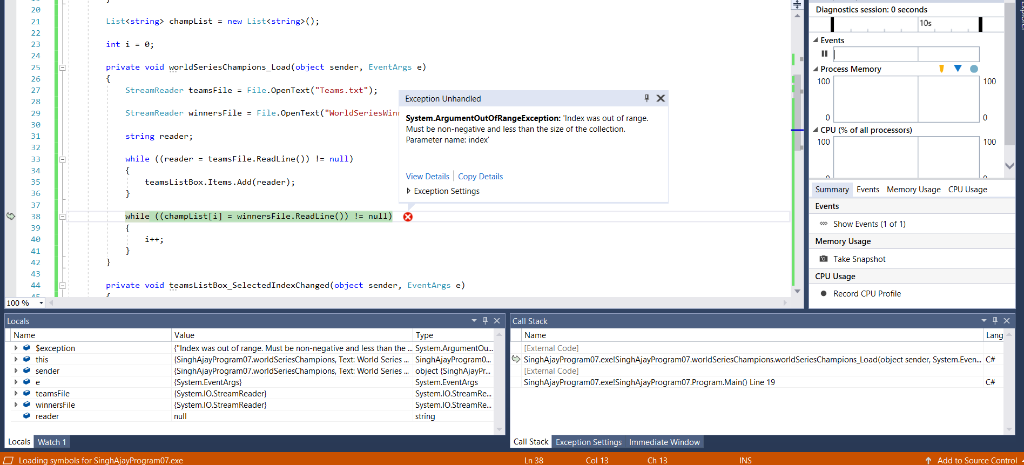
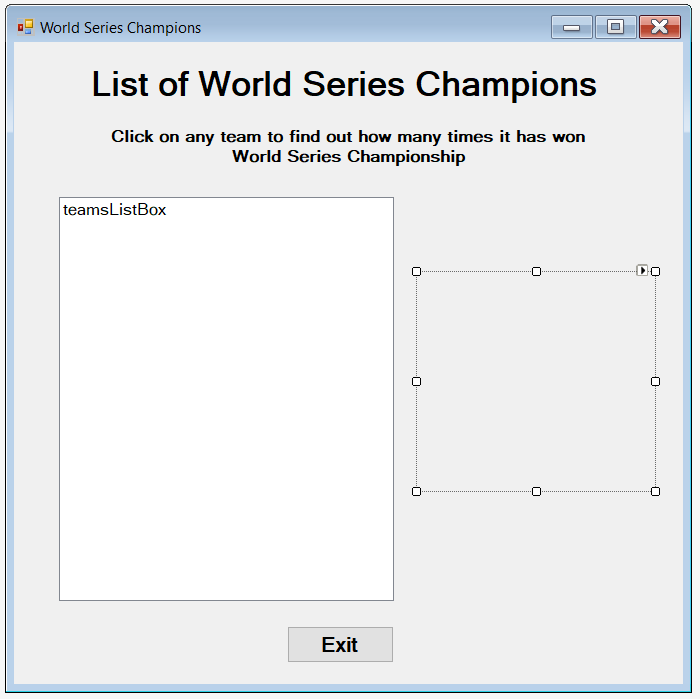
World Series Champions In the Chap07 folder of the Student Sample Programs, you will find the following files: Teams.txt-This file contains a list of several Major League baseball teams in alphabetical order. Each team listed in the file has won the World Series at least once. . WorldSeriesWinners.txt-This file contains a chronological list of the World Series, winning teams from 1903 through 2012(The first line in the file is the name of the team that won in 1903. and the last line is the name of the team that won in 2012. Note that the World Series was not played in 1904 or 1994.) Create an application that displays the contents of the Teams.txt file in a ListBox control. When the user selects a team in the ListBox, the application should display the number of times that team has won the World Series in the time period from 1903 through 2012. TIP: Read the contents of the WorldSeriesWinners.txt file into a List or an array. When the user selects a team, an algorithm should step through the list or array counting the number of times the selected team appears. Diagnostics session: 0 scconds 20 21 List
Step by Step Solution
There are 3 Steps involved in it

Get step-by-step solutions from verified subject matter experts