



Question: Access Homework: create the following 3 tables with the column names and sizes defined using create table SQL Email Table table [ [ EmailNum
Access Homework: create the following tables with the column names and sizes defined using create table SQL
Email Table
tableEmailNumDate,Message,Student NumberFor homework do you want us to provide notes on our references?,My group consists of Swee Lau and Stuart Nelson.,Could you please assign me to a group?,
Student Table
tableStudent Number,Student Name,HWHWMidTermBAKER, ANDREA,LAU, SWEE,NELSON, STUART,FISCHER, MAYAN,TAM, JEFFREY,,VERBERRA, ADAM,VALDEZ, MARIE,ROGERS, SHELLY,
OfficeVisit Table
tableVisitIDDate,,Notes,Student NumberAndrea had questions about using IS for raising barriers to entry.,Jeffrey is considering an IS major. Wanted to talk about career opportunities.,Will miss class Friday due to job conflict.,
Note: Table and Column names can't have space in between
Change the column name Date on EmailTable to EmailDate, change Date on OfficeVisit to VisitDate
You need to create queries, save query to names such as "create student table query, create email table query, and create office visit table query
Once you have completed, close all tabs then click File, Save As then click on "Save As button, then save it as Section number? Your name? Access HW then submit the access file via Canvas, Assignments. No email submission is allowed
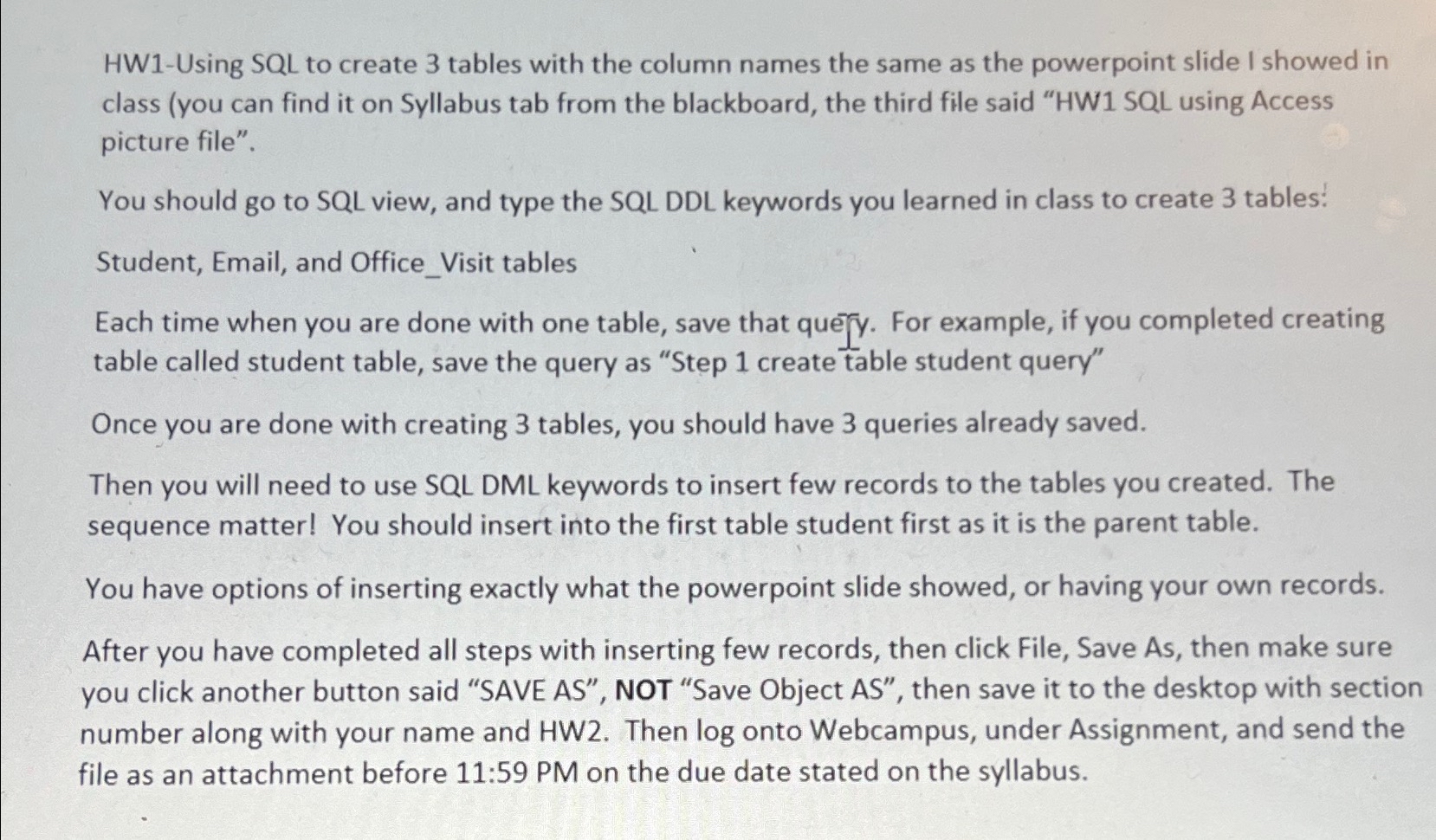
HWUsing SQL to create tables with the column names the same as the powerpoint slide I showed in class you can find it on Syllabus tab from the blackboard, the third file said HW SQL using Access picture file".
You should go to SQL view, and type the SQL DDL keywords you learned in class to create tables:
Student, Email, and OfficeVisit tables
Each time when you are done with one table, save that que y For example, if you completed creating table called student table, save the query as "Step create table student query"
Once you are done with creating tables, you should have queries already saved.
Then you will need to use SQL DML keywords to insert few records to the tables you created. The sequence matter! You should insert into the first table student first as it is the parent table.
You have options of inserting exactly what the powerpoint slide showed, or having your own records.
After you have completed all steps with inserting few records, then click File, Save As then make sure you click another button said "SAVE AS NOT "Save Object AS then save it to the desktop with section number along with your name and HW Then log onto Webcampus, under Assignment, and send the file as an attachment before : PM on the due date stated on the syllabus.
Step by Step Solution
There are 3 Steps involved in it
1 Expert Approved Answer
Step: 1 Unlock

Question Has Been Solved by an Expert!
Get step-by-step solutions from verified subject matter experts
Step: 2 Unlock
Step: 3 Unlock