







Question: Account: :Account ( const string& username ) ; This function is to create an Account object using the username provided as the value for the
Account: :Account const string& username;
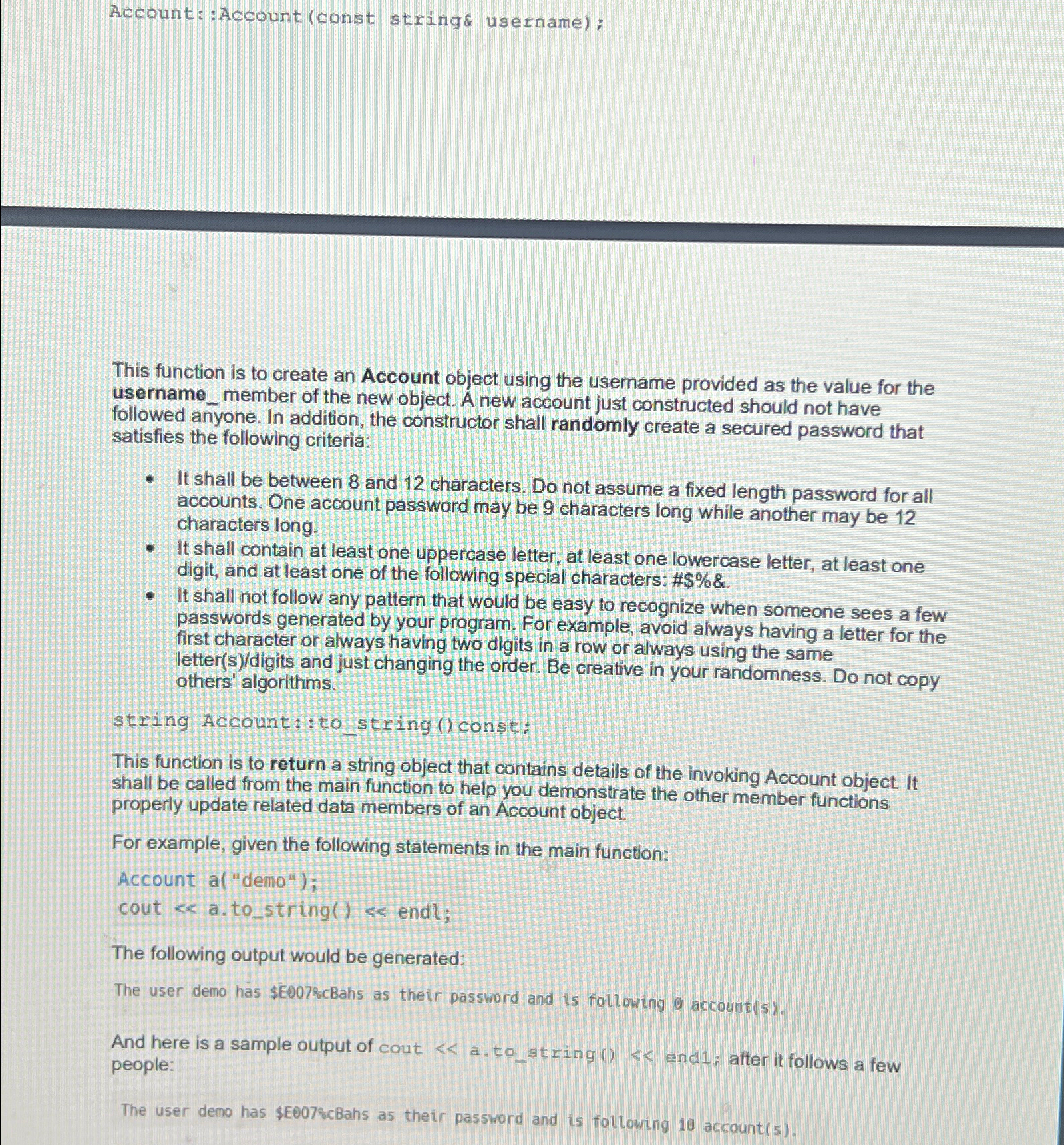
This function is to create an Account object using the username provided as the value for the usernamemember of the new object. A new account just constructed should not have followed anyone. In addition, the constructor shall randomly create a secured password that satisfies the following criteria:
It shall be between and characters. Do not assume a fixed length password for all accounts. One account password may be characters long while another may be characters long.
It shall contain at least one uppercase letter, at least one lowercase letter, at least one digit, and at least one of the following special characters: #$&
It shall not follow any pattern that would be easy to recognize when someone sees a few passwords generated by your program. For example, avoid always having a letter for the first character or always having two digits in a row or always using the same lettersdigits and just changing the order. Be creative in your randomness. Do not copy others' algorithms.
string Account::to string const:
This function is to return a string object that contains details of the invoking Account object. It shall be called from the main function to help you demonstrate the other member functions properly update related data members of an Account object.
For example, given the following statements in the main function:
Account a "demo";
cout & atostring & endl;
The following output would be generated:
The user demo hs $E&cBahs as their password and is following accounts
And here is a sample output of cout a tostring endi; after it follows a few people:
The user demo has $EcBahs as their password and is following account
Step by Step Solution
There are 3 Steps involved in it
1 Expert Approved Answer
Step: 1 Unlock

Question Has Been Solved by an Expert!
Get step-by-step solutions from verified subject matter experts
Step: 2 Unlock
Step: 3 Unlock
 Study Help