







Question: Activity 2: Wireshark, explain the process In this activity, we are going to use our good old friend, Wireshark to analyse the process you
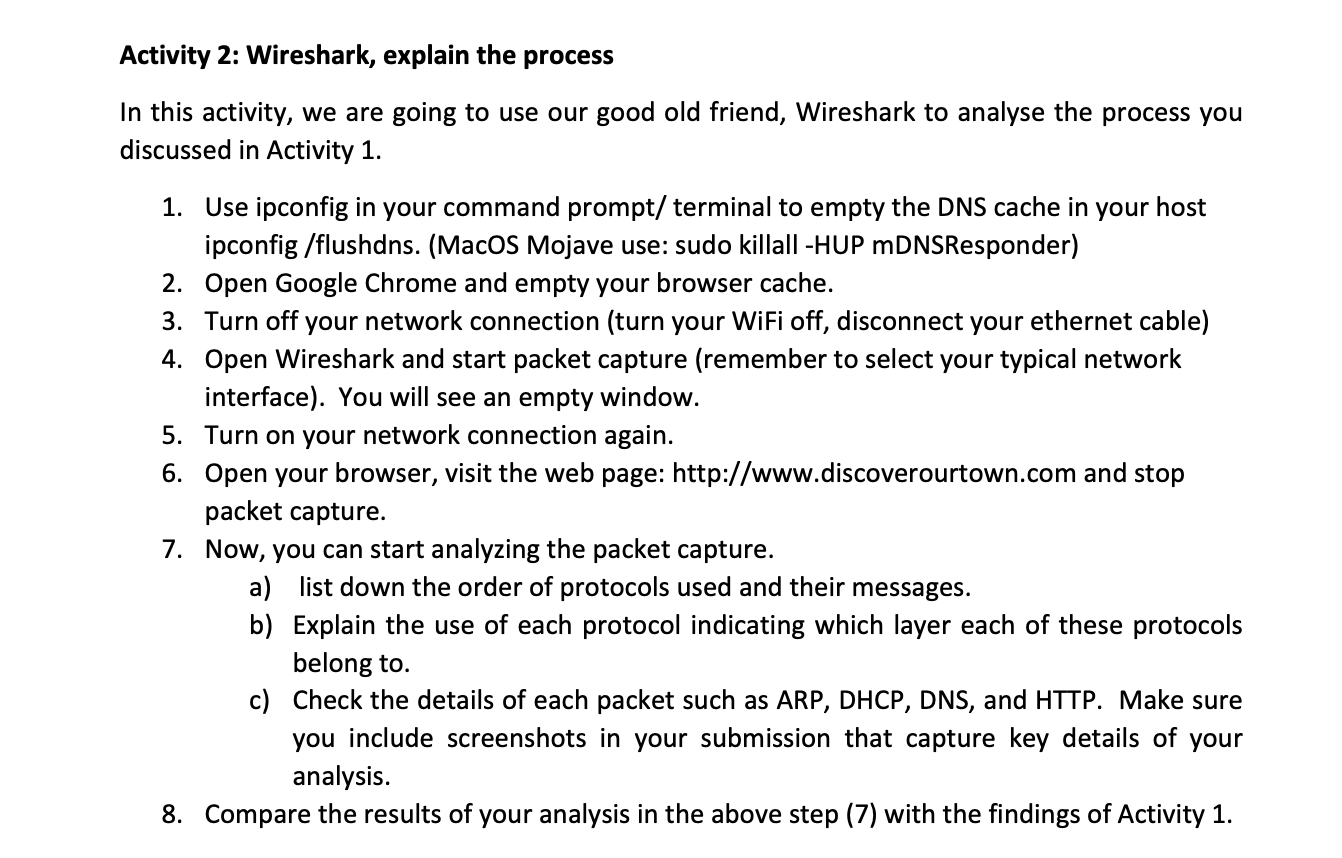
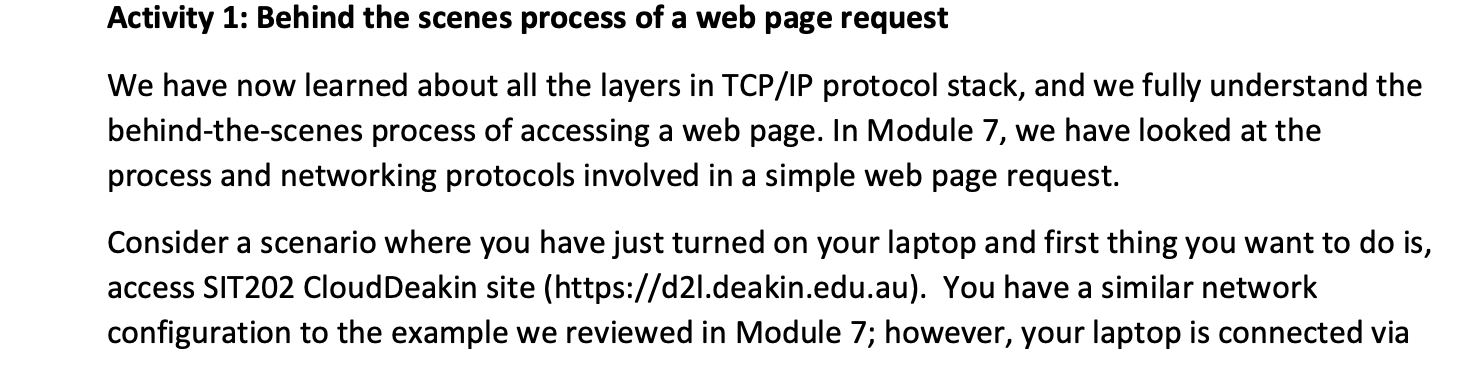
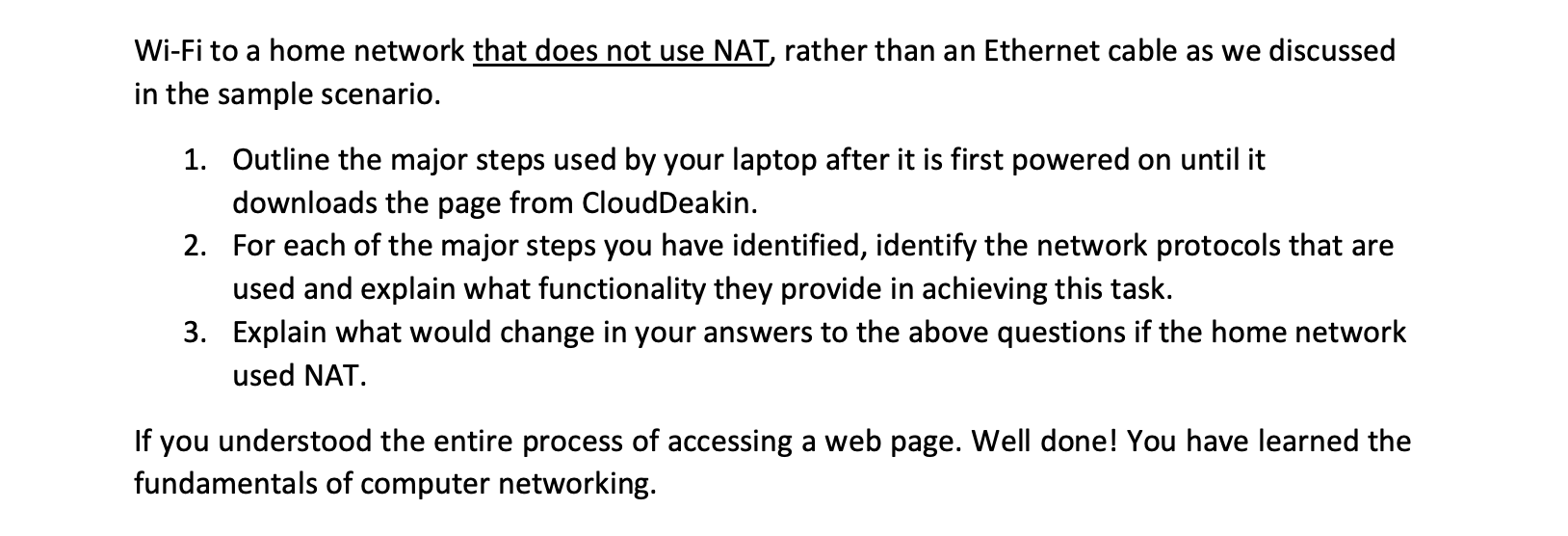
Activity 2: Wireshark, explain the process In this activity, we are going to use our good old friend, Wireshark to analyse the process you discussed in Activity 1. 1. Use ipconfig in your command prompt/terminal to empty the DNS cache in your host ipconfig /flushdns. (MacOS Mojave use: sudo killall -HUP mDNSResponder) 2. Open Google Chrome and empty your browser cache. 3. Turn off your network connection (turn your WiFi off, disconnect your ethernet cable) 4. Open Wireshark and start packet capture (remember to select your typical network interface). You will see an empty window. 5. Turn on your network connection again. 6. Open your browser, visit the web page: http://www.discoverourtown.com and stop packet capture. 7. Now, you can start analyzing the packet capture. a) list down the order of protocols used and their messages. b) Explain the use of each protocol indicating which layer each of these protocols belong to. c) Check the details of each packet such as ARP, DHCP, DNS, and HTTP. Make sure you include screenshots in your submission that capture key details of your analysis. 8. Compare the results of your analysis in the above step (7) with the findings of Activity 1. Activity 1: Behind the scenes process of a web page request We have now learned about all the layers in TCP/IP protocol stack, and we fully understand the behind-the-scenes process of accessing a web page. In Module 7, we have looked at the process and networking protocols involved in a simple web page request. Consider a scenario where you have just turned on your laptop and first thing you want to do is, access SIT202 CloudDeakin site (https://d2l.deakin.edu.au). You have a similar network configuration to the example we reviewed in Module 7; however, your laptop is connected via Wi-Fi to a home network that does not use NAT, rather than an Ethernet cable as we discussed in the sample scenario. 1. Outline the major steps used by your laptop after it is first powered on until it downloads the page from CloudDeakin. 2. For each of the major steps you have identified, identify the network protocols that are used and explain what functionality they provide in achieving this task. 3. Explain what would change in your answers to the above questions if the home network used NAT. If you understood the entire process of accessing a web page. Well done! You have learned the fundamentals of computer networking.
Step by Step Solution
There are 3 Steps involved in it
Explanation of Wireshark Process in Activity 2 Wireshark is a powerful tool used to capture and analyze network traffic In this activity you are instructed to analyze how a web page request works behi... View full answer

Get step-by-step solutions from verified subject matter experts
 Study Help