







Question: Activity Cost Pools using Excel's Absolute Cell Referencing and Basic Math Functions Chocolates by Jack has provided information relating to its current year. The Controller
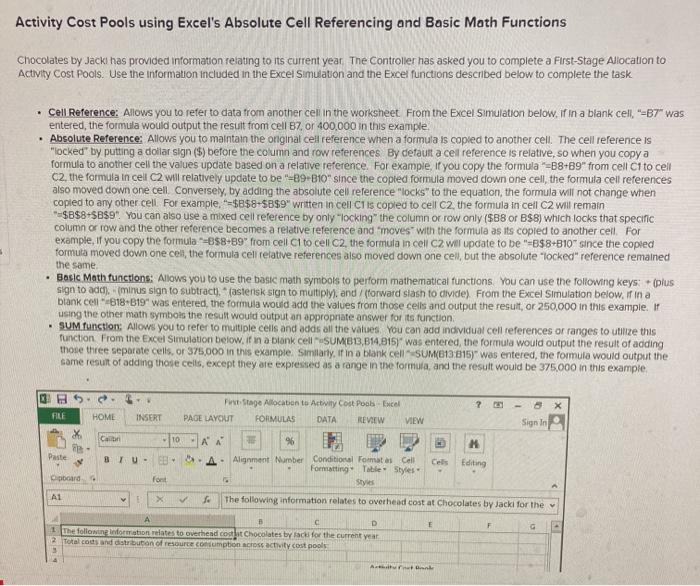
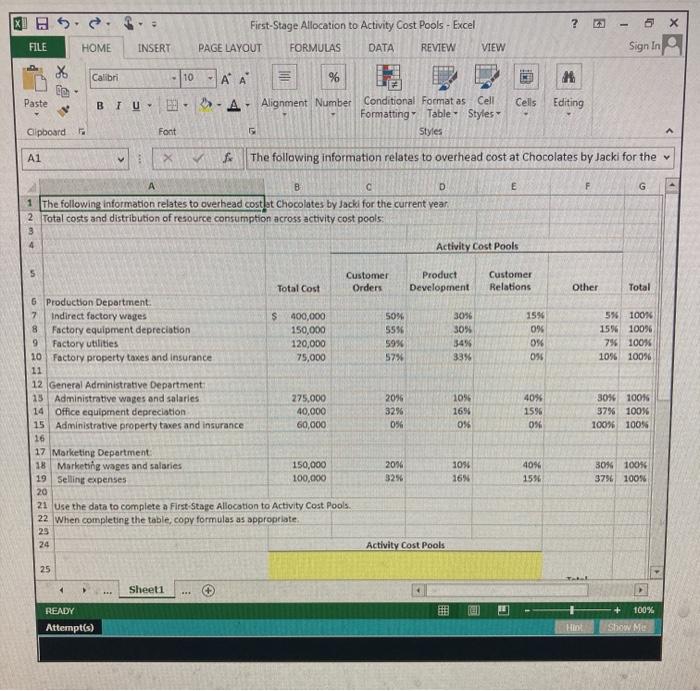
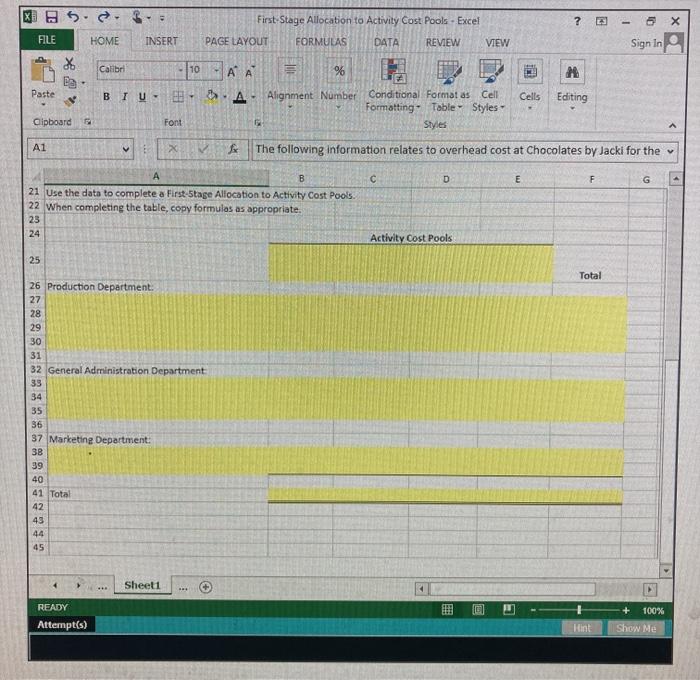
Activity Cost Pools using Excel's Absolute Cell Referencing and Basic Math Functions Chocolates by Jack has provided information relating to its current year. The Controller has asked you to complete a First-Stage Allocation to Activity Cost Pools. Use the information included in the Excel Simulation and the Excel functions described below to complete the task Cell Reference: Allows you to refer to data from another cel in the worksheet From the Excel Simulation below. If in a blank cell. "-B7" was entered the formula would output the result from cell 87, or 400,000 in this example, Absolute Reference: Allows you to maintain the original cell reference when a formula is copied to another cell. The cell reference is "locked" by putting a dollar sign (5) before the column and row references By default a cel reference is relative, so when you copy a formula to another cell the values update based on a relative reference. For example, if you copy the formula =B8+89" from cell C1to cell C2, the formula in cell C2 will relatively update to be "-89-810" since the copted formula moved down one cell, the formula cell references also moved down one cell Conversely, by adding the absolute cel reference "locks" to the equation, the formula will not change when copled to any other cell For example, "=$B$8-58$9" written in cell Clis copied to cell C2, the formula in cell C2 will remain $B$8+5859". You can also use a mixed cell reference by only "locking the column or row only ($88 or B$8) which locks that specific column or row and the other reference becomes a relative reference and moves with the formula as its copied to another ceil. For example, if you copy the formula -888-89" from cell Ci to cell C2, the formula in cell C2 will update to be "-B$8-810" since the copied formuta moved down one cel, the formula cell relative references also moved down one cell, but the absolute "locked" reference remained the same Basic Math functions: Allows you to use the basic math symbols to perform mathematical functions. You can use the following keys (plus sign to adc). mirus sign to subtract)." (astensk sign to multiply), and forward slash to divide) From the Excel Simulation below. irina blank cel"818-819" was entered the formula would add the values from those cells and output the result, or 250,000 in this example. If using the other math symbols the result would output an appropriate answer for its function . SUM functions: Allows you to refer to multiple cells and adds all the vatoes You can add individual cell references or ranges to thize this function. From the Excel Simulation below, if in a blank cell SUMB13,814,8157" was entered the formula would output the result of adding those three separate cells, or 375,000 in this example, similarly, it in a blank cell SUM/113:815" was entered the formula would output the same result of adding those cells, except they are expressed as a range in the formula, and the result would be 375.000 in this example .. HOME X FILE Pitage Allocation to Activity Cost Poobce PAGE LAYOUT FORMULAS DATA REVIEW VIEW INSERT Sign In Cabi 10 M me Daste 96 A. Alignment Number Conditional Format as Call Formatting Table Styles Styles Cebs Editing Opboard For A1 v X The following information relates to overhead cost at Chocolates by Jack for the 5 F A B D The following information relates to overhead coat Chocolates by lack for the current year 2. Totalcosand distribution of resource comption across activity cost pools 3 Anke XH ? 6 5 X First-Stage Allocation to Activity Cost Pools - Excel PAGE LAYOUT FORMULAS DATA REVIEW FILE HOME INSERT VIEW Sign In X Calibri - 10 TAA % -A Alignment Number Paste BTU Cells Editing Conditional Format as Cell Formatting Table Styles Styles Clipboard Font A1 X f The following information relates to overhead cost at Chocolates by Jacki for the E F G B c D 1 The following information relates to overhead costlet chocolates by Jack for the current vean 2 Total costs and distribution of resource consumption across activity cost pools 4 Activity Cost Pools Customer Relations Other Total 15% 09 096 016 596-100% 15% 100% 7% 100% 10% 100% 5 Customer Product Total Cost Orders Development 6 Production Department 7 Indirect factory wages $ 400,000 50% 3056 8 Factory equipment depreciation 150,000 5556 30% 9 Factory utilities 120,000 59% 34% 10 Factory property taxes and Insurance 75,000 57% 33% 11 12 General Administrative Department 15 Administrative wages and salaries 275,000 20% 10% 14 Office equipment depreciation 40,000 32% 1696 15 Administrative property taxes and insurance 60,000 0% 0% 16 17 Marketing Department 18 Marketing wages and salaries 150,000 2056 1056 19 Selling expenses 100,000 3256 16 20 21 Use the data to complete a First Stage Allocation to Activity Cost Pools 22 When completing the table, copy formulas as appropriate 25 24 Activity Cost Pools 4096 1596 0 30% 100% 37% 100% 10096 100% 40 1596 30% 100% 3796 100% 25 Sheet READY Attempt(s) + 100% Show Me HI
Step by Step Solution
There are 3 Steps involved in it

Get step-by-step solutions from verified subject matter experts
 Study Help