







Question: Adding style Modify tma02_admin.css to add the following style changes. Mike is concerned that there are some aspects of the look and feel which dont
Adding style
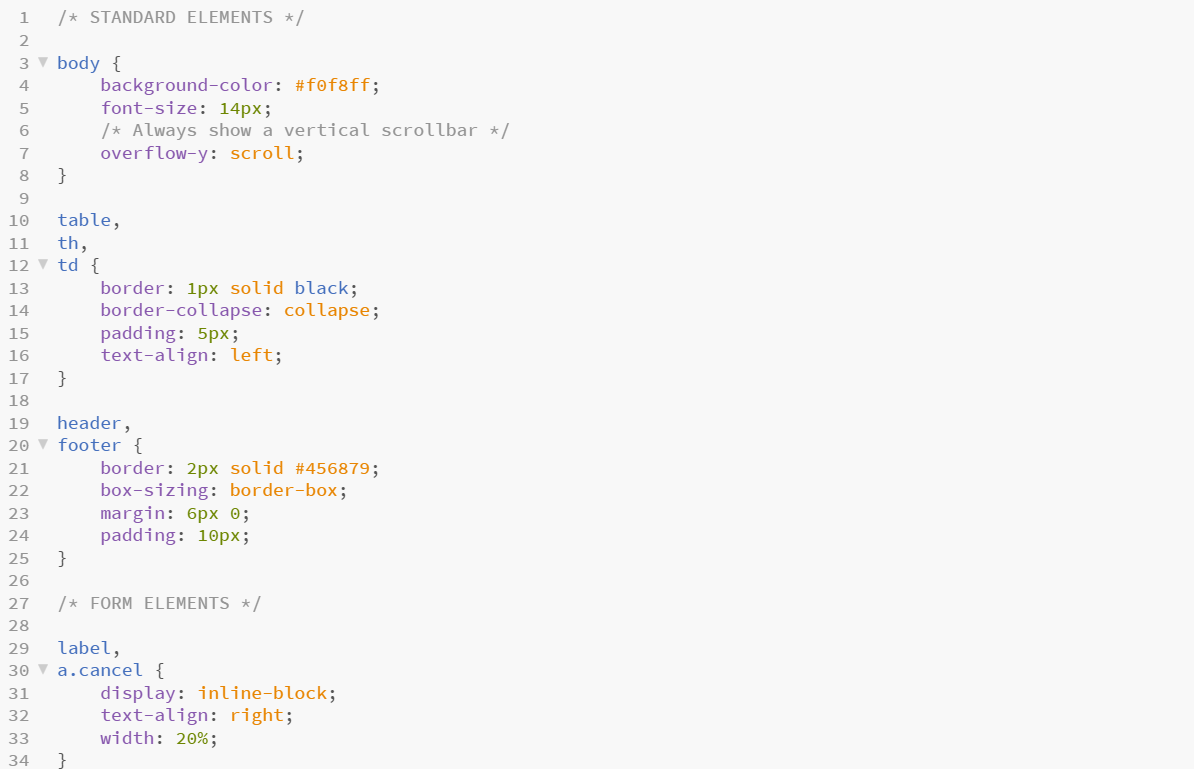
Modify tma02_admin.css to add the following style changes.
Mike is concerned that there are some aspects of the look and feel which dont reflect his expectations. Despite it being a prototype, he is insistent that these be addressed.
He would ideally like the text to be in the Segoe UI font, but understands that cannot be guaranteed. Failing that he would like Arial, but if that is not possible, he wants to be sure that the font is from an appropriate generic family.
Modify one place in the CSS to use an appropriate font for the page text (note that text in the input fields and the buttons may not be changed).
Some elements are to be changed to less intense background colours. Mike isnt specific about the exact colour, so anything meeting his specifications will be fine.
The elements you need to change are:
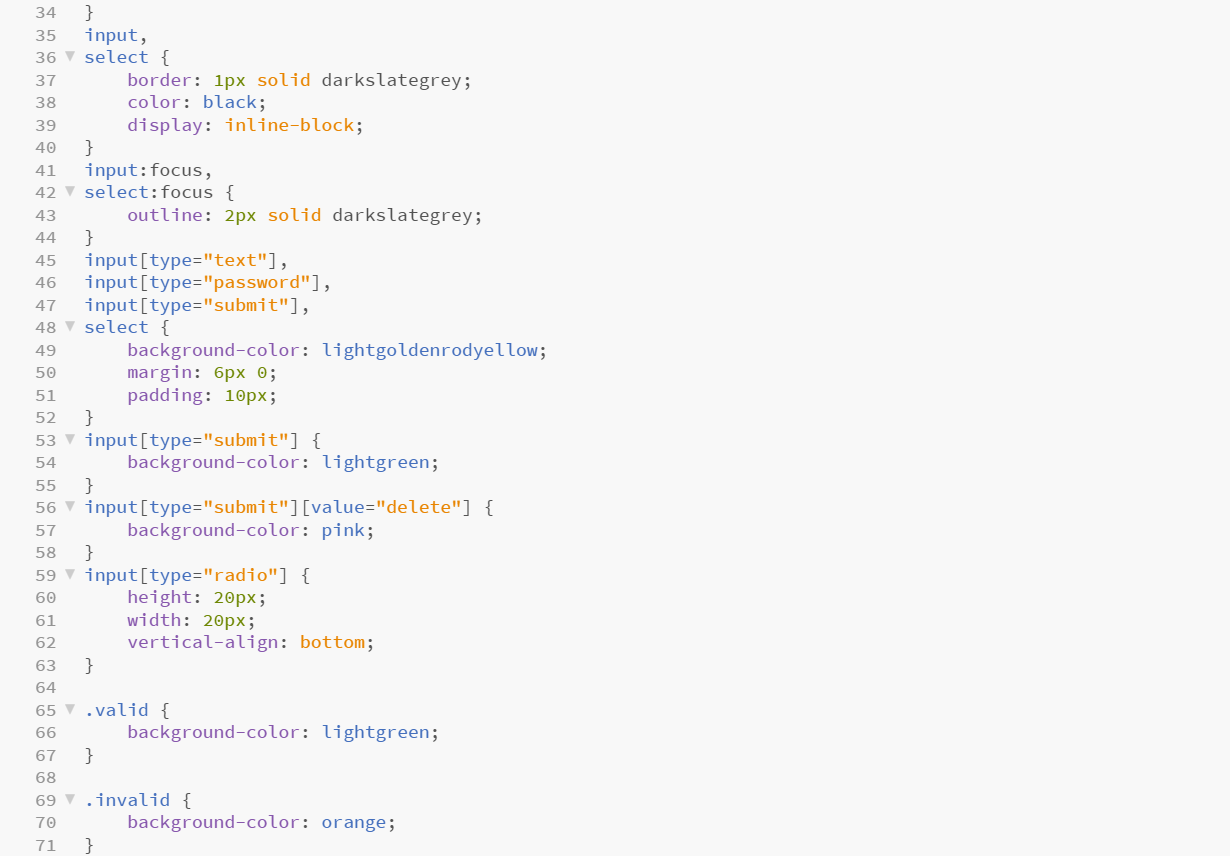
text inputs to have a grey background
valid feedback to have a pale purple background
invalid feedback to have a pale red background.
Change the background colours as required. You may use any CSS mechanism to specify the colour. Note that autocomplete features in your web browser may affect the background colour of some inputs you are not required to address this.

Step by Step Solution
There are 3 Steps involved in it

Get step-by-step solutions from verified subject matter experts
 Study Help