







Question: A-F De ACL Problem Austin (Objective 15-70 This problem requires the use of ACL software, which can be accessed through the textbook website. Information about
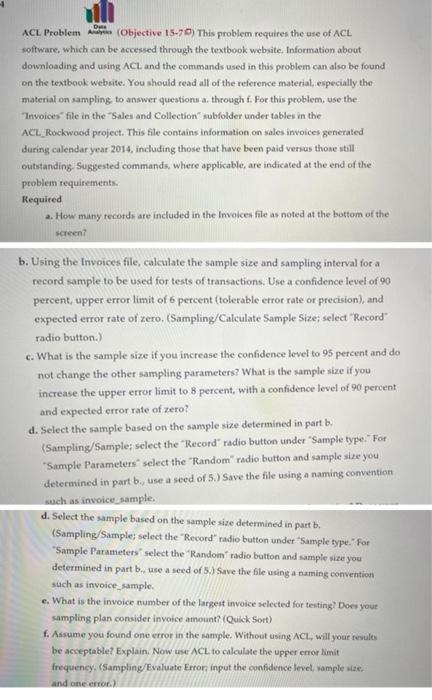
De ACL Problem Austin (Objective 15-70 This problem requires the use of ACL software, which can be accessed through the textbook website. Information about downloading and using ACL, and the commands used in this problem can also be found on the textbook website. You should read all of the reference material, especially the material on sampling to answer questions through f. For this problem, use the "Invoices file in the "Sales and Collection subfolder under tables in the ACL_Rockwood project. This file contains information on sales invoices generated during calendar year 2014, including those that have been paid versus those still outstanding. Suggested commands, where applicable, are indicated at the end of the problem requirements, Required 2. How many records are included in the Invoices file as noted at the bottom of the screen b. Using the invoices file, calculate the sample size and sampling interval for a record sample to be used for tests of transactions. Use a confidence level of 90 percent, upper error limit of 6 percent (tolerable error rate or precision), and expected error rate of zero. (Sampling/Calculate Sample Size; select "Record radio button.) c. What is the sample size if you increase the confidence level to 95 percent and do not change the other sampling parameters? What is the sample size if you increase the upper error limit to 6 percent, with a confidence level of 90 percent and expected error rate of zero? d. Select the sample based on the sample size determined in part b. (Sampling/Sample: select the "Record" radio button under Sample type. For "Sample Parameters" select the "Random" radio button and sample size you determined in part b., use a seed of 5.) Save the file using a naming convention such as invoice_sample d. Select the sample based on the sample site determined in part b. (Sampling/Sample; select the "Record radio button under Sample type." For "Sample Parameters select the "Random" radio button and sample size you determined in part b, use a seed of 5) Save the file using a naming convention such as invoice_sample e. What is the invoice number of the largest invoice selected for testing? Does your sampling plan consider invoice amount? (Quick Sort) f. Assume you found one error in the sample. Without using ACL will your results be acceptable? Explain. Now us ACL to calculate the upper error limit frequency. (Sampling/Evaluate Error: input the confidence level, sample size and one or
Step by Step Solution
There are 3 Steps involved in it

Get step-by-step solutions from verified subject matter experts
 Study Help