







Question: After changing checkboxes to radiobuttons and adding dialogbox flags in my python tkinter GUI event handling calendar program my ADD _ EVENT function stopped working
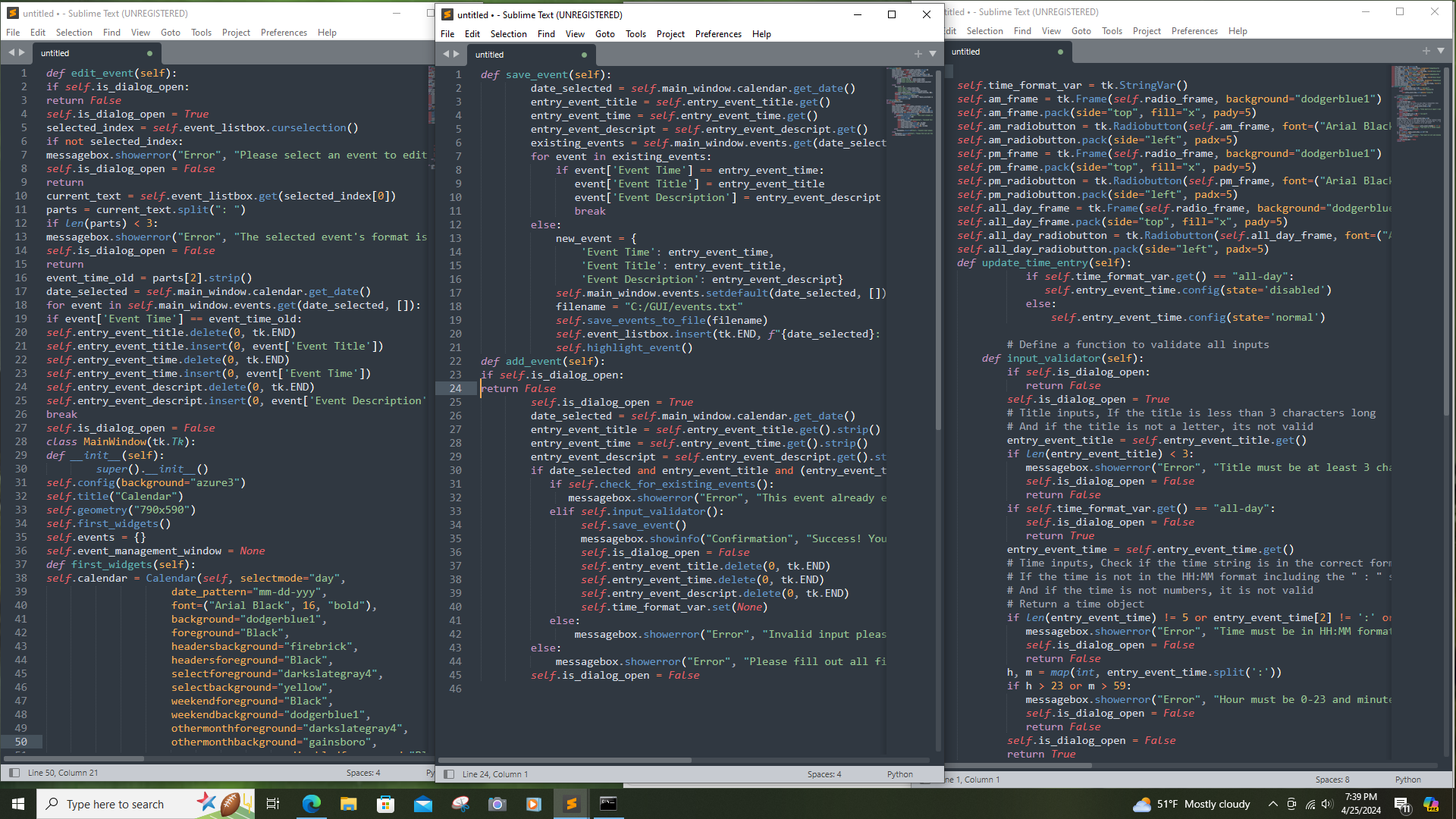
After changing checkboxes to radiobuttons and adding dialogbox flags in my python tkinter GUI event handling calendar program my ADDEVENT function stopped working properly, Please help to fix this. It only gives the error message: "Invalid input, Please check your entries. Even though all entries are always accurate. Thanks for your help. class MainWindowtkTk:
def initself:
superinit
self.configbackground"azure
self.titleCalendar
self.geometryx
self.firstwidgets
self.events
self.eventmanagementwindow None
def firstwidgetsself:
self.calendar Calendarself selectmode"day",
datepatternmmddyyy
fontArial Black", "bold"
background"dodgerblue
foreground"Black",
headersbackground"firebrick",
headersforeground"Black",
selectforeground"darkslategray
selectbackground"yellow",
weekendforeground"Black",
weekendbackground"dodgerblue
othermonthforeground"darkslategray
othermonthbackground"gainsboro",
disabledforeground"Black",
disabledbackground"dimgray"
self.calendar.packpady
self.manageeventsbutton tkButtonself text'Manage Events', activebackground"yellow", background"dodgerblue fontArial Black", "bold" width height commandself.openeventmanagement
self.manageeventsbutton.pack
# Create the exit program button
self.quitbutton tkButtonself text"Exit Program", activebackground"yellow", background"firebrick", fontArial Black", "bold" width height commandself.quit
self.quitbutton.packside"bottom", anchore padx pady
def openeventmanagementself:
if self.eventmanagementwindow is None or not self.eventmanagementwindow.winfoexists:
self.eventmanagementwindow EventManagementWindowself
if namemain:
app MainWindow
app.mainloop import tkinter as tk
from tkinter import ttk
from tkcalendar import Calendar
from PIL import ImageTk,Image
from tkinter import simpledialog
from tkinter import Label, Toplevel
from tkcalendar import DateEntry
from tkinter import StringVar, messagebox, PhotoImage
from datetime import datetime
import os
import tempfile
class EventManagementWindowtkToplevel:
def initself mainwindow:
superinitmainwindow
self.configbackground"dodgerblue
self.titleEvent Management'
self.geometryx
self.mainwindow mainwindow
self.secondwidgets
self.focusset
self.isdialogopen False
Step by Step Solution
There are 3 Steps involved in it
1 Expert Approved Answer
Step: 1 Unlock

Question Has Been Solved by an Expert!
Get step-by-step solutions from verified subject matter experts
Step: 2 Unlock
Step: 3 Unlock
 Study Help