







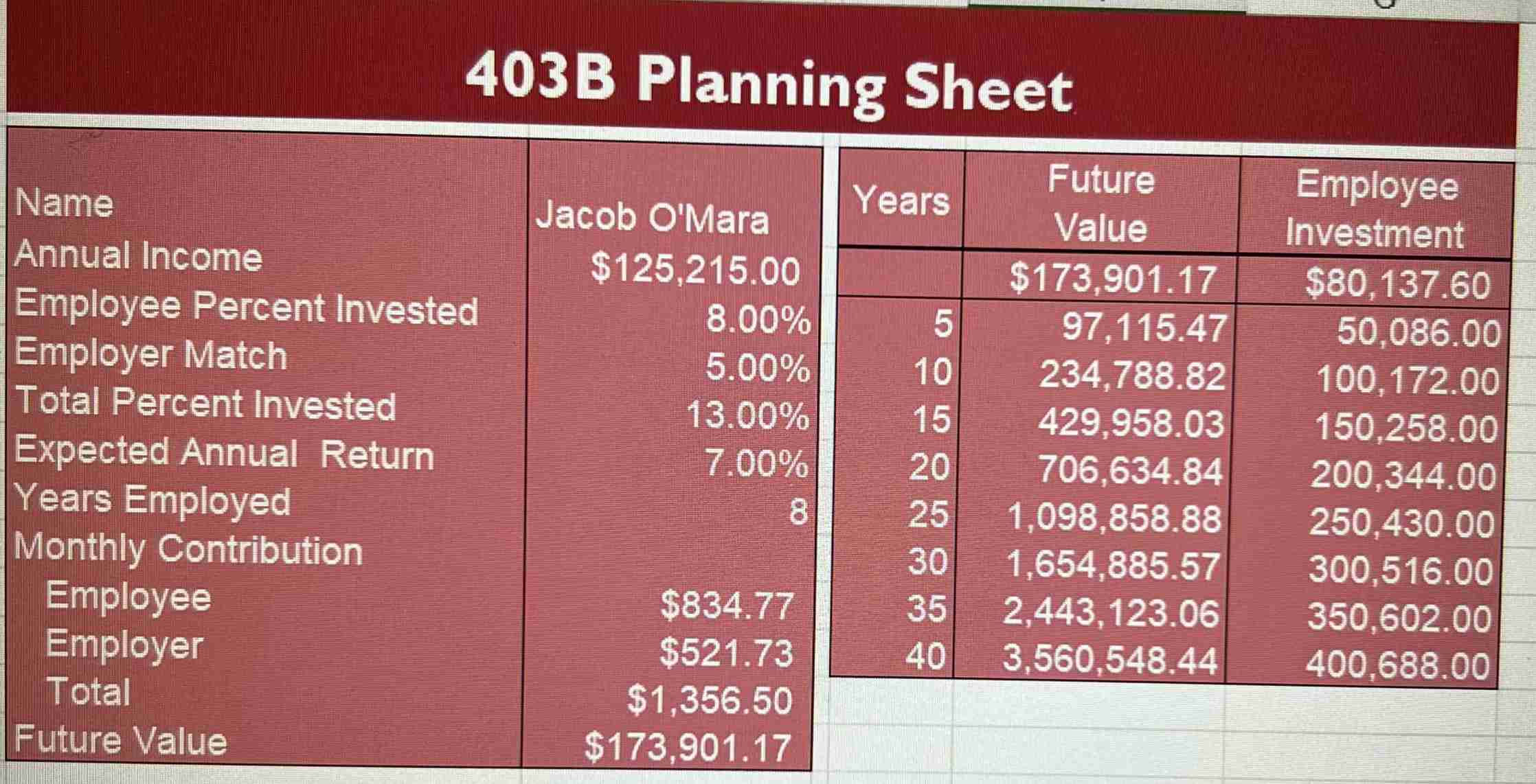
Question: After completing the ( Excel eTextbook ) practice Module 4 : EX 4 - 8 c Extend Your Knowledge ( Retirement Planning ) activity in
After completing the Excel eTextbook practice Module : EX c Extend Your Knowledge Retirement Planning
activity in this module, create a 'Deck' story around the information you see. Be sure to incorporate:
A cover page slide
Executive Summary ensure you incorporate # and # in no need to 'keep us guessing to the end' in a deck
Objective Question or Hypothesis
Data Support including graphs, charts, and other formatted visuals you probably need a few slides here
Recommendation ties in with Objective, or question to be answered
Be sure to go beyond 'exploring the data and finding patterns a marketing research activity Ask the question SO WHAT?" over and over data miningdata analysis activity as you construct your deck. Use a theme download PowerPoint template that relates. Use real screenshots from the database, but, remember your audience is probably nontechnical. Refrain from 'teaching us how to do something' as your 'audience' in this case is a fictional story. Feel free to make assumptions as needed, but, ensure your selected data supports the story you tell.
You may view the grading rubrics before you beginB Planning Sheet
Step by Step Solution
There are 3 Steps involved in it
1 Expert Approved Answer
Step: 1 Unlock

Question Has Been Solved by an Expert!
Get step-by-step solutions from verified subject matter experts
Step: 2 Unlock
Step: 3 Unlock
 Study Help