







Question: Algorithms Lab - Sorting Speed Real Time Comparison Overview Compare the real time speed between sorting algorithms on large sets of data. Part 1 public
Algorithms Lab Sorting Speed Real Time Comparison
Overview
Compare the real time speed between sorting algorithms on large sets of data.
Part
public static int createArrayWithRandomDataint size, int randomMaxValue
This method should allocate a new array of int number of elements is size Initialize all elements of the array with random numbers. The random numbers should be between and randomMaxValue. It should return the int instance at the end of the method.
To generate random numbers first create an instance of Random:
Random rand new Random; instance of Random class
Use the Random instance to generate the numbers:
int randNum;
randNum rand.nextInt; Generates a random number in the range
Part
Create a method with the following header:
public static void showint ar
This method should display all data in the array on screen.
Part
Main method code:
Use createArrayWithRandomData to create an array with items. The range of items should be Save in variable ar
Make a copy of the original array containing the random data ar using Arrays.copy. For example:
int ar Arrays.copyOfar arlength;
Note: We are copying the array so that we can compare how the sorts run on the exact same data.
Show the data in both arrays on screen. Check that they have the same exact data.
Part
Create a method with the following header:
public static void runJavaSortint ar
This method should call the Arrays.sort to sort ar
Note: Arrays.sort uses a combination of sorts to sort the data quicksort mergesort, insertion sort, and heapsort
Part
public static void bubbleSortint ar
Implement the bubble sort algorithm. It should sort the int parameter. Here is the pseudocode for bubble sort:
Part
Test both sorts in main:
Call runJavaSort on ar
Call bubbleSort on ar
Show both sorted arrays on screen.
Part
Run each sort in main and calculate how many nanoseconds it takes for each to run. You should print the results on screen.
Here is sample code to get the current time in nanoseconds:
long currentTime System.nanoTime;Do the following:
Update runJavaSort to calculate the time it takes to sort the data.
Get the start time before starting the sort.
Get the end time after finishing the sort.
Subtract the start time from the end time and print it on screen.
Update bubbleSort to calculate the time it takes to sort the data.
Get the start time before starting the sort.
Get the end time after finishing the sort.
Subtract the start time from the end time and print it on screen.
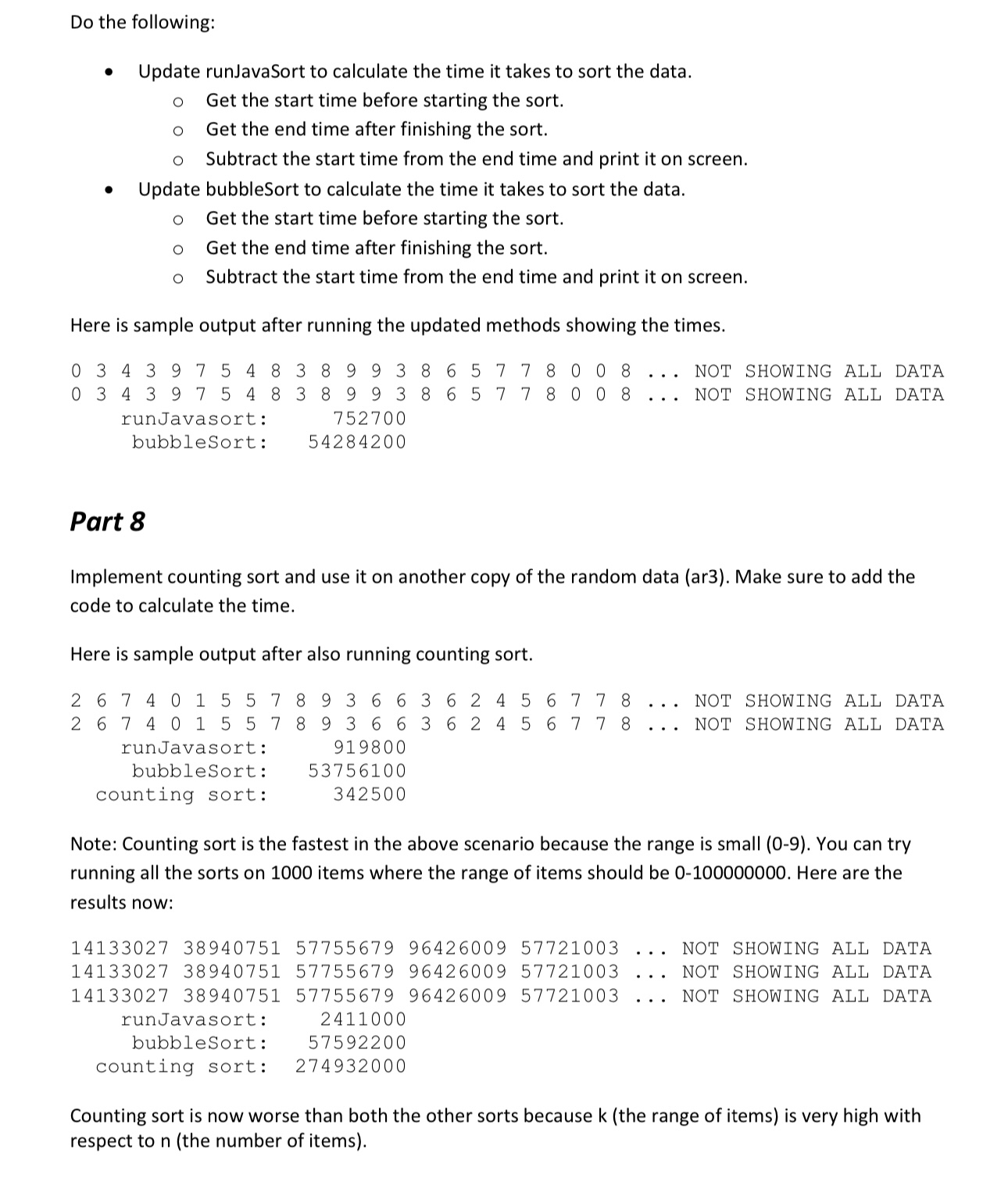
Here is sample output after running the updated methods showing the times.
Part
Implement counting sort and use it on another copy of the random data ar Make sure to add the code to calculate the time.
Here is sample output after also running counting sort.
runJavasort:
bubbleSort:
counting sort:
Note: Counting sort is the fastest in the above scenario because the range is small You can try running all the sorts on items where the range of items should be Here are the results now:Counting sort is now worse than both the other sorts because k the range of items is very high with respect to n the number of items
Step by Step Solution
There are 3 Steps involved in it
1 Expert Approved Answer
Step: 1 Unlock

Question Has Been Solved by an Expert!
Get step-by-step solutions from verified subject matter experts
Step: 2 Unlock
Step: 3 Unlock
 Study Help