







Question: *All coded needs to be C#(c sharp) *Please attach the screenshot and the code *Please i need the code by today within 8 pm This
*All coded needs to be C#(c sharp)
*Please attach the screenshot and the code
*Please i need the code by today within 8 pm
This assignment is for the students to set up the Visual Studio environment to prepare them for the success of the future programming assignments in this class. The students need to complete a simple program of using the tools like Label, TextBox and Button in Visual Studio, the program will have at least 3 buttons to test different button click events, and a TextBox for the user input the name, so that it can show a message that has the name in the TextBox in it.
1. Set up the Visual Studio environment on your computer for developing and running Windows Forms App.
2. The program should meet the following requirements: > Add 3 Buttons on the Form, each Button should have different text on it. > When the 3 buttons are clicked, show MessageBox messages that can indicate which button was clicked. > Add a Label, a TextBox and a Button on the Form, the Label should tell the user to input his/her name in the TextBox. > When this new Button is clicked, it should show a MessageBox message that include the name that was input by the user in the TextBox
3. Run the program in Visual Studio and attach the screenshot
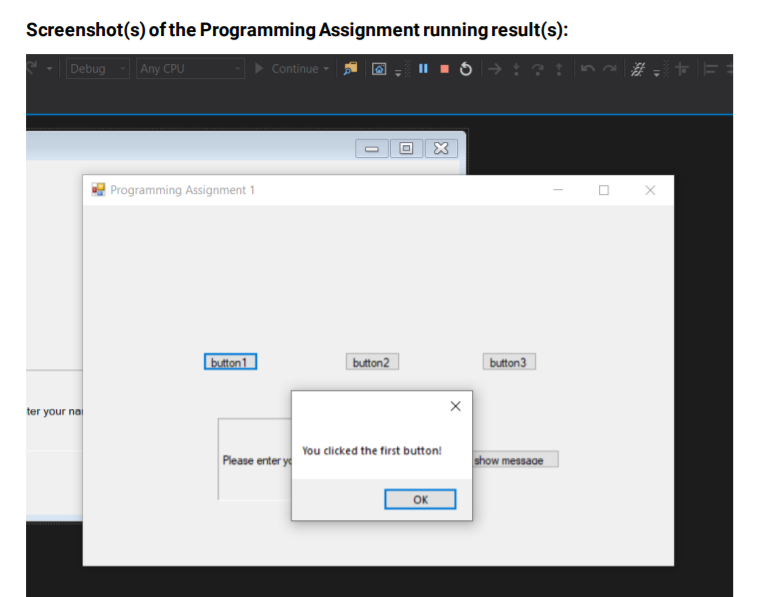
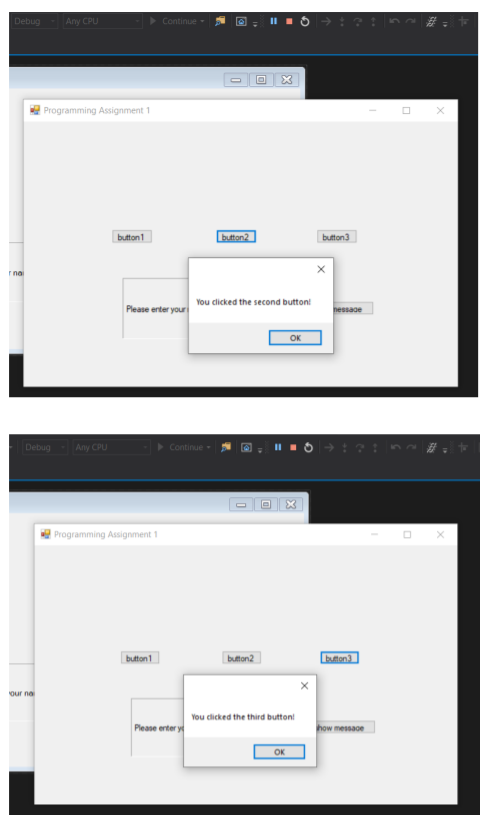
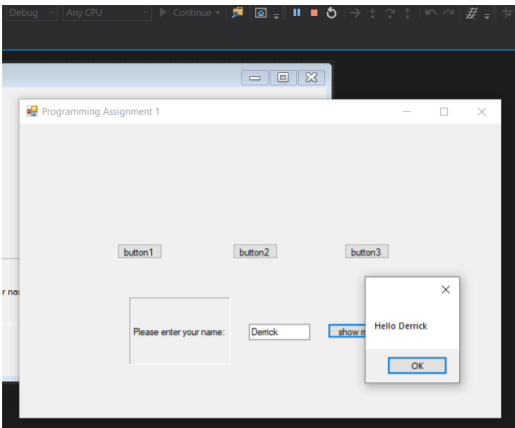
Screenshot(s) of the Programming Assignment running result(s): Debug - Any CPU Continue HIS x Programming Assignment 1 x button1 button2 button3 ter your na Please enter yo You clicked the first button! show message Debug Any CPU Continue x Programming Assignment 1 button1 button2 button Ina Please enter your You clicked the second button hessage OK Debug Any CPU Continue 0 Programming Assignment 1 button1 button2 button Our na You clicked the third button Please enter y how message OK Debug Any CPU Continue 5 0 D X X Programming Assignment 1 button1 button2 button 3 rna Please enter your name: Denick show Hello Derrick OK
Step by Step Solution
There are 3 Steps involved in it

Get step-by-step solutions from verified subject matter experts
 Study Help