







Question: All I need help with is how do I set up the for loop so that I can go over every pixel? basically I want
All I need help with is how do I set up the "for loop" so that I can go over every pixel? basically I want a for loop that covers all pixels of a specific image and desaturates it.
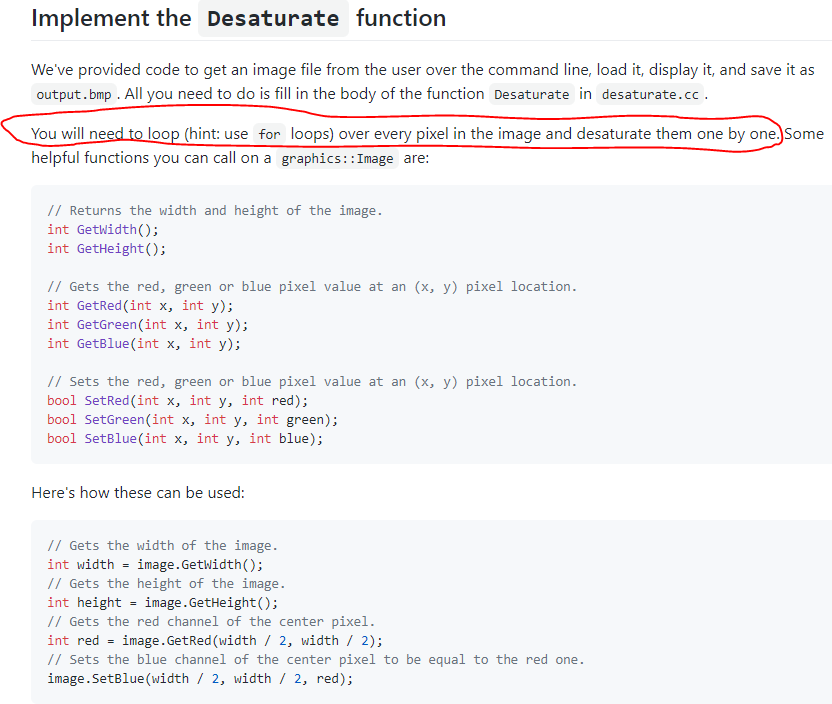
Implement the Desaturate function We've provided code to get an image file from the user over the command line, load it, display it, and save it as output.bmp . All you need to do is fill in the body of the function Desaturate in desaturate.co. You will need to loop (hint: use for loops) over every pixel in the image and desaturate them one by one. Some helpful functions you can call on a graphics:: Image are: // Returns the width and height of the image. int GetWidth(); int GetHeight(); // Gets the red, green or blue pixel value at an (x, y) pixel location. int GetRed (int x, int y); int GetGreen(int x, int y); int GetBlue(int x, int y); // Sets the red, green or blue pixel value at an (x, y) pixel location. bool SetRed (int x, int y, int red); bool SetGreen(int x, int y, int green); bool SetBlue(int x, int y, int blue); Here's how these can be used: // Gets the width of the image. int width = image. GetWidth(); // Gets the height of the image. int height = image. GetHeight(); // Gets the red channel of the center pixel. int red = image. GetRed (width / 2, width / 2); // Sets the blue channel of the center pixel to be equal to the red one. image. SetBlue(width / 2, width / 2, red)
Step by Step Solution
There are 3 Steps involved in it

Get step-by-step solutions from verified subject matter experts
 Study Help