







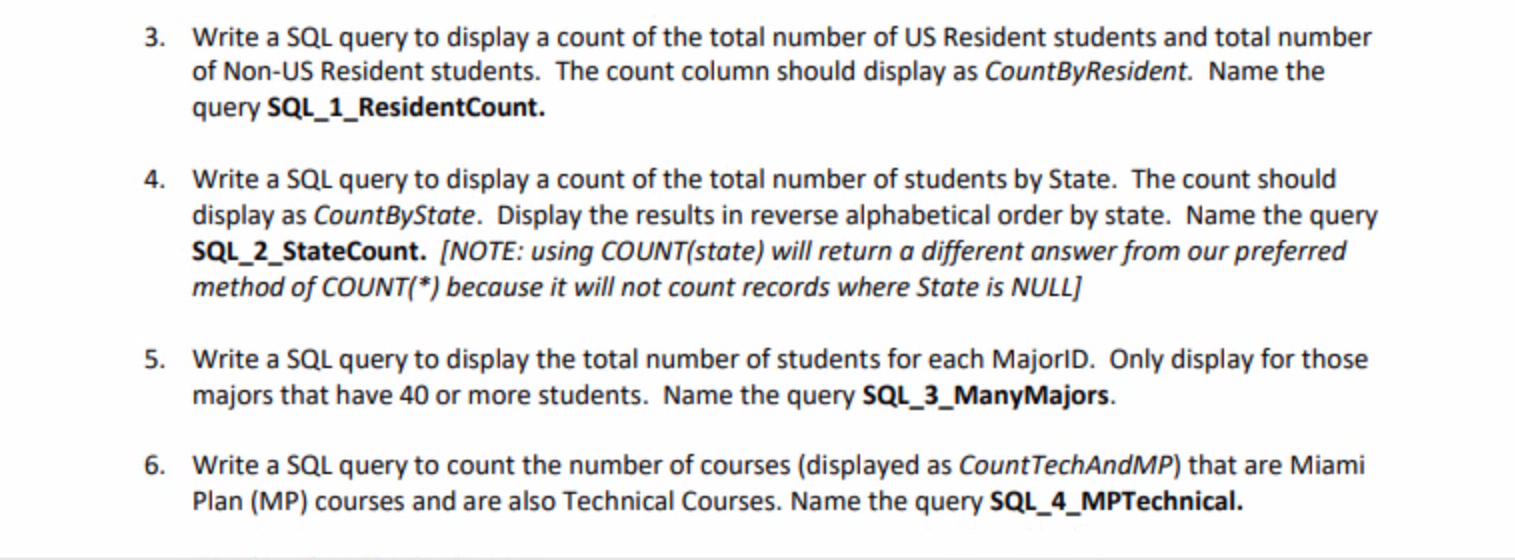
Question: ALL IN SQL DESIGN VIEW 3. Write a SQL query to display a count of the total number of US Resident students and total number
 ALL IN SQL DESIGN VIEW
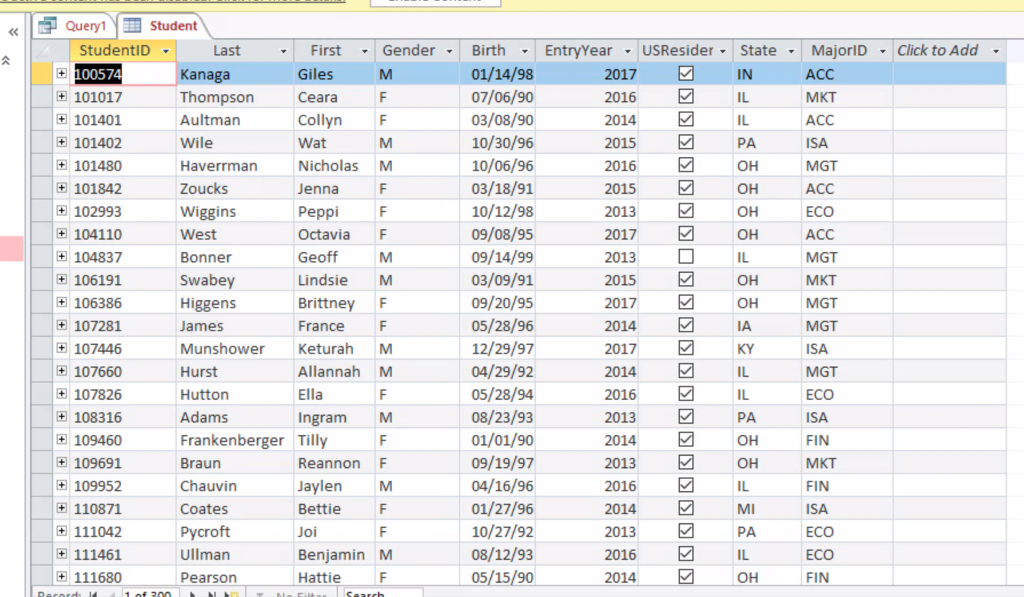
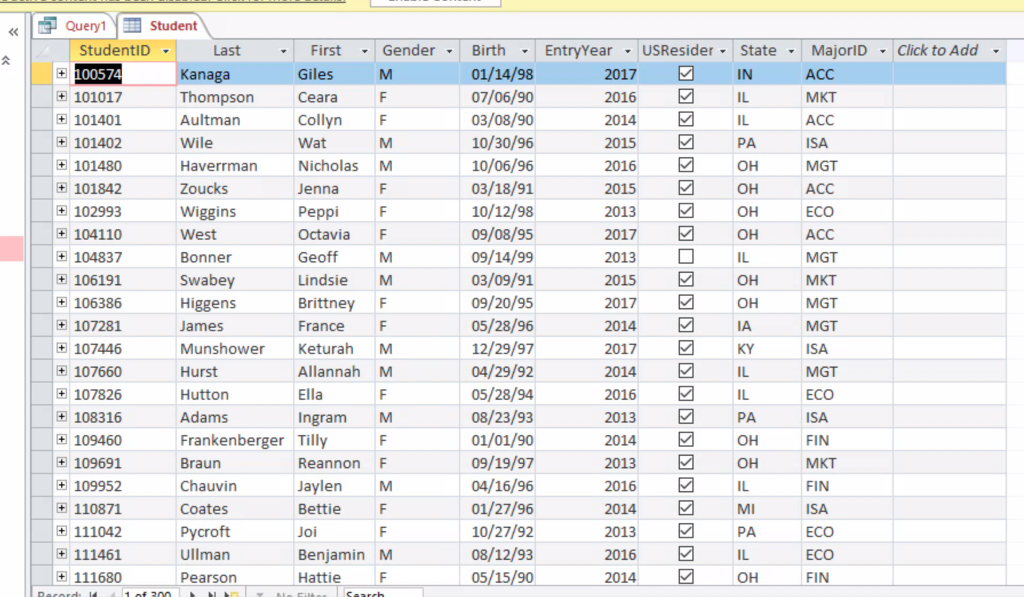
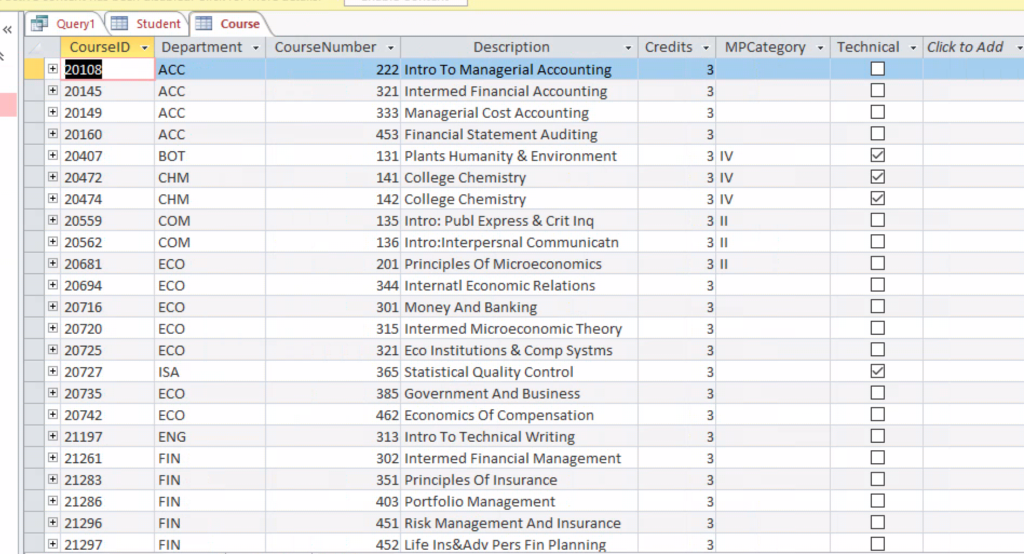
3. Write a SQL query to display a count of the total number of US Resident students and total number of Non-US Resident students. The count column should display as CountByResident. Name the query SQL_1_Resident Count. 4. Write a SQL query to display a count of the total number of students by State. The count should display as CountByState. Display the results in reverse alphabetical order by state. Name the query SQL_2_State Count. [NOTE: using COUNT(state) will return a different answer from our preferred method of COUNT(*) because it will not count records where State is NULL) 5. Write a SQL query to display the total number of students for each Majorld. Only display for those majors that have 40 or more students. Name the query SQL_3_ManyMajors. 6. Write a SQL query to count the number of courses (displayed as CountTechAndMP) that are Miami Plan (MP) courses and are also Technical Courses. Name the query SQL_4_MPTechnical.
Step by Step Solution
There are 3 Steps involved in it

Get step-by-step solutions from verified subject matter experts
 Study Help