



Question: All Main Pages ( 2 5 pts ) All the Main Pages ( This excludes the Success Form ) must have the following matching Elements
All Main Pages pts
All the Main Pages This excludes the Success Form must have the following matching Elements
Header pts
The header must have a different color than the rest of the page
The title must be in h and must be center aligned
The Title element should change per page
Navigation Bar pts
Must have Pages
Home
Games
Contact Us
The navigation must have a hover on the li element, which changes color
If you click on the Nav Element it must go to the corresponding page, Example Clicking Games should go to Games, and this should work on any of the pages
Footer pts
The footer color must match the Header
The footer text must be center aligned
Home Page pts
The first page of this Project is the Home page, there are a few elements that need to be done for this:
There must be a Main Content Section Split into Sections
Main Section ~ Width
Sidebar: ~ Width
Both must have a Black Border
On the Main Section there must be Sub Sections and in one of these sections there must be a Small Logo that links to a different Web Page In my example I used Linkedin, it can be anything
On the Sidebar
There must be some Text
There must be a Button that links to the Contact Page
The Button must have a Hover Element
Games Page pts
The next page of this Project is the games page, this page contains One Game, an enhanced more interactive Version of the Rock, Paper, Scissors Game that you built.
The page must have a Simple form that allows you to choose between
Rock
Paper
Scissors
The user does NOT have the SPOCK option
There should also be a Submit Button
Below the form there must be Boxes, one aligned Left, one Aligned Right
Box should say You Chose:
Box should say Computer Chose:
Both boxes should have a border around them
Both Boxes should have an element that can be modified by JS and say the Selection that both the User Computer Chose as shown in the video
Javascript Code
The code must randomly choose Rock, Paper, Scissors or Spock for the Computer
The game follows the standard rules except for if the Computer chooses Spock it wins, no matter what. Humans cannot chose Spock its not an option
Now, heres where it gets FUN
Updating UserComputer Chose Boxes
For whatever the Computer chooses you must fill the choice in the Computer Chose: Box
For whatever the User chooses you must fill the choice in the You Chose: Box
Background Color Alerts
If the Computer Wins, you must show an Alert saying that You Lose and change the background color of the whole page to Red
This includes if Spock is chosen, that means the computer won
If the User Wins, you must show an Alert saying that You Win and change the background color to Green
If there is a Tie, you must show an Alert saying that Tie and change the background color to Blue
The background color must STICK, it must not flash, the trick here is for the onsubmit for form it must do function; return false; Reach out if you want some clarifications on this
Contact Page pts
The contact page is a fairly simple page that has just Elements on it
A Form
It must have a Name Text Box
It must have a Date Picker
It must have a Big Textbox you will have to look this up
There must be a Script to Validate the Big TextBox
The Big Textbox cannot accept any special characters
If validation fails you must get an alert
Once the form is Validated it must Redirect to the Success Form Page listed below
Success Form Page pts
The success form is a simple page with only key elements
It must have an h and a h
The h should give a disclaimer that the page will redirect, more about that in a second
There must be an image A Home page Icon that when clicked will redirect to the home page
The page must Redirect to the Homepage automatically after Seconds
This will require some external research
Screenshots
Home Page
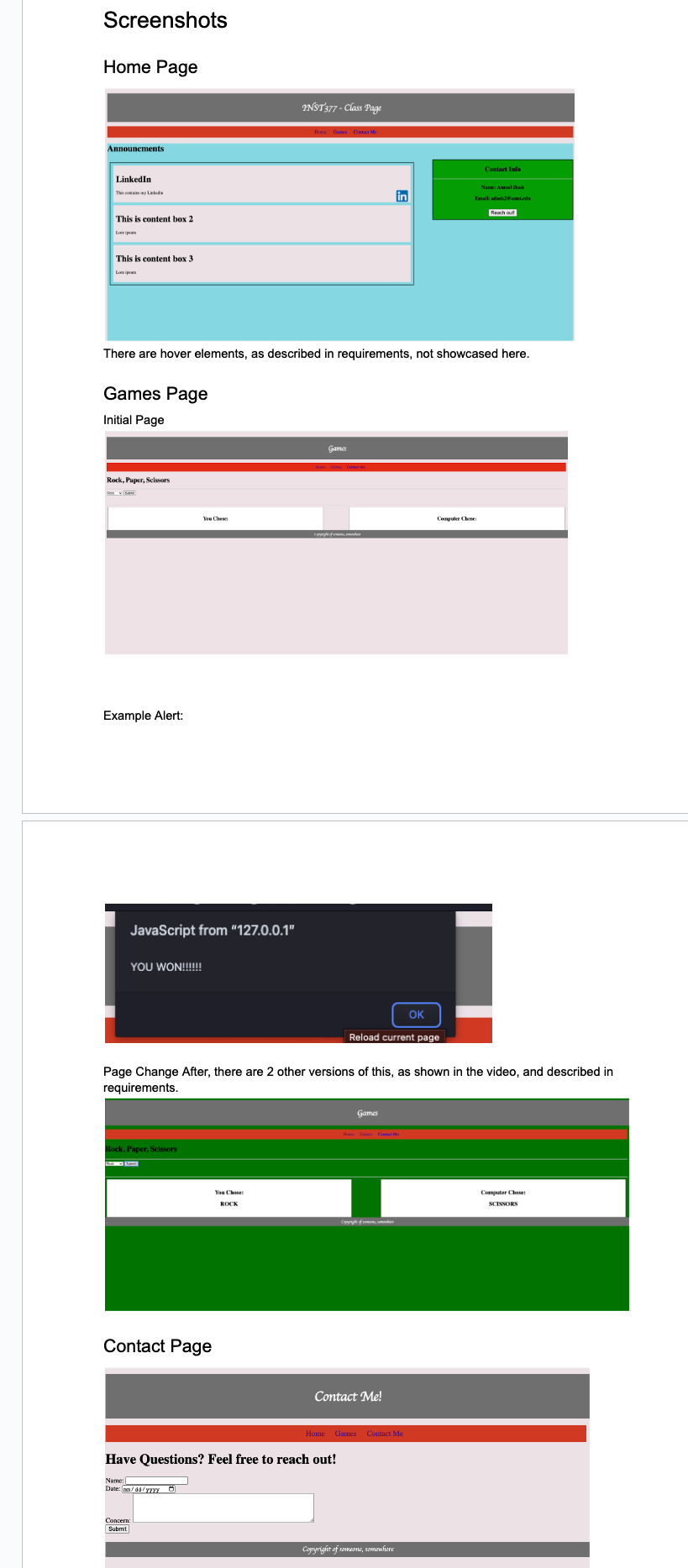
There are hover elements, as described in requirements, not showcased here.
Games Page
Initial Page
Example Alert:
Page Change After, there are other versions of this, as shown in the video, and described in requirements.
Contact Page
There are alerts for invalid character validations, as shown, other validations are shown in video:
Success Form Page
This auto redirects after Seconds, and the Hope Page Icon is clickable and will also redirect to the home page Please make it look like the disired pageScreenshots
Home Page
There are hover elements, as described in requirements, not showcased here.
Games Page
Initial Page
Example Alert:
Page Change After, there are other versions of this, as shown in the video, and described in
requirements.
Contact Page
Contact Me
Home Games Costact Me
Have Questions? Feel free to reach out!
Name:
Dame:
Date: ma
Con
Submit
Step by Step Solution
There are 3 Steps involved in it
1 Expert Approved Answer
Step: 1 Unlock

Question Has Been Solved by an Expert!
Get step-by-step solutions from verified subject matter experts
Step: 2 Unlock
Step: 3 Unlock