



Question: all questions about SAGE 50. please please help 1. After posting a payment a. You cannot change it b. You have to start over c.

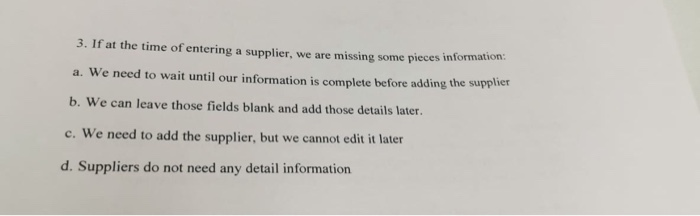
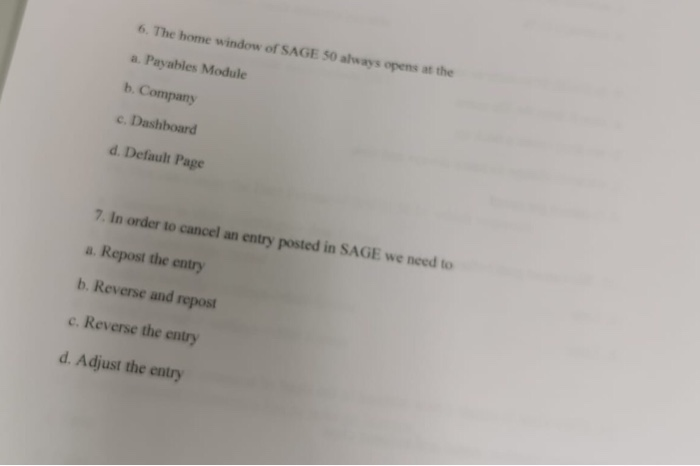
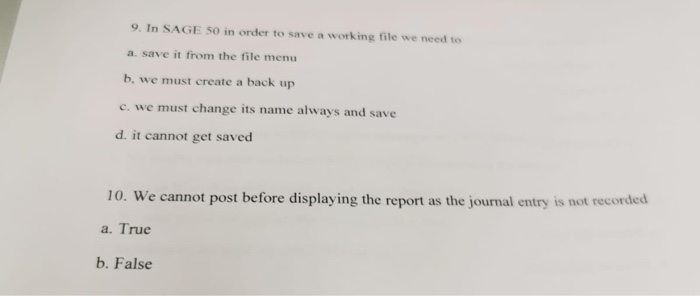
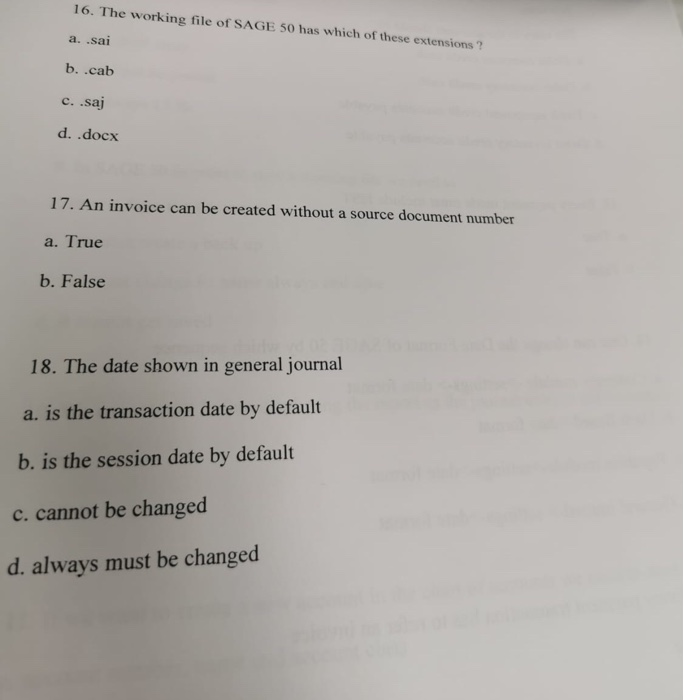
1. After posting a payment a. You cannot change it b. You have to start over c. You must enter a new negative payment d. You can change it by clicking the Adjust Payment tool 3. If at the time of entering a supplier, we are missing some pieces informan a. We need to wait until our information is complete before adding the supplier b. We can leave those fields blank and add those details later. c. We need to add the supplier, but we cannot edit it later d. Suppliers do not need any detail information 6. The home window of SAGE 50 always opens at the a. Payables Module b. Company c. Dashboard d. Default Page 7. In order to cancel an entry posted in SAGE we need to a. Repost the entry b. Reverse and repost c. Reverse the entry d. Adjust the entry 9. In SAGE 50 in order to save a working file we need to a save it from the file menu b. we must create a back up c. we must change its name always and save d. it cannot get saved 10. We cannot post before displaying the report as the journal entry is not recorded a. True b. False 16. The working file of SAGE 50 has which of these extensions? a. .sai b..cab c. saj d. .docx 17. An invoice can be created without a source document number a. True b. False 18. The date shown in general journal a. is the transaction date by default b. is the session date by default c. cannot be changed d. always must be changed
Step by Step Solution
There are 3 Steps involved in it

Get step-by-step solutions from verified subject matter experts