







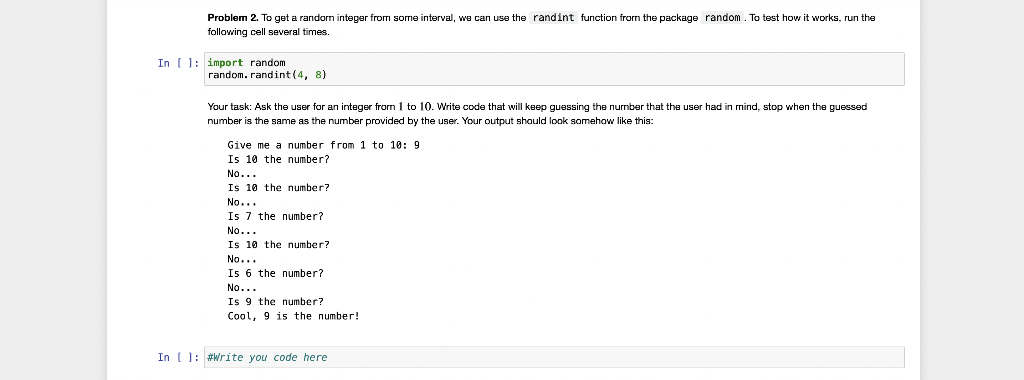
Question: all questions please. Python Problem 2. To get a randorn integer from some interval, we can use the randint function from the package random .
 all questions please. Python
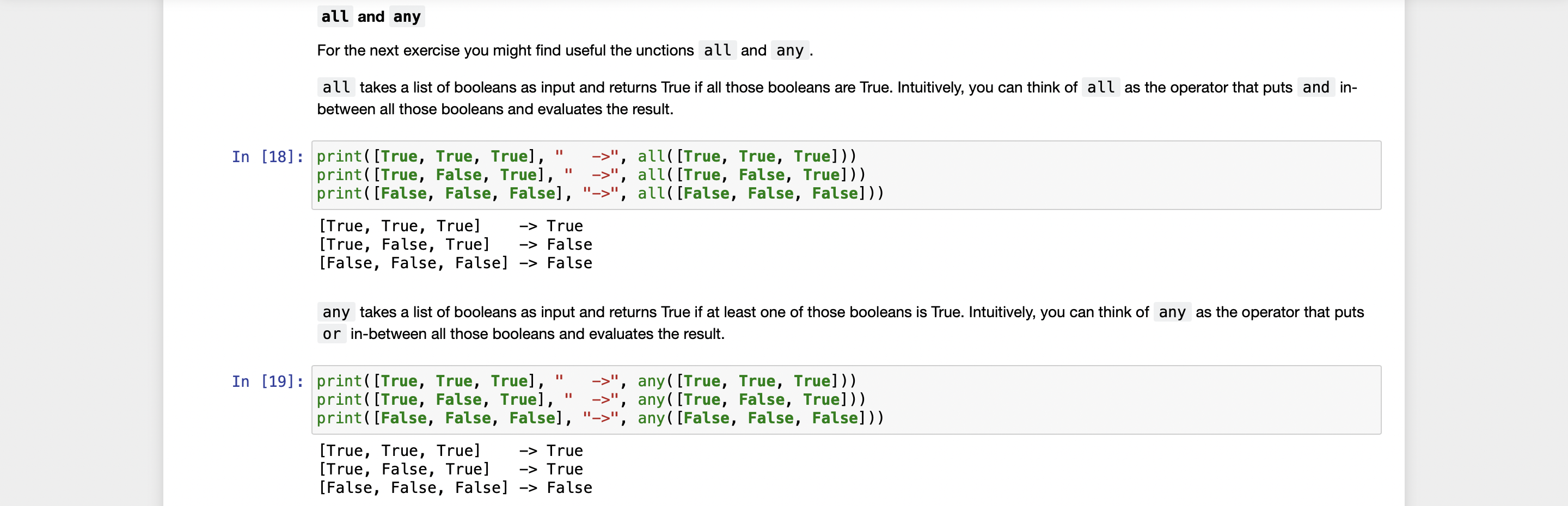
Problem 2. To get a randorn integer from some interval, we can use the randint function from the package random . To test how it works, run the following cell several times. import random random. randint (4,8) Your task: Ask the user for an integer from 1 to 10 . Write code that will keep guessing the number that the user had in mind, stop when the guessed number is the same as the number provided by the user. Your output should look somehow like this: Give me a number from 1 to 10:9 Is 10 the number? No... Is 10 the number? No.. Is 7 the number? No... Is 10 the number? No.. Is 6 the number? No... Is 9 the number? Cool, 9 is the number! all and any For the next exercise you might find useful the unctions all and any . all takes a list of booleans as input and returns True if all those booleans are True. Intuitively, you can think of all as the operator that puts and inbetween all those booleans and evaluates the result. [18]: print([True, True, True]," , " all([True, True, True])) print([True, False, True]," >, all([True, False, True])) print([False, False, False], ">", all([False, False, False])) [True, True, True] True [True, False, True] False [False, False, False] False any takes a list of booleans as input and returns True if at least one of those booleans is True. Intuitively, you can think of any as the operator that puts or in-between all those booleans and evaluates the result. [19]: print([True, True, True]," ", any([True, True, True])) print([True, False, True]," >, any ([True, False, True])) print([False, False, False], ">", any ([False, False, False])) [True, True, True] True [True, False, True] True [False, False, False] False
Step by Step Solution
There are 3 Steps involved in it

Get step-by-step solutions from verified subject matter experts
 Study Help