







Question: also in java Write a program that simulates a system login process. Prompt the user with a screen similar to following: -------------------------------- 1. Login to
also in java

Write a program that simulates a system login process. Prompt the user with a screen similar to following:
--------------------------------
1. Login to the system
2. Create an Account
3. Change Password
-------------------------------
If the user the chooses option 1 present them with the following login screen
-------------------LOGIN TO SYSTEM----------------------------
Login name:
...
Password:
-------------------------------------------------------------------
Allow them 3 attempts to enter the proper credentials. If they exceed the 3 attempts issue the message "Your account has been locked!" (Don't really lock them out of the account. Just issue the message).
If the user tries to login with a login name that doesn't exist issue the error message: "Non-existing Account!"
and then just return to the login screen.
If the user the chooses option 2 present them with the following screen
-----------------CREATE ACCOUNT------------------------------
Create Username:
...
Create Password:
---------------------------------------------------------------------
You must make sure the Username doesn't already exist. If it does issue an error message indicating such and just re-display the prompt "Create Username:"
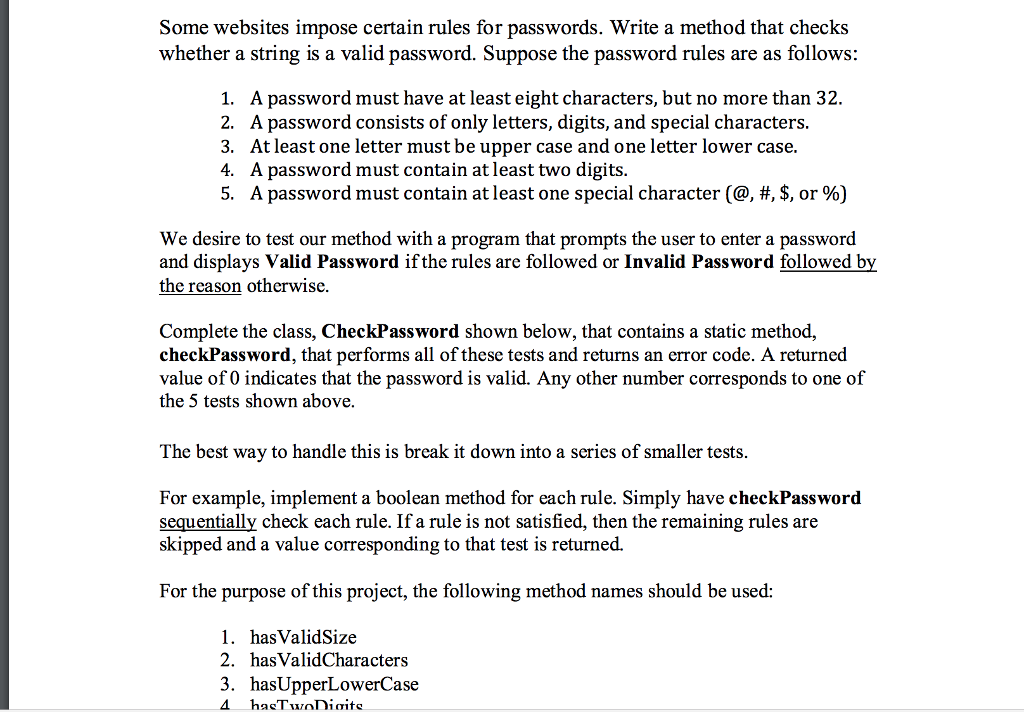
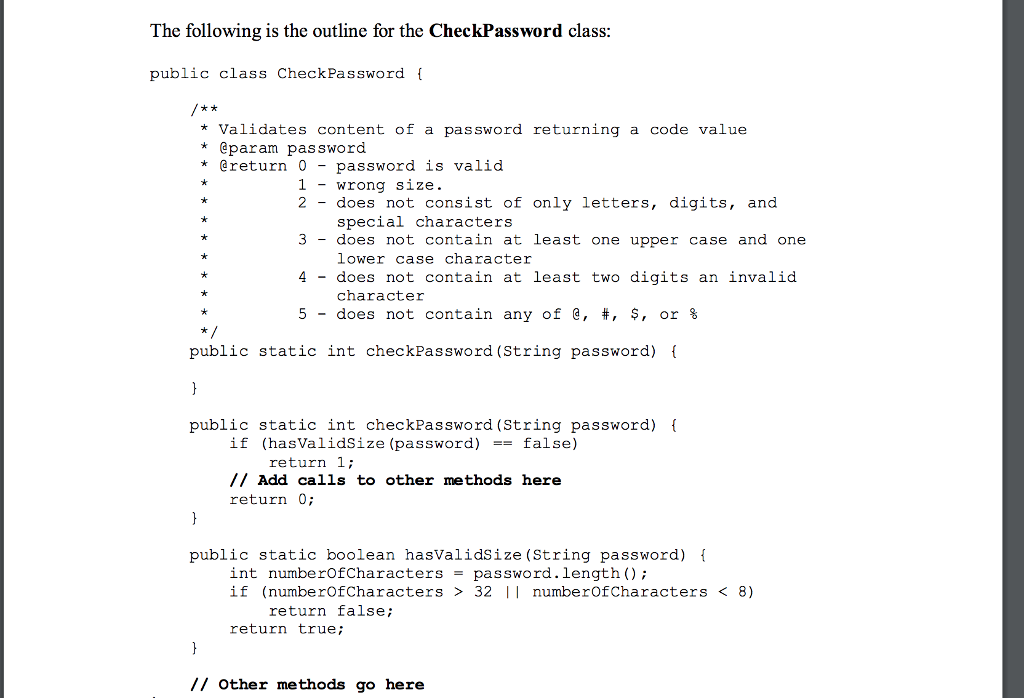
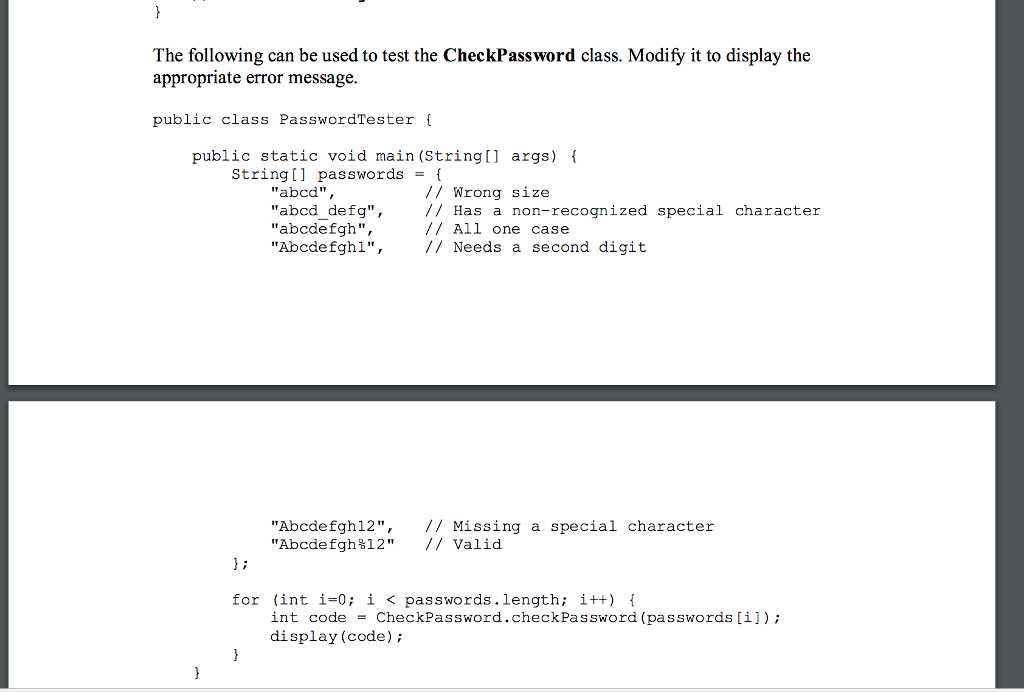
When the user creates a password create a class as described in the file below (password.pdf) which will validate password creation.
If the user the chooses option 3 present them with the following login screen
-------------------CHANGE PASSWORD----------------------------
Login name:
...
Password:
---------------------------------------------------------------------
If the user chooses to change their password. First, prompt them to login as usual (allow the typical 3 attempts).
If the user passes the login test then prompt them to change their password using the rules as describe in the file below (password.pdf). However, one additional restriction:
If the user tries to reset their password with a password that they already have used then let issue an error message: "Password cannot be one that was used previously." (NOTE: This only applies to the most recent password. It will be extra credit {2% extra} to check for a history of past passwords). Create a special exception to be thrown for this situation called "PreviousPasswordException." If this exception is thrown just catch it and allow the user another attempt.
Maintain a binary file called "accountdata.dat" which will save all login and password information.
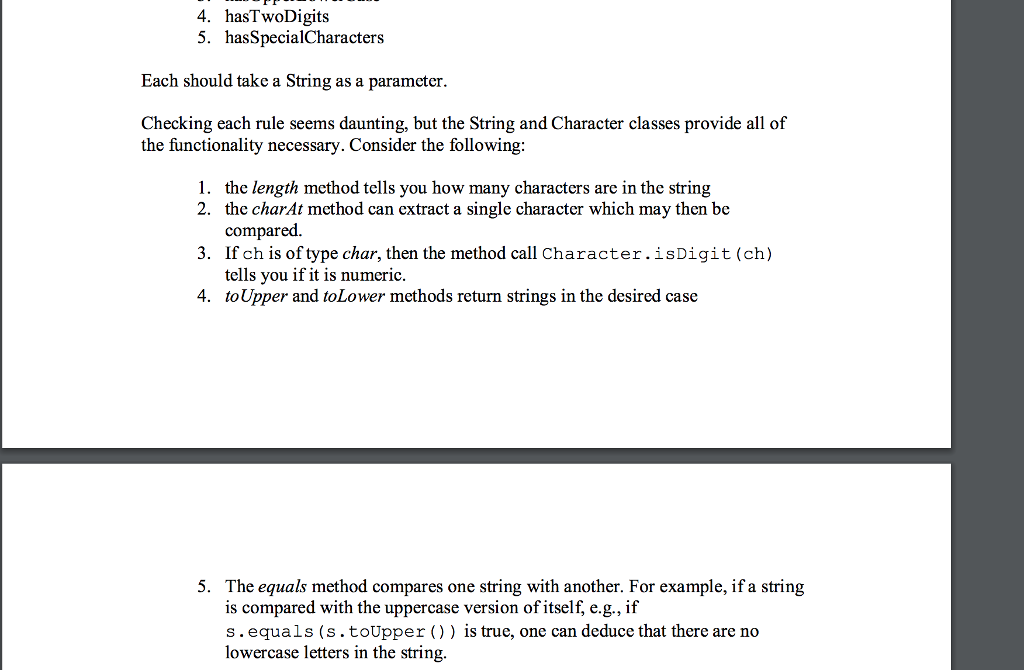
Some websites impose certain rules for passwords. Write a method that checks whether a string is a valid password. Suppose the password rules are as follows: A password must have at least eight characters, but no more than 32. 2. 1. A password consists of only letters, digits, and special characters. 3. 4. 5. At least one letter must be upper case and one letter lower case. A password must contain at least two digits. A password must contain at least one special character (@.*, $, or 96) We desire to test our method with a program that prompts the user to enter a password and displays Valid Password ifthe rules are followed or Invalid Password followed by the reason otherwise Complete the class, CheckPassword shown below, that contains a static method, checkPassword, that performs all of these tests and returns an error code. A returned value of 0 indicates that the password is valid. Any other number corresponds to one of the 5 tests shown above. The best way to handle this is break it down into a series of smaller tests. For example, implement a boolean method for each rule. Simply have checkPassword sequentially check each rule. If a rule is not satisfied, then the remaining rules are skipped and a value corresponding to that test is returned. For the purpose of this project, the following method names should be used: 1. hasValidSize 2. has ValidCharacters 3. hasUpperLowerCase
Step by Step Solution
There are 3 Steps involved in it

Get step-by-step solutions from verified subject matter experts
 Study Help