







Question: alt m 2. a. Which variable(s) do you change to increase force? (list them) change distance b. What do you do to the variable(s) listed
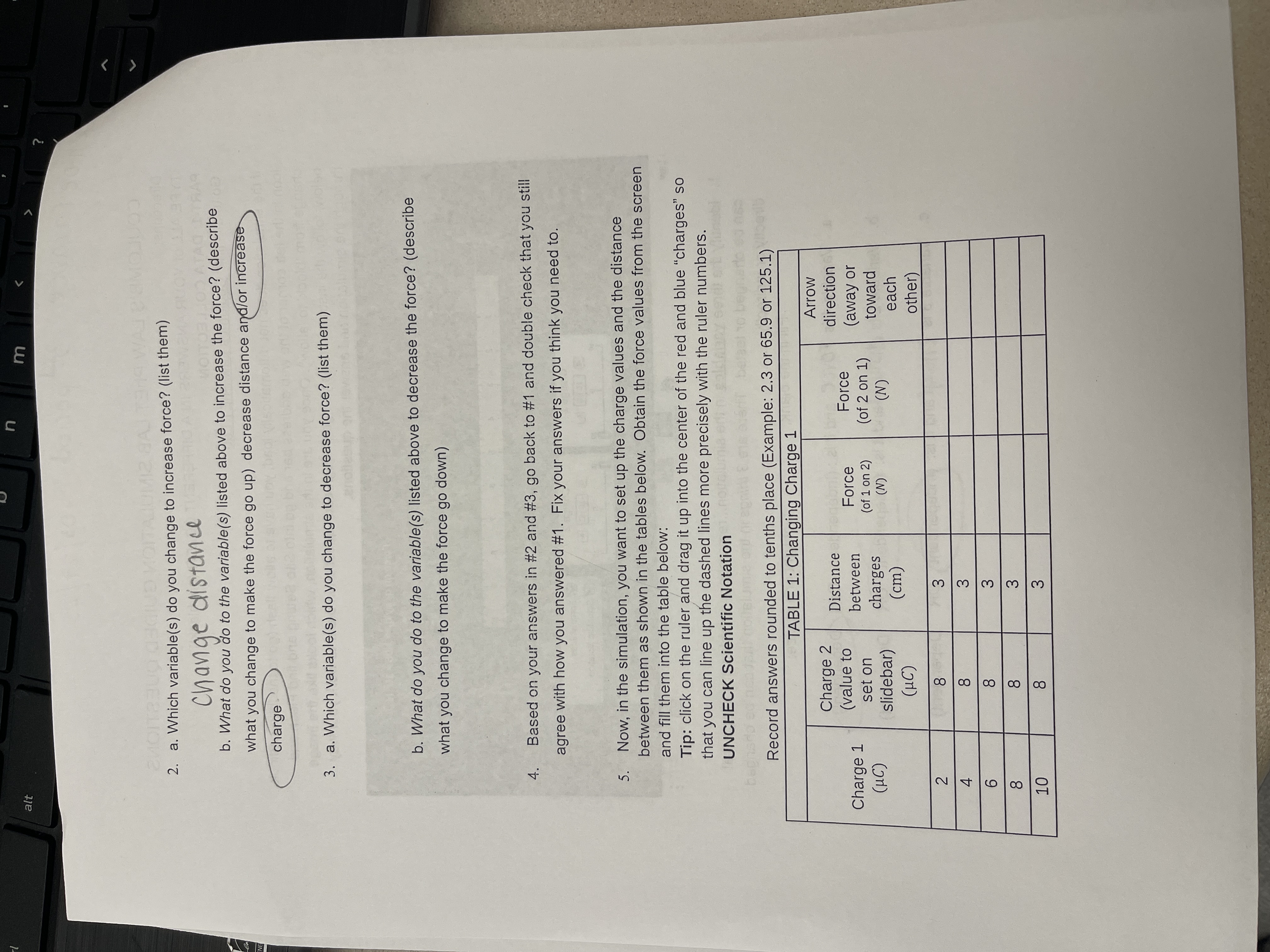
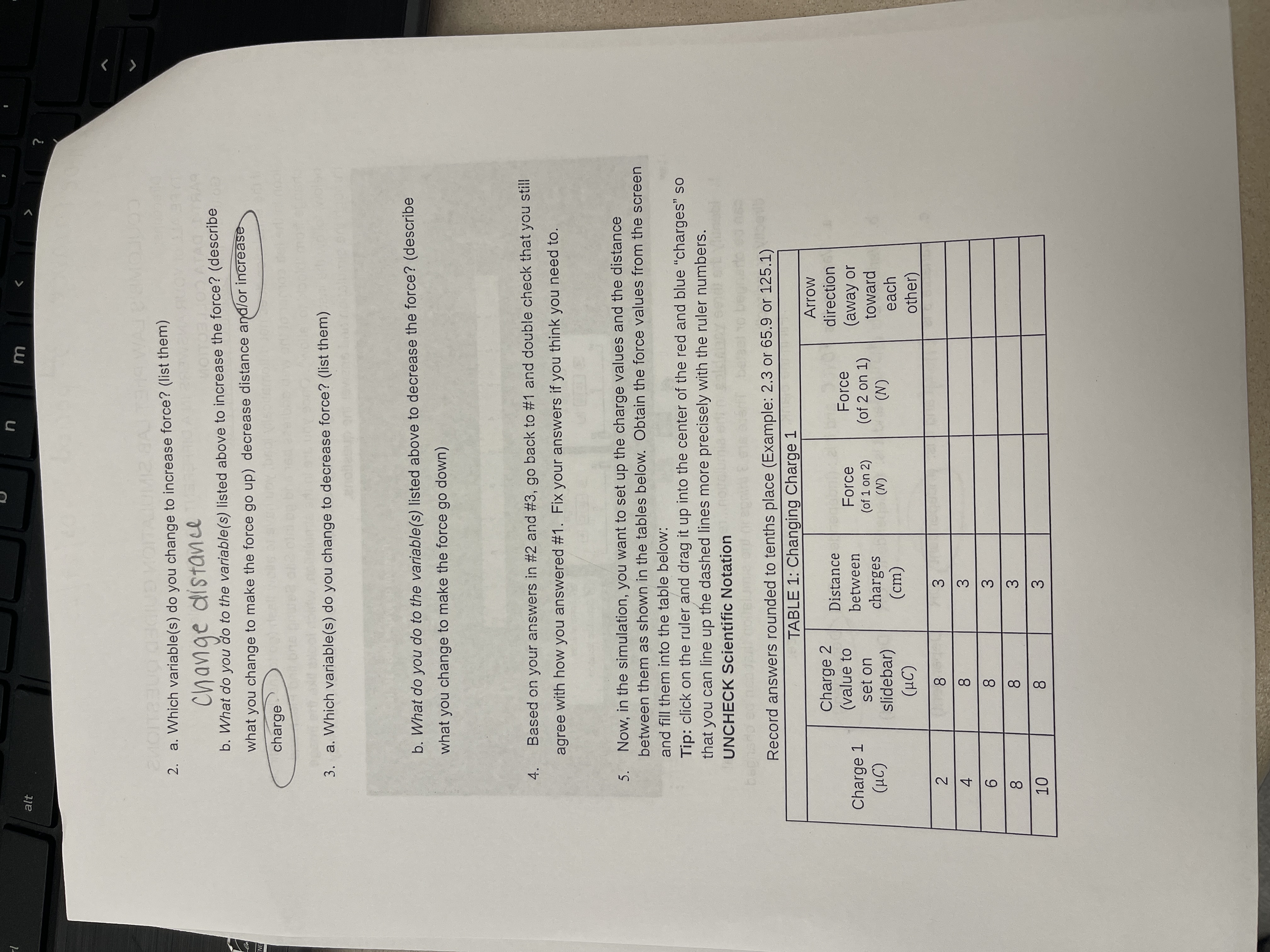
alt m 2. a. Which variable(s) do you change to increase force? (list them) change distance b. What do you do to the variable(s) listed above to increase the force? (describe what you change to make the force go up) decrease distance and/or increase charge 3. a. Which variable(s) do you change to decrease force? (list them) b. What do you do to the variable(s) listed above to decrease the force? (describe what you change to make the force go down) 4 . Based on your answers in #2 and #3, go back to #1 and double check that you still agree with how you answered #1. Fix your answers if you think you need to. 5. Now, in the simulation, you want to set up the charge values and the distance between them as shown in the tables below. Obtain the force values from the screen and fill them into the table below: Tip: click on the ruler and drag it up into the center of the red and blue "charges" so that you can line up the dashed lines more precisely with the ruler numbers. UNCHECK Scientific Notation Record answers rounded to tenths place (Example: 2.3 or 65.9 or 125.1) TABLE 1: Changing Charge : Arrow Charge 2 Distance direction Charge 1 (value to between Force Force (of 2 on 1) (away or (HC) set on charges (of 1 on 2) slidebar) (N) (N) toward ( HC) (cm) each other) 8 w A N 8 3 6 00 3 8 8 10 8 3
Step by Step Solution
There are 3 Steps involved in it

Get step-by-step solutions from verified subject matter experts
 Study Help