





Question: An explaination on how to do this lab would be very helpful in my future. Thank you !! It is usually very first program that
An explaination on how to do this lab would be very helpful in my future. Thank you !!
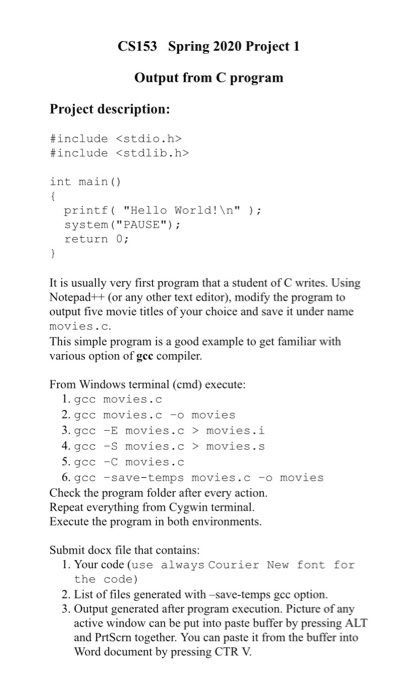
"It is usually very first program that a student of C writes. Using Notepad++ (or any other text editor), modify the program to output five movie titles of your choice and save it under name movies.c.
This simple program is a good example to get familiar with various option of gcc compiler."
 An explaination on how to do this lab would be very

CS153 Spring 2020 Project 1 Output from C program Project description: #include #include int main() printf("Hello World! "); system("PAUSE"); return 0; It is usually very first program that a student of C writes. Using Notepad++ (or any other text editor), modify the program to output five movie titles of your choice and save it under name movies.c. This simple program is a good example to get familiar with various option of gec compiler. From Windows terminal (cmd) execute: 1. gcc movies.c 2. gcc movies.c-o movies 3. gcc -E movies.c> movies.i 4. gcc -S movies.c> movies.s 5. gcc -C movies.c 6. gcc -save-temps movies.c-o movies Check the program folder after every action. Repeat everything from Cygwin terminal. Execute the program in both environments. Submit docx file that contains: 1. Your code (use always Courier New font for the code) 2. List of files generated with -save-temps gec option. 3. Output generated after program execution. Picture of any active window can be put into paste buffer by pressing ALT and PrtScrn together. You can paste it from the buffer into Word document by pressing CTR V

Step by Step Solution

There are 3 Steps involved in it

1 Expert Approved Answer
Step: 1 Unlock blur-text-image
Question Has Been Solved by an Expert!

Get step-by-step solutions from verified subject matter experts

Step: 2 Unlock
Step: 3 Unlock

Students Have Also Explored These Related Databases Questions!