







Question: An Introduction to Programming Using Visual Basic #196 Camper Cabins: A state park rents camper cabins to state residents for $65 per day for the
An Introduction to Programming Using Visual Basic #196
Camper Cabins: A state park rents camper cabins to state residents for $65 per day for the first six days and then for $50 per day for any additional days. Non-residents pay $75 per day. Write a program that requests a camper's resident status and the number of days, and then calculate the cost of the rental.
The program should use a function with a Boolean parameter resident and an integer parameter numDays to calculate the cost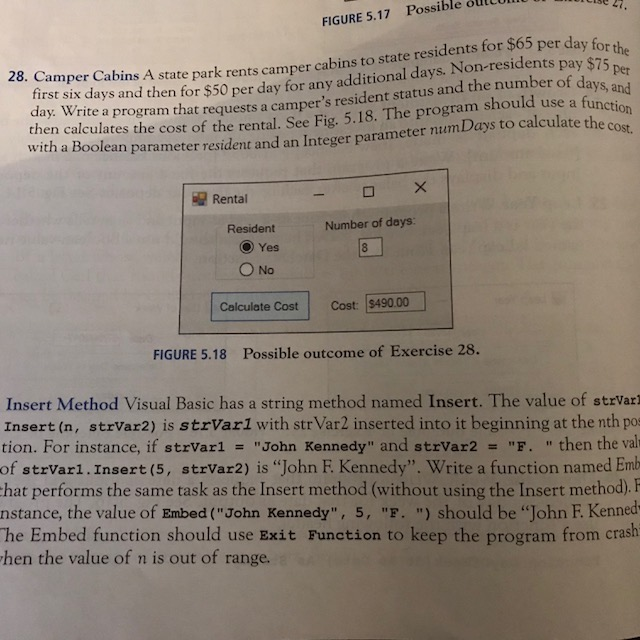
FIGURE 5.17 Possible oltoll irst six days and then for $50 per day for any additional days. Non-residents pay $75 day. Write a 8. Cam per Cabins A state park rents camper cabins to state residents for $65 per day fo per days, and program that requests a camper's resident status and the number of da tes the cost of the rental. See Fig 5.18. The program should use a fu unction cost. a Boolean para meter resident and an Integer parameter numDays to calculate the with Rental Resident Number of days: O) Yes Calculate Cost Cost: $490.00 FIGURE 5.18 Possible outcome of Exercise 28. Insert Method Visual Basic has a string method named Insert. The value of strVarl Insert (n, strVar2) is strVar1 with str Var2 inserted into it beginning at the nth pos tion. For instance, if strvar1 = "John Kennedy" and strVar2 = "F. " then the val of strVari. Insert (5, strVar2) is "John F. Kennedy". Write a function named Emb hat performs the same task as the Insert method (without using the Insert method, F nstance, the value of Embed ("John Kennedy", 5, "F. ") should be "John F. Kenned he Embed function should use Exit Function to keep the program from crash hen the value of n is out of range
Step by Step Solution
There are 3 Steps involved in it

Get step-by-step solutions from verified subject matter experts
 Study Help