







Question: Analysis of Scores write a program that reads an unspecified umber of scores and determines how many scores are above or equal to the average
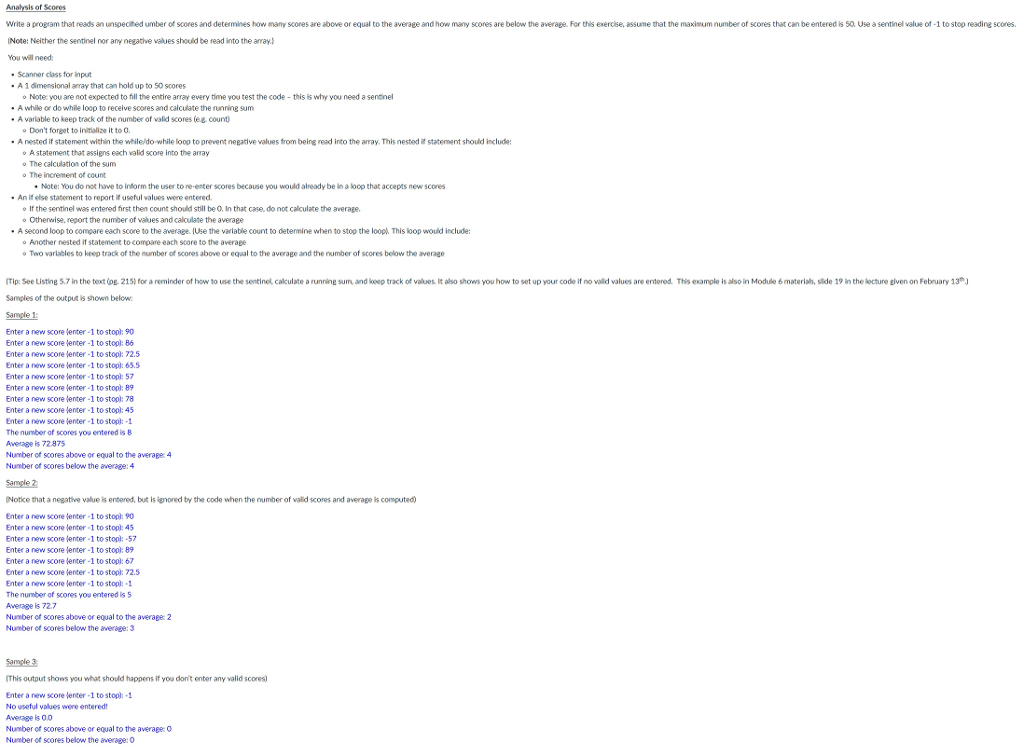
Analysis of Scores write a program that reads an unspecified umber of scores and determines how many scores are above or equal to the average and how many scores are below the average. For this exercise, assume that the maximum number of scores that can be entered is 50. Use a sentinel value of -1 to stop reading scores. INote: Neither the sentinel nor any negative values should be read into the array) You will need: Scanner class for input A1 dimensional array that can hold up to 50 scores o Noteyou are not expected to fill the entire array every time you test the code - this is why you need a sentinel - A while or do while loop to receive scores and calculate the running sum A variable to keep track of the number of valid scores (eg. count Don't forget to initialize it to 0. Anested if statement within the while/do-while loop to prevent negative values from being read into the array. This nested if statement should include: A statement that assigns each valid score into the array The calculation of the sum The increment of count Note: You do not have to inform the user to re-enter scores because you would already be in a loop that accepts new scores An if else statement to report it useful values were entered. If the sentinel was entered first then count should still be 0. In that case, do not calculate the average. o Otherwise, report the number of values and calculate the average A second loop to compare each score to the average. (Use the variable count to determine when to stop the loop. This loop would include: Another nested if statement to compare each score to the average Two variables to keep track of the number of scores above or equal to the average and the number of scores below the average (Tip: Soe Listing 5.7 in the text (og. 215) for a reminder of how to use the sentinel, calculate a running sum, and keep track of values. It also shows you how to set up your code if no valid values are entered. This example is also in Module 6 materials, slide 19 in the lecture given on February 13) Samples of the output is shown below: Sample 1: Enter a new score tenter 1 to stool: 90 Enter a new score lenter -1 to stop: 86 Enter a new score enter 1 to stool: 72.5 Enter a new score enter -1 to stopl: 65.5 Enter a new score jenter 1 to stopl: 57 Enter a new score tenter 1 to stopl: 89 Enter a new score lenter -1 to stop: 78 Enter a new score lenter -1 to stopl: 45 Enter a new score enter -1 to stopl: -1 The number of scores you entered is 8 Average is 72975 Number of scores above or equal to the average 4 Number of scores below the average: 4 Sample 2: Notice that a negative value is entered, but is ignored by the code when the number of valid scores and average is computed) Enter a new score tenter 1 to stopl: 90 Enter a new score enter 1 to stopl: 45 Enter a new score lenter 1 to stopl: -57 Enter a new score enter 1 to stool: 89 Enter a new score enter 1 to stool: 67 Enter a new score enter -1 to stopl: 72.5 Enter a new score jenter 1 to stopl: -1 The number of scores you entered is 5 Averes 727 Number of scores above or equal to the average 2 Number of scores below the average: 3 Sample 3 (This output shows you what should happens if you don't enter any valid scores) Enter a new score tenter -1 to stopl: -1 No useful values were entered! Average 00 Number of scores above or equal to the average 0 Number of scores below the average: 0
Step by Step Solution
There are 3 Steps involved in it

Get step-by-step solutions from verified subject matter experts
 Study Help