Question: analyze the packet trace in python by completing the below code details: create a Python dictionary (i.e. hash table) whose keys are a four-tuple (
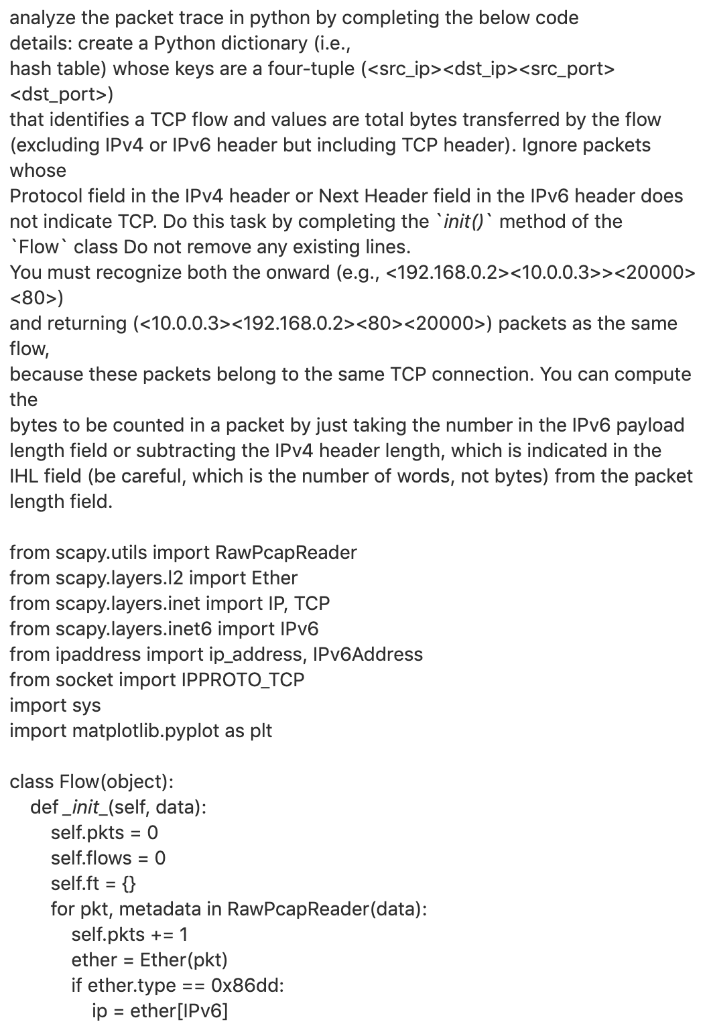
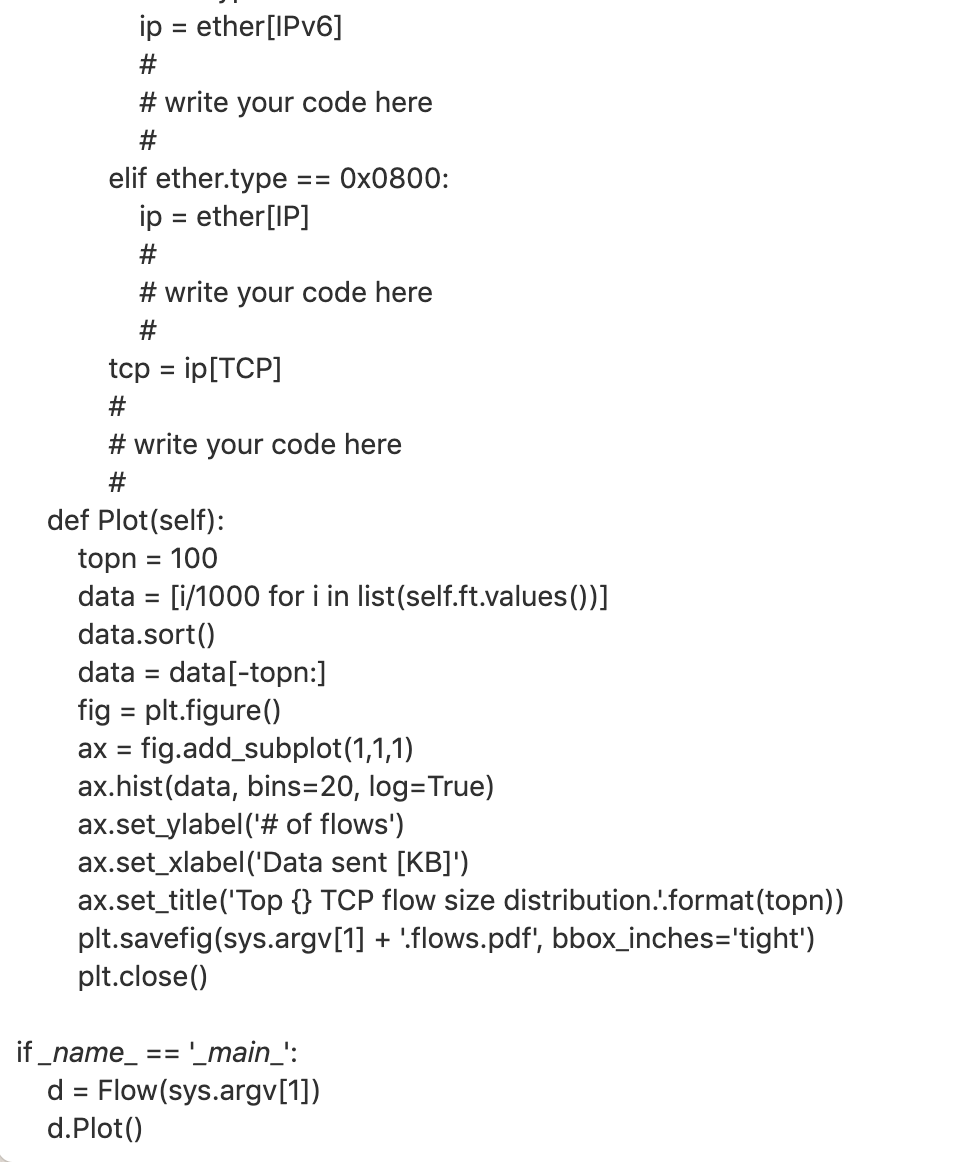
analyze the packet trace in python by completing the below code details: create a Python dictionary (i.e. hash table) whose keys are a four-tuple ( ) that identifies a TCP flow and values are total bytes transferred by the flow (excluding IPv4 or IPv6 header but including TCP header). Ignore packets whose Protocol field in the IPv4 header or Next Header field in the IPv6 header does not indicate TCP. Do this task by completing the init() method of the 'Flow class Do not remove any existing lines. You must recognize both the onward (e.g., > ) and returning () packets as the same flow, because these packets belong to the same TCP connection. You can compute the bytes to be counted in a packet by just taking the number in the IPv6 payload length field or subtracting the IPv4 header length, which is indicated in the IHL field (be careful, which is the number of words, not bytes) from the packet length field. from scapy.utils import RawPcapReader from scapy.layers.12 import Ether from scapy.layers.inet import IP, TCP from scapy.layers.inet6 import IPv6 from ipaddress import ip_address, IPv6Address from socket import IPPROTO_TCP import sys import matplotlib.pyplot as plt class Flow(object): def_init_(self, data): self.pkts = 0 self.flows = 0 self.ft = { for pkt, metadata in RawPcapReader(data): self.pkts += 1 ether = Ether(pkt) if ether.type == 0x86dd: ip = ether[IPv6] == ip = ether[IPv6] # #write your code here # elif ether.type Ox0800: ip = ether[IP] # # write your code here # tcp = ip[TCP] # #write your code here # def Plot(self): topn = 100 data = [i/1000 for i in list(self.ft.values())] data.sort() data = data[-topn:] fig = plt.figure() ax = fig.add_subplot(1,1,1) ax.hist(data, bins=20, log=True) ax.set_ylabel('# of flows') ax.set_xlabel('Data sent [KB]') ax.set_title('Top {} TCP flow size distribution..format(topn)) plt.savefig(sys.argv[1] + 'flows.pdf, bbox_inches='tight') plt.close() if _name_ == '_main_': d = Flow(sys.argv[1]) d.plot() analyze the packet trace in python by completing the below code details: create a Python dictionary (i.e. hash table) whose keys are a four-tuple ( ) that identifies a TCP flow and values are total bytes transferred by the flow (excluding IPv4 or IPv6 header but including TCP header). Ignore packets whose Protocol field in the IPv4 header or Next Header field in the IPv6 header does not indicate TCP. Do this task by completing the init() method of the 'Flow class Do not remove any existing lines. You must recognize both the onward (e.g., > ) and returning () packets as the same flow, because these packets belong to the same TCP connection. You can compute the bytes to be counted in a packet by just taking the number in the IPv6 payload length field or subtracting the IPv4 header length, which is indicated in the IHL field (be careful, which is the number of words, not bytes) from the packet length field. from scapy.utils import RawPcapReader from scapy.layers.12 import Ether from scapy.layers.inet import IP, TCP from scapy.layers.inet6 import IPv6 from ipaddress import ip_address, IPv6Address from socket import IPPROTO_TCP import sys import matplotlib.pyplot as plt class Flow(object): def_init_(self, data): self.pkts = 0 self.flows = 0 self.ft = { for pkt, metadata in RawPcapReader(data): self.pkts += 1 ether = Ether(pkt) if ether.type == 0x86dd: ip = ether[IPv6] == ip = ether[IPv6] # #write your code here # elif ether.type Ox0800: ip = ether[IP] # # write your code here # tcp = ip[TCP] # #write your code here # def Plot(self): topn = 100 data = [i/1000 for i in list(self.ft.values())] data.sort() data = data[-topn:] fig = plt.figure() ax = fig.add_subplot(1,1,1) ax.hist(data, bins=20, log=True) ax.set_ylabel('# of flows') ax.set_xlabel('Data sent [KB]') ax.set_title('Top {} TCP flow size distribution..format(topn)) plt.savefig(sys.argv[1] + 'flows.pdf, bbox_inches='tight') plt.close() if _name_ == '_main_': d = Flow(sys.argv[1]) d.plot()









 Study Help