







Question: Android App !! You will develop a flash card app for math. The main screen looks as follows with an ImageButton and an EditText field.
Android App !!
You will develop a flash card app for math. The main screen looks as follows with an ImageButton and an EditText field.
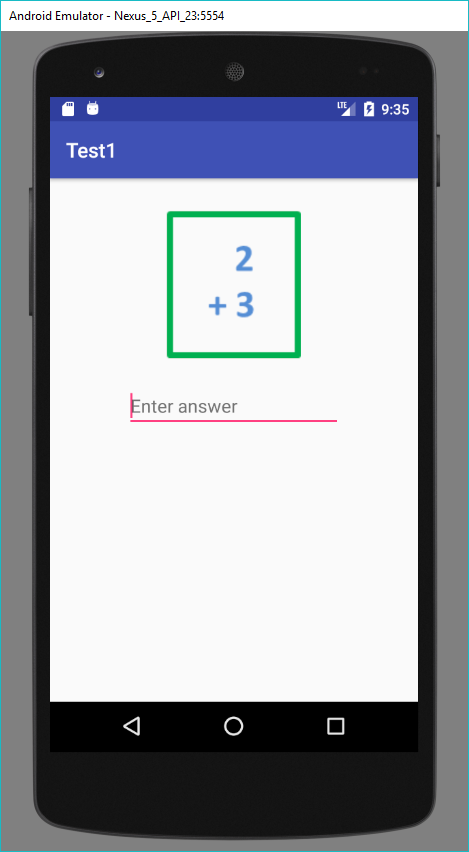
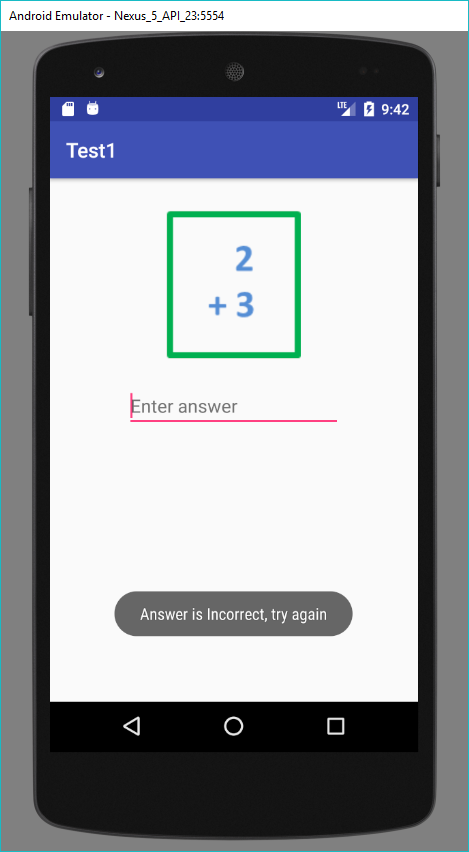
The user will type in the answer and click the image button. If the answer is incorrect a toast is displayed as follows:
If the answer is correct, an alert dialog is displayed as follows.
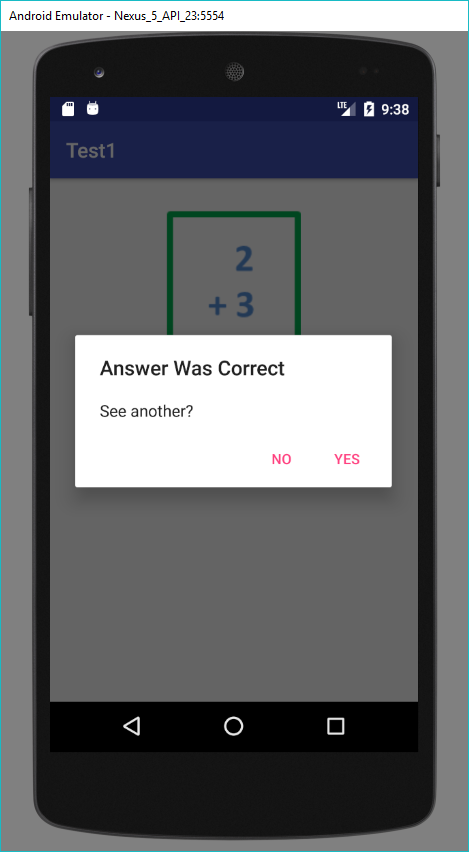
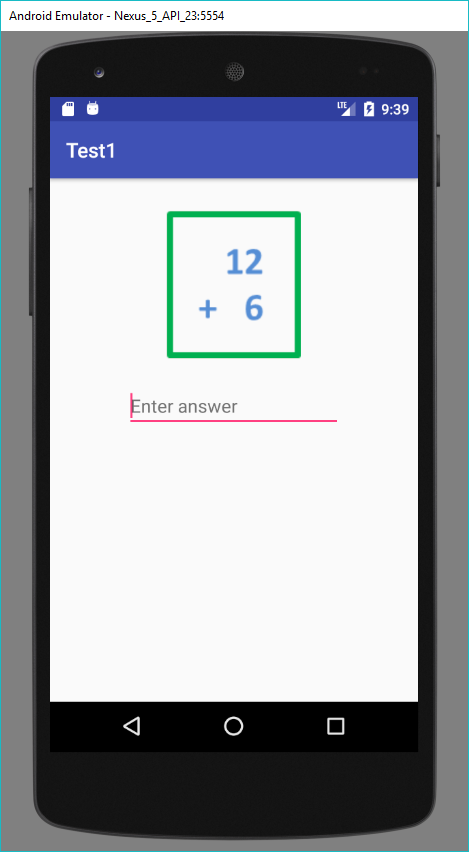
If YES is selected a new flash card math problem is displayed and the process repeats.
If NO is selected, the app ends.
There are only four flash cards, so when the fourth card has been displayed, the app starts at the beginning card again. This continues until the user ends the app by selecting NO in the alert dialog box.
Android Emulator Nexus 5 API 23:5554 Test 1 3 nter answer a 9:35
Step by Step Solution
There are 3 Steps involved in it

Get step-by-step solutions from verified subject matter experts
 Study Help