







Question: (Android Studio Assignment)(Mobile App Development) Using Android Studio, create a camera app that allows the user to upload the picture from a phone camera gallery,
(Android Studio Assignment)(Mobile App Development)
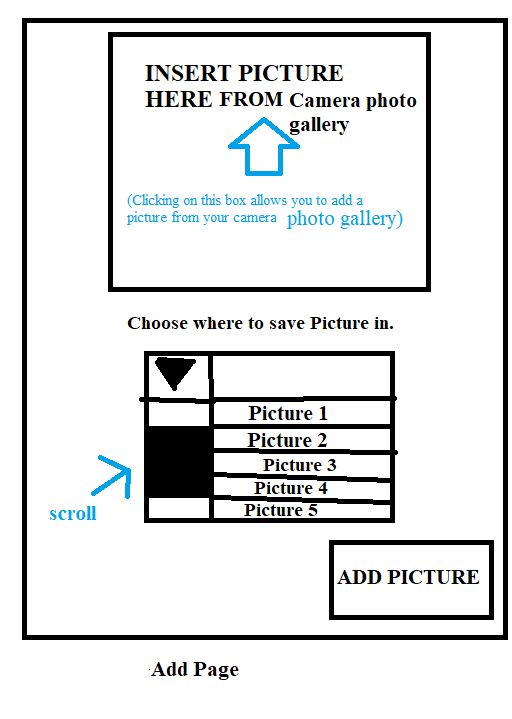
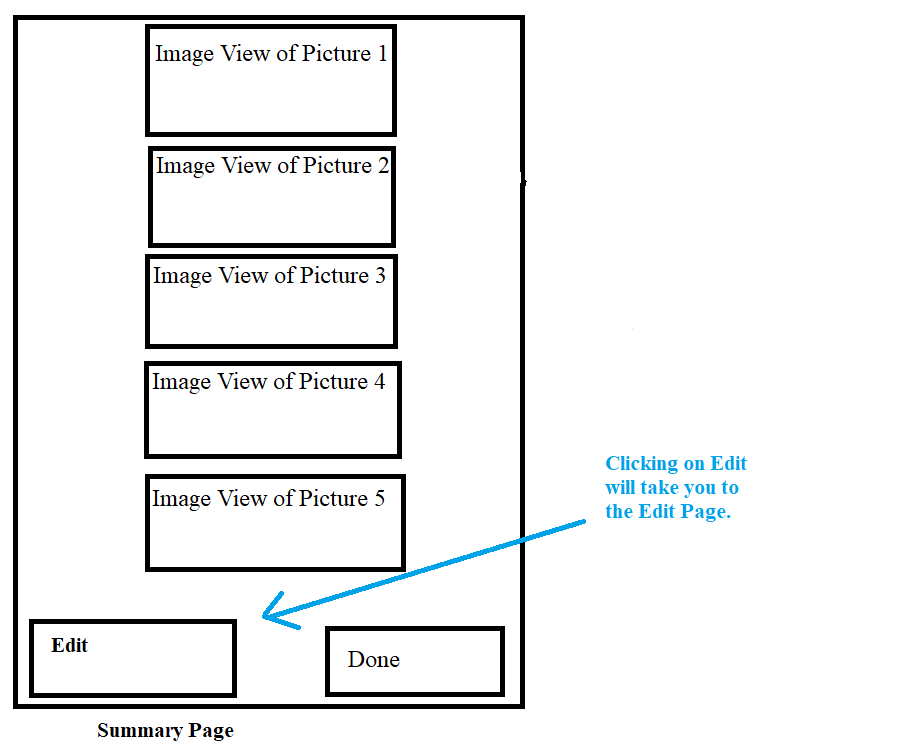
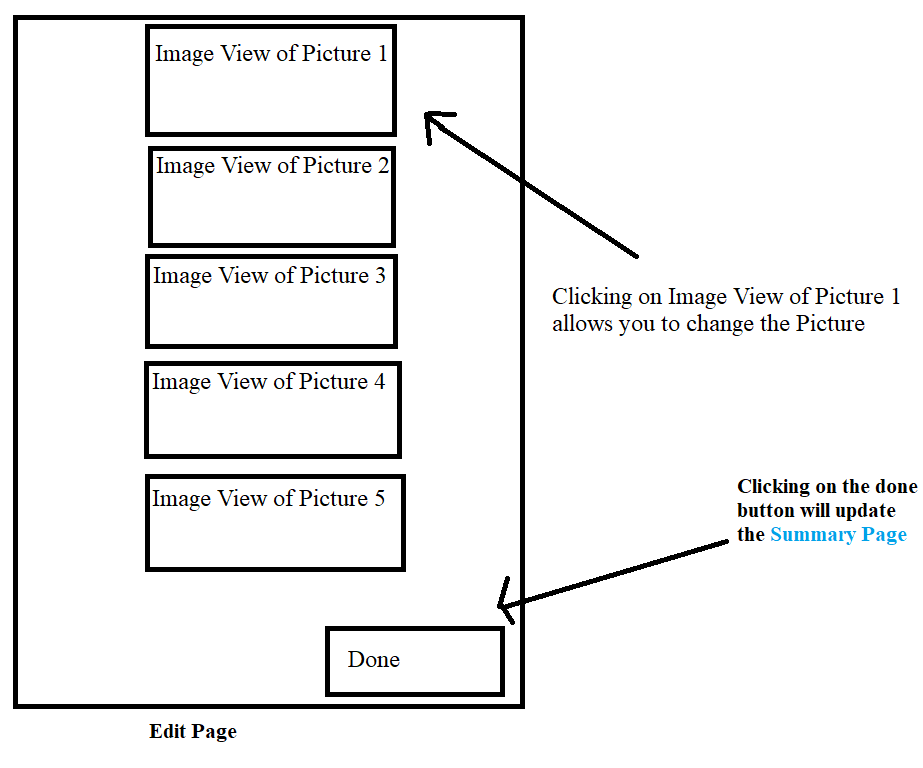
Using Android Studio, create a camera app that allows the user to upload the picture from a phone camera gallery, see the picture via summary, and edit the picture as well. Clicking on "Insert picture here from camera photo gallery" in the add page will allow the user to upload a picture from their existing camera photo gallery on their phone. The user can choose where to save the picture, starting with Picture 1-5. Once they choose where to save the picture from, they can view that picture in the summary page. In the summary page, the user can see the picture that they uploaded. They can also change or edit the picture that they uploaded using the Edit button from the Summary Page. Clicking on the Edit Button will take you to the Edit page, where the user can click and edit on the Image View from Picture 1-5 and change the picture. Once they hit the "done button" in the Edit page, it will update the new photo added in the Summary Page.
Note: Post XML and Java codes. You only need to upload a picture and save it in "Picture 1". I will code the rest based on it. Do not screenshot/write on paper the code, just copy and paste the code from your Android Studio. Please TEST the code out before posting the XML and Java Codes.
Step by Step Solution
There are 3 Steps involved in it

Get step-by-step solutions from verified subject matter experts
 Study Help