



Question: ANSWER ALL QUESTIONS. Start the LogicGates app. Build a new circuit that will be a larger version of the one you created in Exercise 2
ANSWER ALL QUESTIONS.
Start the LogicGates app.
Build a new circuit that will be a larger version of the one you created in Exercise There will be
four switches. Assign them the labels AAB and BNote: A is a way of specifying
when you can't really have a subscript.
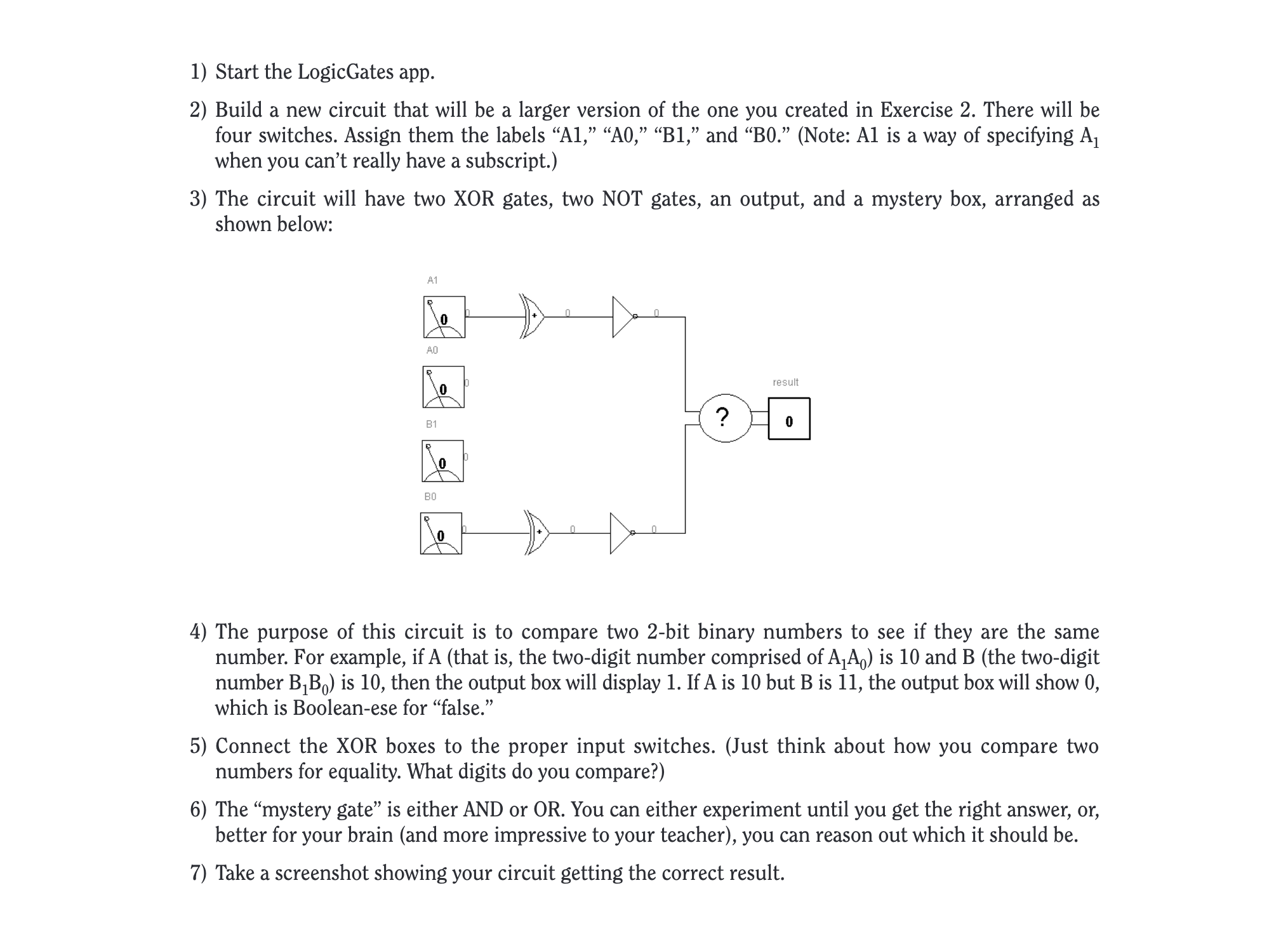
The circuit will have two XOR gates, two NOT gates, an output, and a mystery box, arranged as
shown below:
The purpose of this circuit is to compare two bit binary numbers to see if they are the same
number. For example, if that is the twodigit number comprised of is and the twodigit
number is then the output box will display If is but is the output box will show
which is Booleanese for "false."
Connect the XOR boxes to the proper input switches. Just think about how you compare two
numbers for equality. What digits do you compare?
The "mystery gate" is either AND or OR You can either experiment until you get the right answer, or
better for your brain and more impressive to your teacher you can reason out which it should be
Take a screenshot showing your circuit getting the correct result.
Step by Step Solution
There are 3 Steps involved in it
1 Expert Approved Answer
Step: 1 Unlock

Question Has Been Solved by an Expert!
Get step-by-step solutions from verified subject matter experts
Step: 2 Unlock
Step: 3 Unlock