







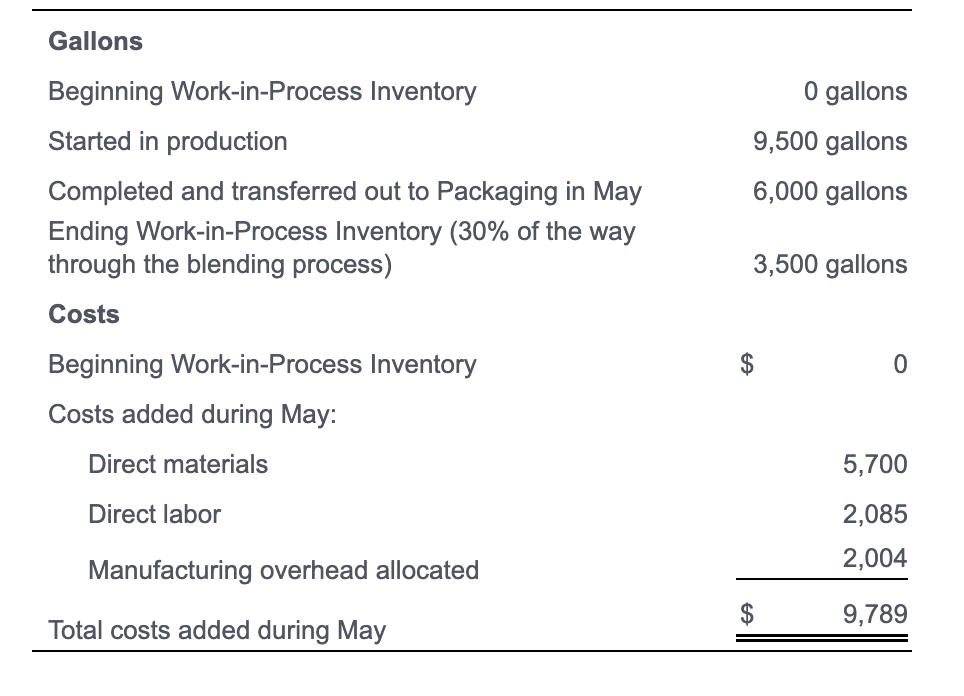
Question: answer asap pls Gallons Beginning Work-in-Process Inventory 0 gallons Started in production 9,500 gallons Completed and transferred out to Packaging in May 6,000 gallons Ending
 answer asap pls
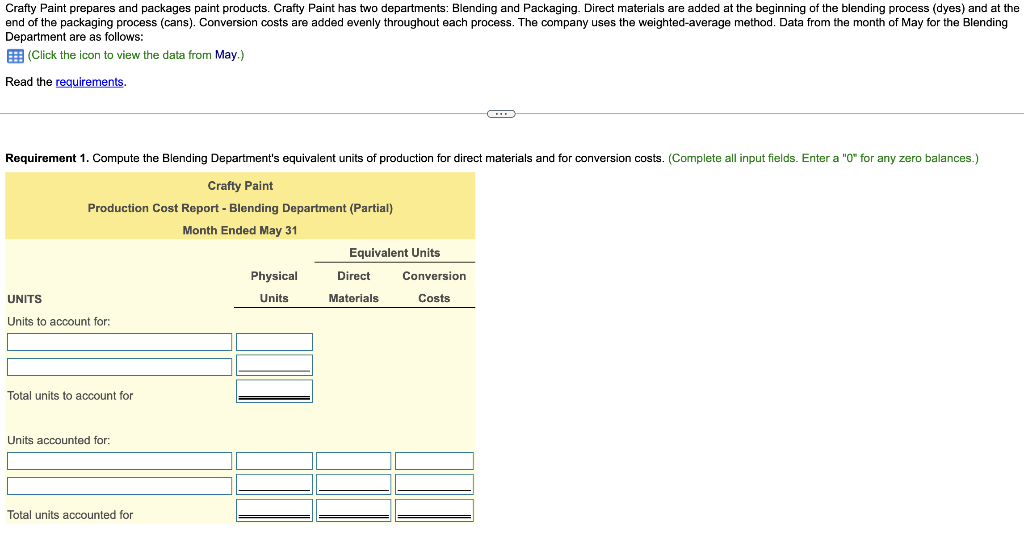
Gallons Beginning Work-in-Process Inventory 0 gallons Started in production 9,500 gallons Completed and transferred out to Packaging in May 6,000 gallons Ending Work-in-Process Inventory ( 30% of the way through the blending process) 3,500 gallons Costs Beginning Work-in-Process Inventory $ 0 Costs added during May: Direct materials Direct labor 5,7002,0852,004$9,789 Crafty Paint prepares and packages paint products. Crafty Paint has two departments: Blending and Packaging. Direct materials are added at the beginning of the blending process (dyes) and at the end of the packaging process (cans). Conversion costs are added evenly throughout each process. The company uses the weighted-average method. Data from the month of May for the Blending Department are as follows: (Click the icon to view the data from May.) Read the requirements. Requirement 2. Compute the total costs of the units (gallons) (a) completed and transferred out to the Packaging Department, and (b) in the Blending Department ending Work-in-Process Inventory. Complete the Production Cost Report that you began in Requirement 1 by calculating the costs per equivalent unit in this step, and then by calculating the the total cost of units completed and transferred out and of units in ending inventory in the following step. (Complete all input fields. Enter a "0" for any zero balances. Round the cost per equivalent unit amounts to the nearest cent and all other amounts to the nearest dollar. Abbreviation used: EUP = equivalent units of production.)
Step by Step Solution
There are 3 Steps involved in it

Get step-by-step solutions from verified subject matter experts
 Study Help