







Question: answer BOTH for rating!! Below software is python!! Question 2 (5 points) Print out the dimension (# rows and # columns) of the data frame
answer BOTH for rating!! Below software is python!!
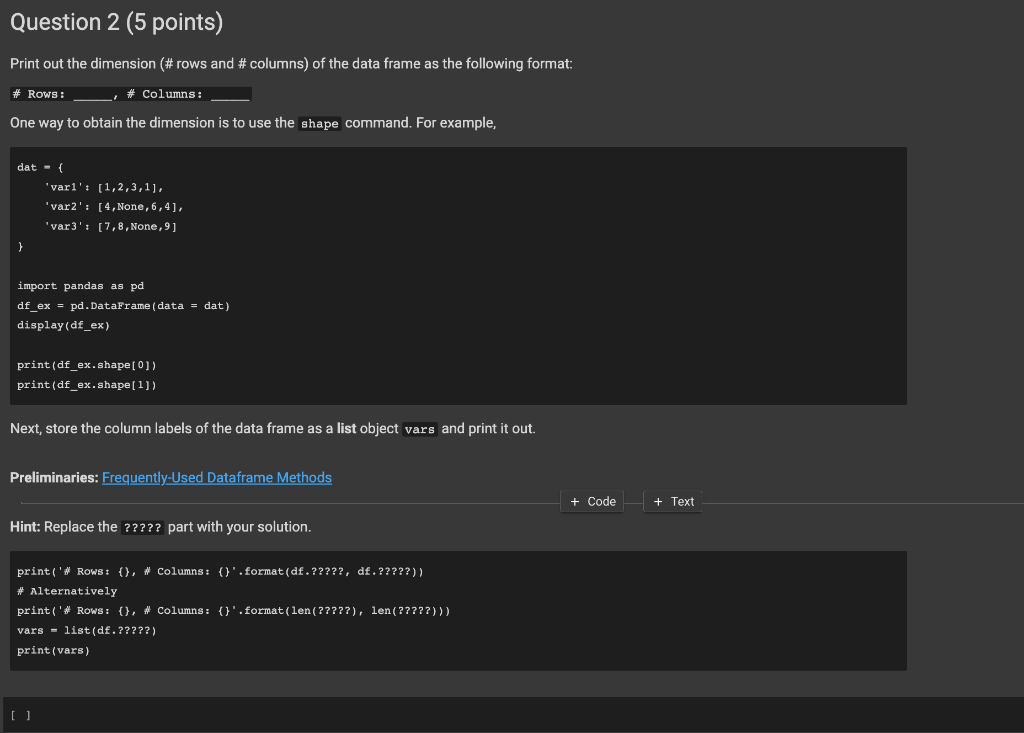
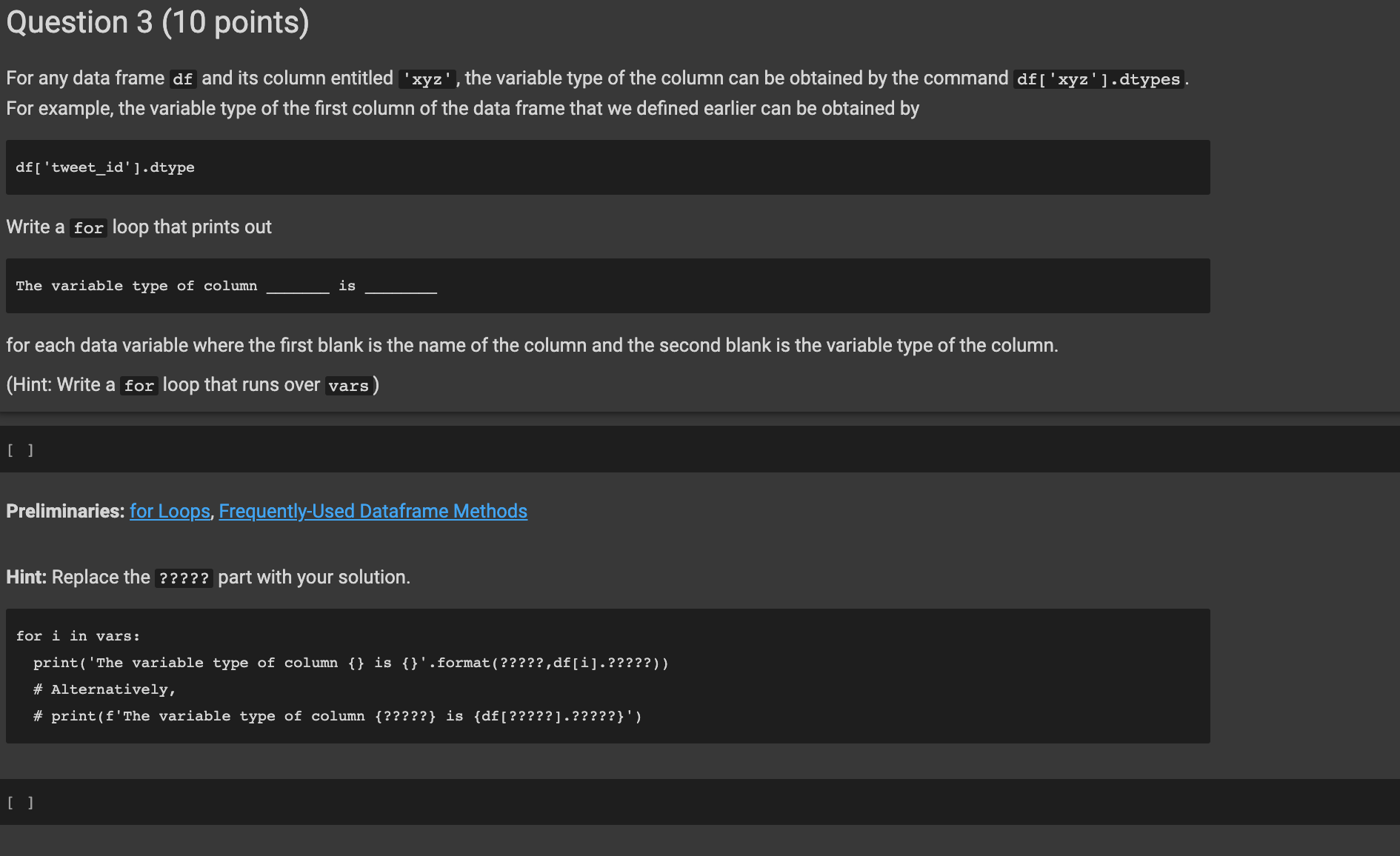
Question 2 (5 points) Print out the dimension (\# rows and \# columns) of the data frame as the following format: \# Rows: One way to obtain the dimension is to use the shape command. For example, dat ={ 'var1' : [1,2,3,1], 'var2' : [4, None, 6,4], 'var3' : [7,8, None, 9] import pandas as pd df_ex = pd.Dataframe (data = dat) display(df_ex) print (df_ex.shape[0]) print (df_ex.shape[1]) Next, store the column labels of the data frame as a list object vars and print it out. Preliminaries: Frequently-Used Dataframe Methods +Code}+Text Hint: Replace the ????? part with your solution. print('\# Rows: \{\} , \# Columns: \{\} '.format (df,?????, df,?????)\} \# Alternatively print('\# Rows: \{\} , \# Columns: \{\} '. format(len(?????), len(?????))) vars = list(df,?????) print(vars) [ ] For any data frame df and its column entitled ' xyz ' ' the variable type of the column can be obtained by the command df[ ' xyz ' ]. dtypes. For example, the variable type of the first column of the data frame that we defined earlier can be obtained by df[ 'tweet_id' ].dtype Write a for loop that prints out The variable type of column is for each data variable where the first blank is the name of the column and the second blank is the variable type of the column. (Hint: Write a for loop that runs over vars) [ ] Preliminaries: for Loops, Frequently-Used Dataframe Methods Hint: Replace the ????? part with your solution. for i in vars: print('The variable type of column \{\} is \{\} '. format(?????, df[i],?????)) \# Alternatively, \# print(f'The variable type of column \{?????\} is {df [?????].?????\}')
Step by Step Solution
There are 3 Steps involved in it

Get step-by-step solutions from verified subject matter experts
 Study Help