







Question: Answer in Java Please. OVERVIEW This assignment will give you practice with defining classes and a small introduction to polymorphism. You are to write a
Answer in Java Please.
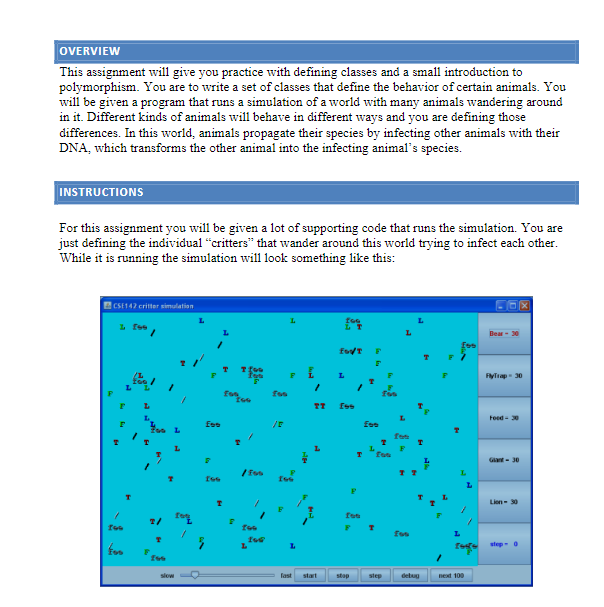
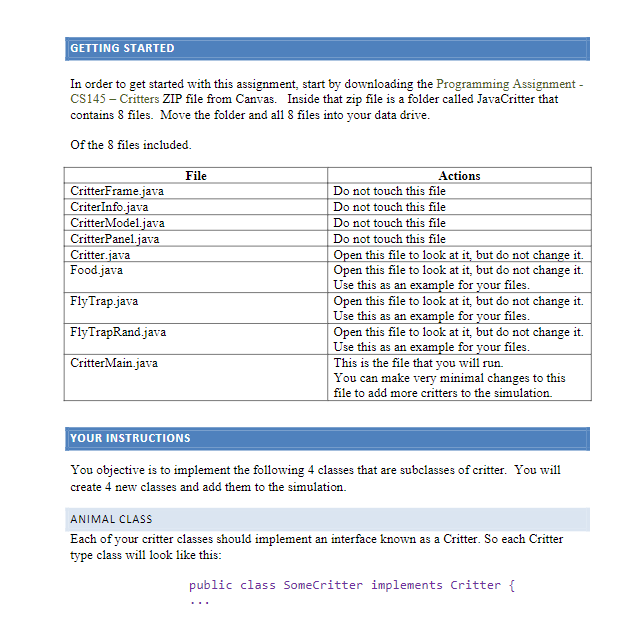
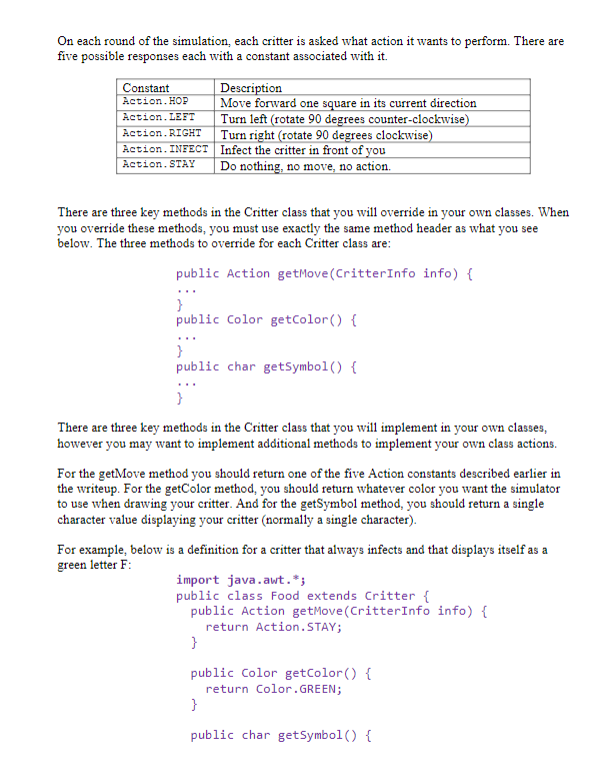
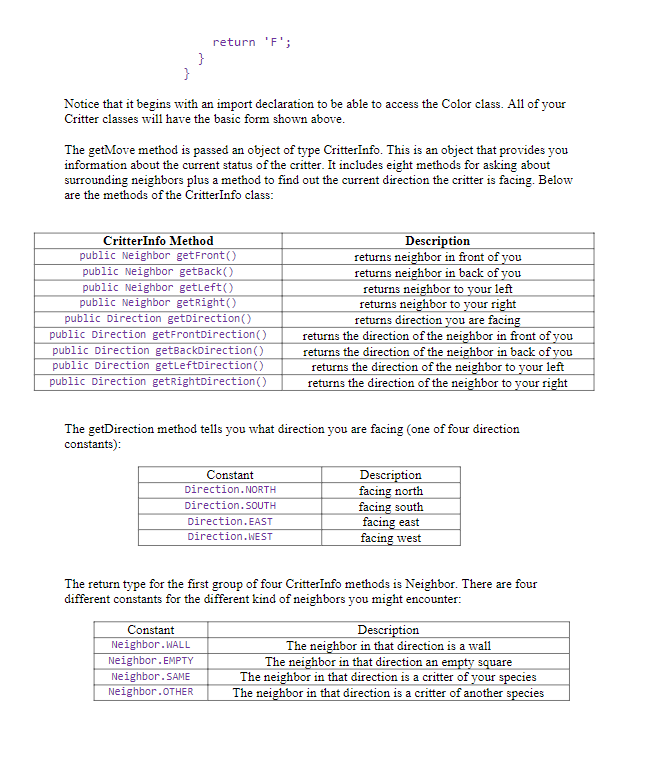
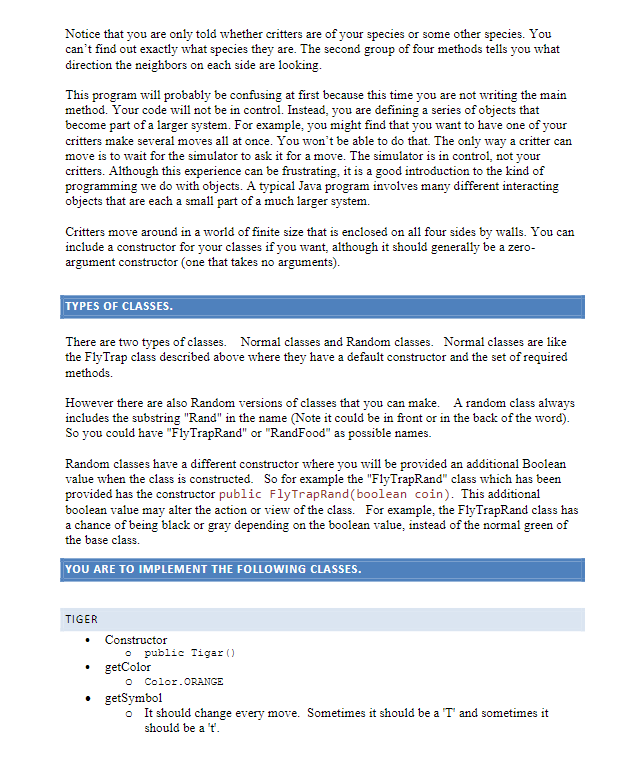
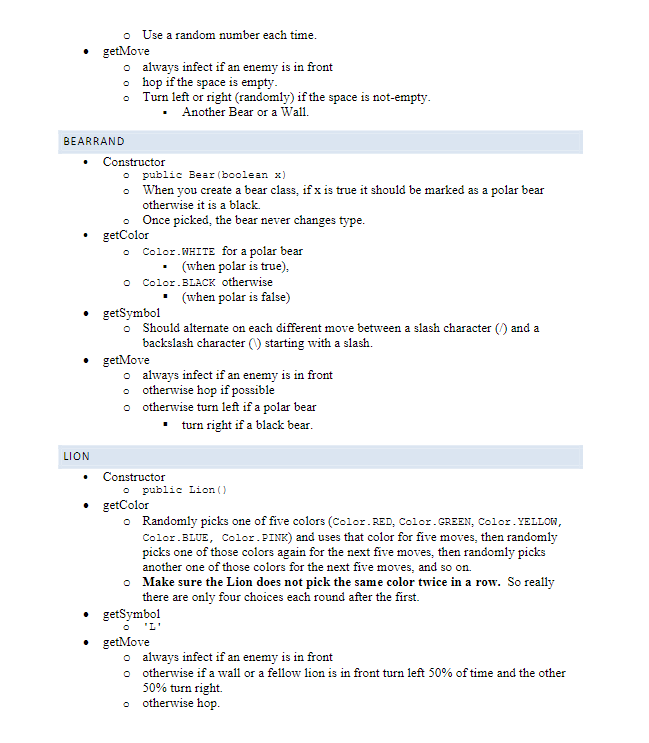
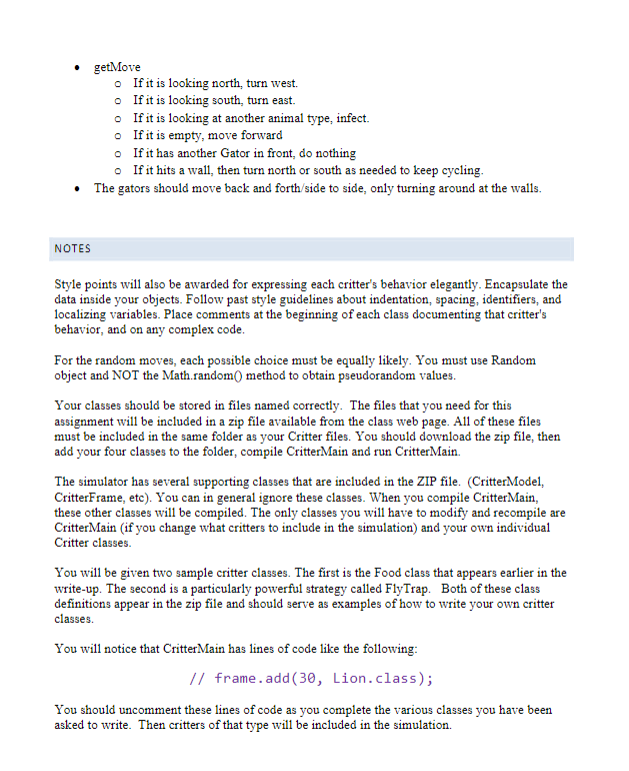
OVERVIEW This assignment will give you practice with defining classes and a small introduction to polymorphism. You are to write a set of classes that define the behavior of certain animals. You will be given a program that runs a simulation of a world with many animals wandering around in it. Different kinds of animals will behave in different ways and you are defining those differences. In this world, animals propagate their species by infecting other animals with their DNA, which transforms the other animal into the infecting animal's species. INSTRUCTIONS For this assignment you will be given a lot of supporting code that runs the simulation. You are just defining the individual "critters" that wander around this world trying to infect each other. While it is running the simulation will look something like this: In order to get started with this assignment, start by downloading the Programming Assignment CS145 - Critters ZIP file from Canvas. Inside that zip file is a folder called JavaCritter that contains 8 files. Move the folder and all 8 files into your data drive. Of the 8 files included. YOUR INSTRUCTIONS You objective is to implement the following 4 classes that are subclasses of critter. You will create 4 new classes and add them to the simulation. ANIMAL CLASS Each of your critter classes should implement an interface known as a Critter. So each Critter type class will look like this: public class SomeCritter implements Critter \{ On each round of the simulation, each critter is asked what action it wants to perform. There are five possible responses each with a constant associated with it. There are three key methods in the Critter class that you will override in your own classes. When you override these methods, you must use exactly the same method header as what you see below. The three methods to override for each Critter class are: public Action getMove(CritterInfo info) \{ \% public Color getColor() \{ public char getSymbol() \{ There are three key methods in the Critter class that you will implement in your own classes, however you may want to implement additional methods to implement your own class actions. For the getMove method you should return one of the five Action constants described earlier in the writeup. For the getColor method, you should return whatever color you want the simulator to use when drawing your critter. And for the getSymbol method, you should return a single character value displaying your critter (normally a single character). For example, below is a definition for a critter that always infects and that displays itself as a green letter F : import java.awt. ; public class Food extends Critter \{ public Action getMove(CritterInfo info) \{ return Action.STAY; \} public Color getColor() return Color.GREEN; \} public char getSymbol() \{ Notice that it begins with an import declaration to be able to access the Color class. All of your Critter classes will have the basic form shown above. The getMove method is passed an object of type CritterInfo. This is an object that provides you information about the current status of the critter. It includes eight methods for asking about surrounding neighbors plus a method to find out the current direction the critter is facing. Below are the methods of the CritterInfo class: The getDirection method tells you what direction you are facing (one of four direction constants): The return type for the first group of four CritterInfo methods is Neighbor. There are four different constants for the different kind of neighbors you might encounter: Notice that you are only told whether critters are of your species or some other species. You can't find out exactly what species they are. The second group of four methods tells you what direction the neighbors on each side are looking. This program will probably be confusing at first because this time you are not writing the main method. Your code will not be in control. Instead, you are defining a series of objects that become part of a larger system. For example, you might find that you want to have one of your critters make several moves all at once. You won't be able to do that. The only way a critter can move is to wait for the simulator to ask it for a move. The simulator is in control, not your critters. Although this experience can be frustrating, it is a good introduction to the kind of programming we do with objects. A typical Java program involves many different interacting objects that are each a small part of a much larger system. Critters move around in a world of finite size that is enclosed on all four sides by walls. You can include a constructor for your classes if you want, although it should generally be a zeroargument constructor (one that takes no arguments). TYPES OF CLASSES. There are two types of classes. Normal classes and Random classes. Normal classes are like the FlyTrap class described above where they have a default constructor and the set of required methods. However there are also Random versions of classes that you can make. A random class always includes the substring "Rand" in the name (Note it could be in front or in the back of the word). So you could have "FlyTrapRand" or "RandFood" as possible names. Random classes have a different constructor where you will be provided an additional Boolean value when the class is constructed. So for example the "FlyTrapRand" class which has been provided has the constructor public FlyTrapRand(boolean coin). This additional boolean value may alter the action or view of the class. For example, the FlyTrapRand class has a chance of being black or gray depending on the boolean value, instead of the normal green of the base class. YOU ARE TO IMPLEMENT THE FOLLOWING CLASSES. TIGER - Constructor o public Tigar() - getColor - Color.oRangE - getSymbol - It should change every move. Sometimes it should be a 'T' and sometimes it should be a ' t '. - Use a random number each time. - getMove - always infect if an enemy is in front - hop if the space is empty. - Turn left or right (randomly) if the space is not-empty. - Another Bear or a Wall. BEARRAND - Constructor - public Bear(boolean x ) - When you create a bear class, if x is true it should be marked as a polar bear otherwise it is a black. - Once picked, the bear never changes type. - getColor - Color.wHITE for a polar bear - (when polar is true), - Color.BLACK otherwise - (when polar is false) - getSymbol - Should alternate on each different move between a slash character ( / ) and a backslash character () starting with a slash. - getMove o always infect if an enemy is in front - otherwise hop if possible - othervise turn left if a polar bear - turn right if a black bear. LION - Constructor - public tion() - getColor - Randomly picks one of five colors (Color. RED, Color. GREEN, Color. YELLOW, Color.BIUE, Color. PINK) and uses that color for five moves, then randomly picks one of those colors again for the next five moves, then randomly picks another one of those colors for the next five moves, and so on. - Make sure the Lion does not pick the same color twice in a row. So really there are only four choices each round after the first. - getSymbol - getMove - always infect if an enemy is in front - othervise if a wall or a fellow lion is in front turn left 50% of time and the other 50% turn right. - otherwise hop. - getMove If it is looking north, turn west. If it is looking south, turn east. If it is looking at another animal type, infect. If it is empty, move forward If it has another Gator in front, do nothing If it hits a wall, then turn north or south as needed to keep cycling. - The gators should move back and forth/side to side, only turning around at the walls. NOTES Style points will also be awarded for expressing each critter's behavior elegantly. Encapsulate the data inside your objects. Follow past style guidelines about indentation, spacing, identifiers, and localizing variables. Place comments at the beginning of each class documenting that critter's behavior, and on any complex code. For the random moves, each possible choice must be equally likely. You must use Random object and NOT the Math.random( method to obtain pseudorandom values. Your classes should be stored in files named correctly. The files that you need for this assignment will be included in a zip file available from the class web page. All of these files must be included in the same folder as your Critter files. You should download the zip file, then add your four classes to the folder, compile CritterMain and run CritterMain. The simulator has several supporting classes that are included in the ZIP file. (CritterModel, CritterFrame, etc). You can in general ignore these classes. When you compile CritterMain, these other classes will be compiled. The only classes you will have to modify and recompile are CritterMain (if you change what critters to include in the simulation) and your own individual Critter classes. You will be given two sample critter classes. The first is the Food class that appears earlier in the write-up. The second is a particularly powerful strategy called FlyTrap. Both of these class definitions appear in the zip file and should serve as examples of how to write your own critter classes. You will notice that CritterMain has lines of code like the following: //frame.add(30,Lion.class); You should uncomment these lines of code as you complete the various classes you have been asked to write. Then critters of that type will be included in the simulation
Step by Step Solution
There are 3 Steps involved in it

Get step-by-step solutions from verified subject matter experts
 Study Help