







Question: Answer the questions with Python codes 1. Randomly place 20 points within a unit square. 2. Find the two points that are closest to each
Answer the questions with Python codes
1. Randomly place 20 points within a unit square.
2. Find the two points that are closest to each other and compute their distance. Find the two points that are farthest from each other and compute their distance. Code these calculations from scratch; do not use a packaged function.
3. Repeat (1) to (2) r=100 times. Collect the closest and farthest pairs. Plot all pairs on a scatter plot, with blue points for closest pairs and red points for farthest pairs. Report the average closest- and farthest-pair distances on the scatter plot.
This is what I have so far:
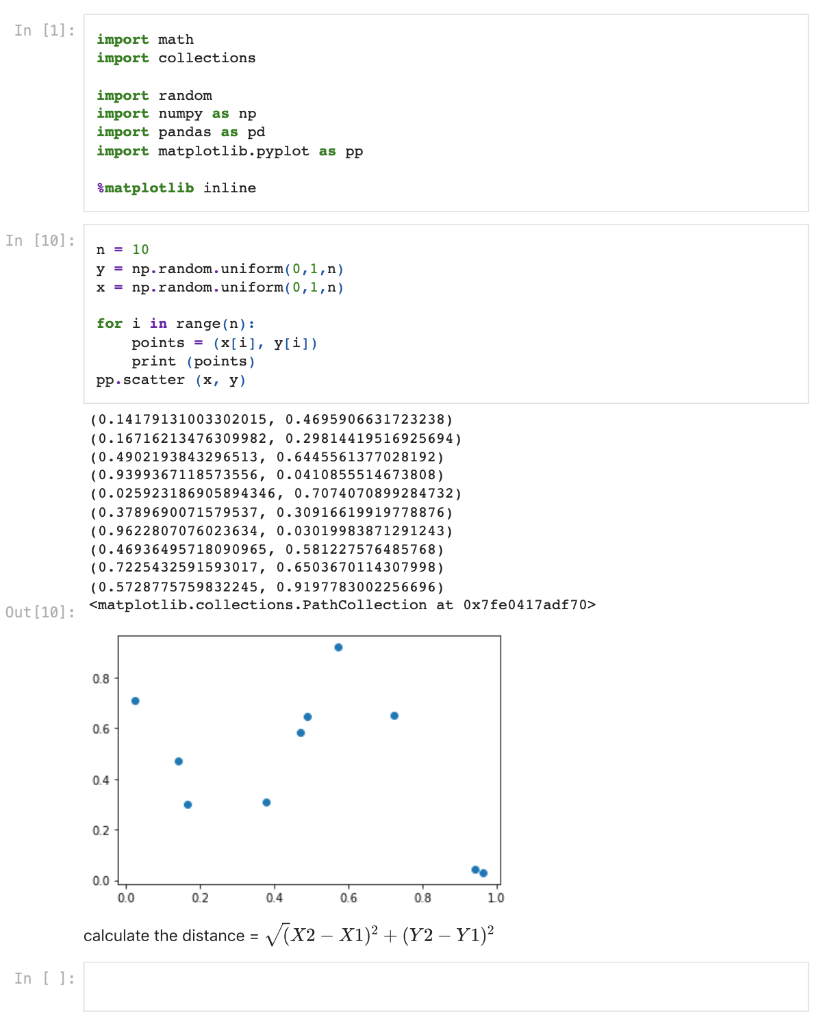
I am a noob at coding and would appreciate if you can help me step by step. Thank you!
In [1]: import math import collections import random import numpy as np import pandas as pd import matplotlib.pyplot as pp Smatplotlib inline In [10]: n = 10 y = np.random.uniform(0,1,n) x = np.random.uniform(0,1,n) for i in range(n): points = (x[i], y[i]) print (points) pp. scatter (x, y) (0.14179131003302015, 0.4695906631723238) (0.16716213476309982, 0.29814419516925694) (0.4902193843296513, 0.6445561377028192) (0.9399367118573556, 0.0410855514673808) (0.025923186905894346, 0.7074070899284732) (0.3789690071579537, 0.30916619919 778876) (0.9622807076023634, 0.03019983871291243) (0.46936495718090965, 0.581227576485768) (0.7225432591593017, 0.6503670114307998) (0.5728775759832245, 0.9197783002256696) Out [10] :
Step by Step Solution
There are 3 Steps involved in it

Get step-by-step solutions from verified subject matter experts
 Study Help