







Question: Answer these questions. You must be knowledgeable in the using Sage erp 2019 software. Question 3 An Error Batch is: A batch generated when there
Answer these questions. You must be knowledgeable in the using Sage erp 2019 software.
Question 3 An Error Batch is:
| A batch generated when there is an error during posting | ||
| A batch that has errors and must be deleted. | ||
| A batch of successfully posted transactions Question 6 When entering Tax classes both Purchases and Sales items must be entered True False |
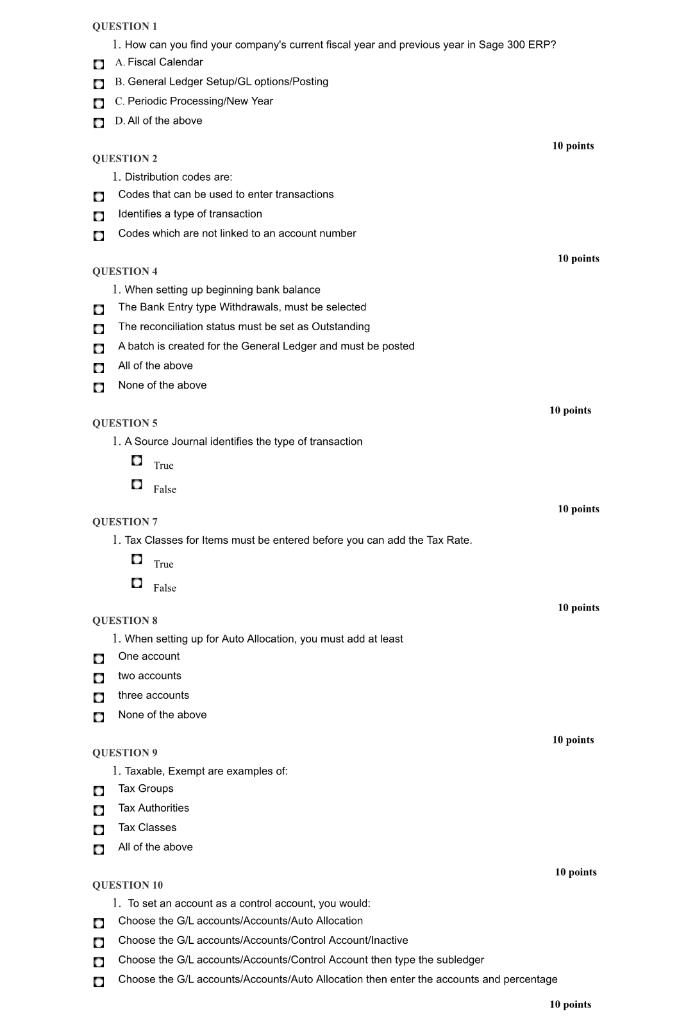
QUESTION 1 1. How can you find your company's current fiscal year and previous year in Sage 300 ERP? A. Fiscal Calendar B. General Ledger Setup/GL options/Posting C. Periodic Processing/New Year D. All of the above 10 points QUESTION 2 1. Distribution codes are: : Codes that can be used to enter transactions Identifies a type of transaction Codes which are not linked to an account number 10 points QUESTION 4 1. When setting up beginning bank balance The Bank Entry type Withdrawals, must be selected The reconciliation status must be set as Outstanding A batch is created for the General Ledger and must be posted All of the above None of the above 10 points QUESTIONS 1. A Source Journal identifies the type of transaction Truc False 10 points QUESTION 7 1. Tax Classes for Items must be entered before you can add the Tax Rate. True False 10 points QUESTION 8 1. When setting up for Auto Allocation, you must add at least One account two accounts three accounts None of the above 10 points QUESTION 9 1. Taxable, Exempt are examples of , Tax Groups Tax Authorities Tax Classes All of the above 10 points QUESTION 10 1. To set an account as a control account, you would: Choose the G/L accounts/Accounts/Auto Allocation / Choose the G/L accounts/Accounts/Control Account/Inactive // Choose the G/L accounts/Accounts/Control Account then type the subledger Choose the G/L accounts/Accounts/Auto Allocation then enter the accounts and percentage 10 points
Step by Step Solution
There are 3 Steps involved in it

Get step-by-step solutions from verified subject matter experts
 Study Help