







Question: answer this tha nks ALDOS Fox Array/Last Based Declarat mutatis ampty it was while optat yake 1. appetontep 2 4. Dietet Stack pap Mally as
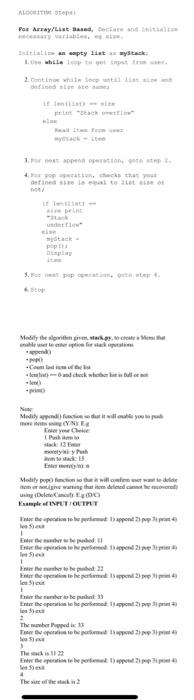
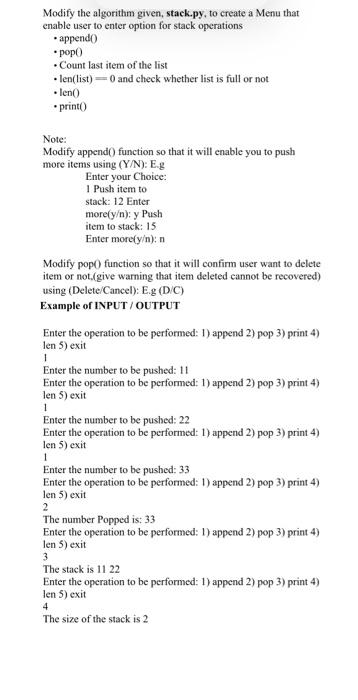
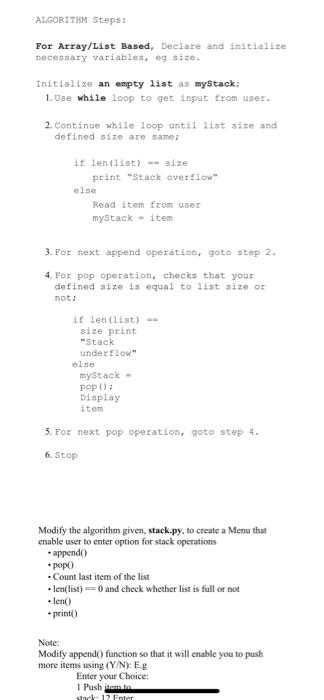
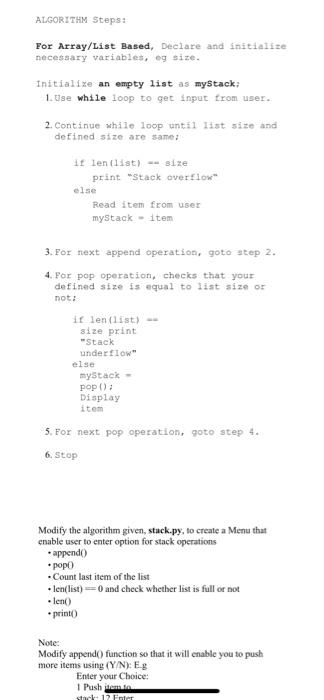
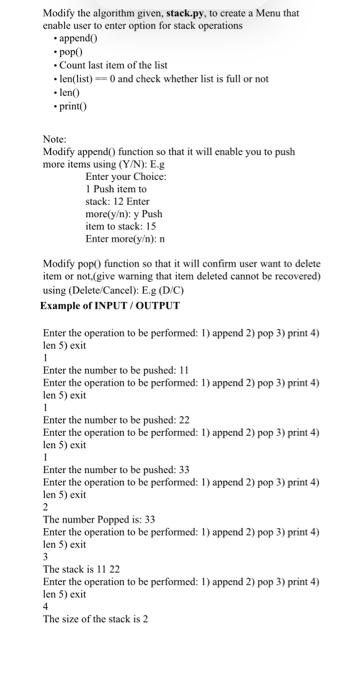
ALDOS Fox Array/Last Based Declarat mutatis ampty it was while optat yake 1. appetontep 2 4. Dietet Stack pap Mally as y pin fier sai parate * Colmar and check whether Medicul de NE For your hele my 15 E Madily profit will the way that from the y Dee DO From INPUT/OUTPUT the people wered heerlo lepo spend Enero Enter the operation to be perfume 2) 1 the role pahel Enter the spreations to the present 1 } p ) Fetaria 4 The members The were to be pertened spender The skis 11 Enter the periode permet polpe The Modify the algorithm given, stack.py, to create a Menu that enable user to enter option for stack operations .appendo popo Count last item of the list len(list) = 0 and check whether list is full or not leno .print Note: Modify append() function so that it will enable you to push more items using (Y/N): Eg Enter your Choice: 1 Push item to stack: 12 Enter more[y): y Push item to stack: 15 Enter more[y): Modify pop() function so that it will confirm user want to delete item or not.(give warning that item deleted cannot be recovered) using (Delete/Cancel): Eg (DC) Example of INPUT/OUTPUT Enter the operation to be performed: 1) append 2) pop 3) print 4) len 5) exit Enter the number to be pushed: 11 Enter the operation to be performed: 1) append 2) pop 3) print 4) len 5) exit Enter the number to be pushed: 22 Enter the operation to be performed: 1) append 2) pop 3) print 4) len 5) exit Enter the number to be pushed: 33 Enter the operation to be performed: 1) append 2) pop 3) print 4) len 5) exit 1 1 1 2 The number Popped is: 33 Enter the operation to be performed: 1) append 2) pop 3) print 4) len 5) exit 3 The stack is 11 22 Enter the operation to be performed: 1) append 2) pop 3) print 4) len 5) exit The size of the stack is 2 4 ALGORITHM Steps: For Array/List Based, Declare and initialize necessary variables, eg size. Initialize an empty list as mystack; 1. Use while loop to get input from user. 2. Continue while loop until list size and defined size are same if lenist) -- size print "Stack overflow else Read item from user mystack - item 3. For next append operation, goto step 2. 4. For pop operation, checks that your defined size is equal to list size or not: ilen (list) size print "Stack underflow else mystack - pop(); Display item 5. For next pop operation, goto step 4. 6. Stop Modify the algorithm given, stack.py, to create a Menu that a enable user to enter option for stack operations .appendo popo Count last item of the list + len(list)=0 and check whether list is full or not lent) .print) Note: Modify append() function so that it will enable you to push more items using (Y/N): Eg Enter your Choice: 1 Pushimin stat 12 Enter ALGORITHM Steps: For Array/List Based, Declare and initialize necessary variables, eg size. Initialize an empty list as mystack; 1. Use while loop to get input from user. 2. Continue while loop until list size and defined size are same if lenist) -- size print "Stack overflow else Read item from user mystack - item 3. For next append operation, goto step 2. 4. For pop operation, checks that your defined size is equal to list size or not: ilen (list) size print "Stack underflow else mystack - pop(); Display item 5. For next pop operation, goto step 4. 6. Stop Modify the algorithm given, stack.py, to create a Menu that a enable user to enter option for stack operations .appendo popo Count last item of the list + len(list)=0 and check whether list is full or not lent) .print) Note: Modify append() function so that it will enable you to push more items using (Y/N): Eg Enter your Choice: 1 Pushimin stat 12 Enter Modify the algorithm given, stack.py, to create a Menu that enable user to enter option for stack operations .append) popo Count last item of the list len(list) = 0 and check whether list is full or not leno *printo 1 Note: Modify append() function so that it will enable you to push more items using (Y/N): Eg Enter your Choice: 1 Push item to stack: 12 Enter more[y); y Push item to stack: 15 Enter more[y): Modify pop() function so that it will confirm user want to delete item or not.(give warning that item deleted cannot be recovered) using (Delete/Cancel): E.g (DC) Example of INPUT/OUTPUT Enter the operation to be performed: 1) append 2) pop 3) print 4) len 5) exit Enter the number to be pushed: 11 Enter the operation to be performed: 1) append 2) pop 3) print 4) len 5) exit Enter the number to be pushed: 22 Enter the operation to be performed: 1) append 2) pop 3) print 4) len 5) exit 1 Enter the number to be pushed: 33 Enter the operation to be performed: 1) append 2) pop 3) print 4) len 5) exit 2 The number Popped is: 33 Enter the operation to be performed: 1) append 2) pop 3) print 4) len 5) exit 3 The stack is 11 22 Enter the operation to be performed: 1) append 2) pop 3) print 4) len 5) exit The size of the stack is 2 1 4
Step by Step Solution
There are 3 Steps involved in it

Get step-by-step solutions from verified subject matter experts
 Study Help