







Question: app.js file add.ejs file list.ejs file package.json file Urgent help, my Vs code doesnt work just tell me what need to be change, thank you
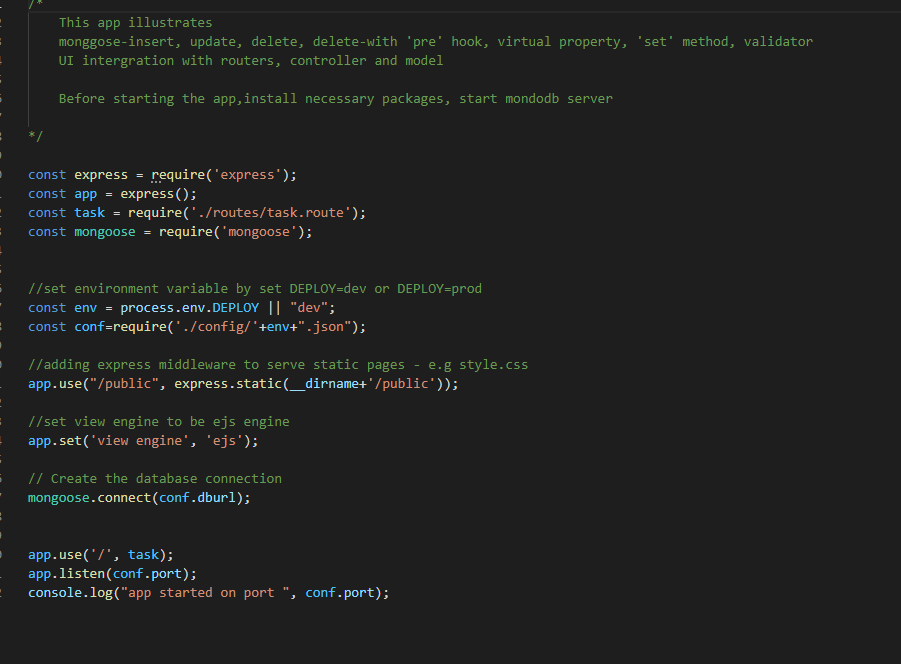
app.js file
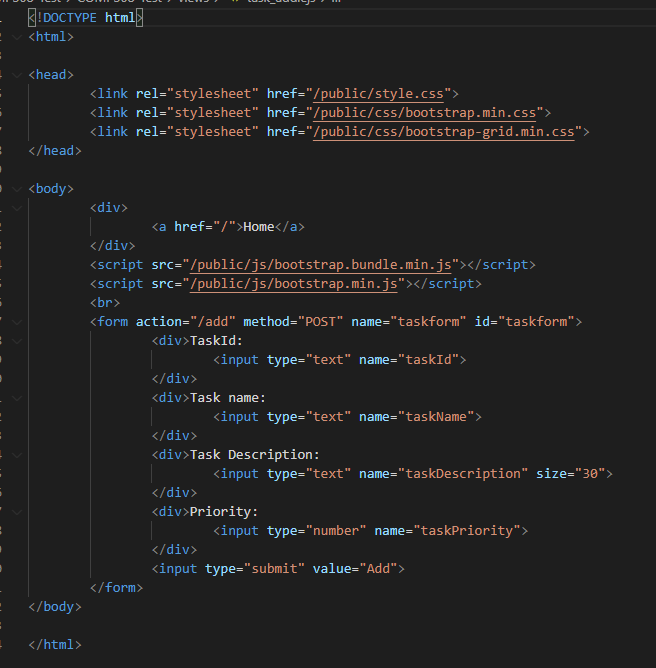
add.ejs file
list.ejs file
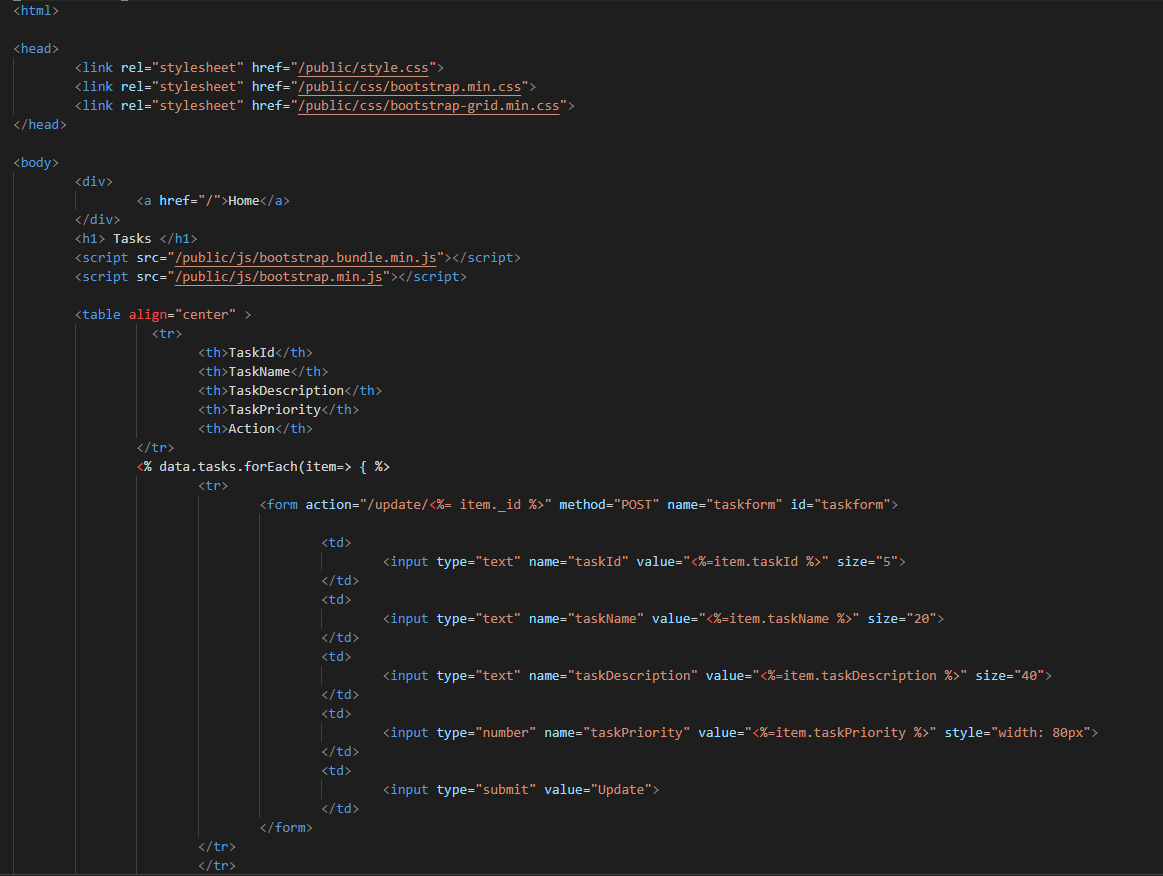
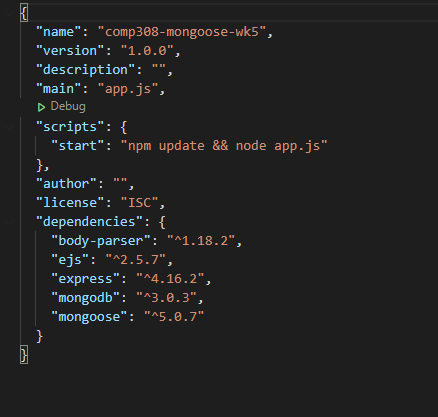
package.json file
Urgent help, my Vs code doesnt work
just tell me what need to be change, thank you
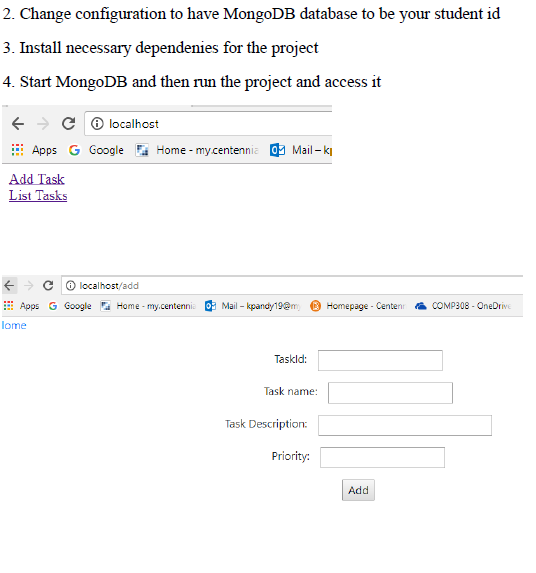
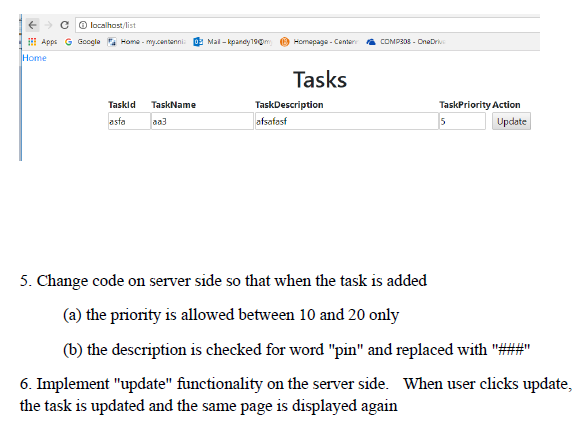
2. Change configuration to have MongoDB database to be your student id 3. Install necessary dependenies for the project 4. Start MongoDB and then run the project and access it F = c localhost Apps G Google Home-my.centennia o Mail k Add Task List Tasks e o localhost/add Home - my.centenni: Mail - kpandy19@m Homepage - Centeni COMP308 - OneDrive Apps G Google lome Taskld: Task name: Task Description: Priority: Add COMP303 - OneDrive e localhost/list !!! Apps G Google Home-my.conteni Mal-kpaney150m Homepage - Center Home Tasks Taskid TaskName TaskDescription asta aa3 atsafast TaskPriority Action 5 Update 5. Change code on server side so that when the task is added (a) the priority is allowed between 10 and 20 only (b) the description is checked for word "pin" and replaced with 6. Implement "update" functionality on the server side. When user clicks update, the task is updated and the same page is displayed again This app illustrates monggose-insert, update, delete, delete-with 'pre' hook, virtual property, 'set' method, validator UI intergration with routers, controller and model Before starting the app, install necessary packages, start mondodb server const express = require('express'); const app express(); const task require("./routes/task.route'); const mongoose = require('mongoose'); // set environment variable by set DEPLOY=dev or DEPLOY=prod const env = process.env.DEPLOY || "dev"; const conf=require('./config/'+env+".json"); //adding express middleware to serve static pages e.g style.css app.use("/public", express.static(_dirname+'/public')); 1/set view engine to be ejs engine app.set('view engine', 'ejs'); // Create the database connection mongoose.connect(conf.dburl); app.use('/', task); app.listen(conf.port); console.log("app started on port ", conf.port); E! DOCTYPE html]
Tasks
| TaskId | TaskName | TaskDescription | TaskPriority | Action |
|---|---|---|---|---|
Step by Step Solution
There are 3 Steps involved in it

Get step-by-step solutions from verified subject matter experts
 Study Help