







Question: Apply data validation rules to cells F 1 5 :F 2 4 on the 2 0 1 9 Shipments worksheet and cells F 1 5
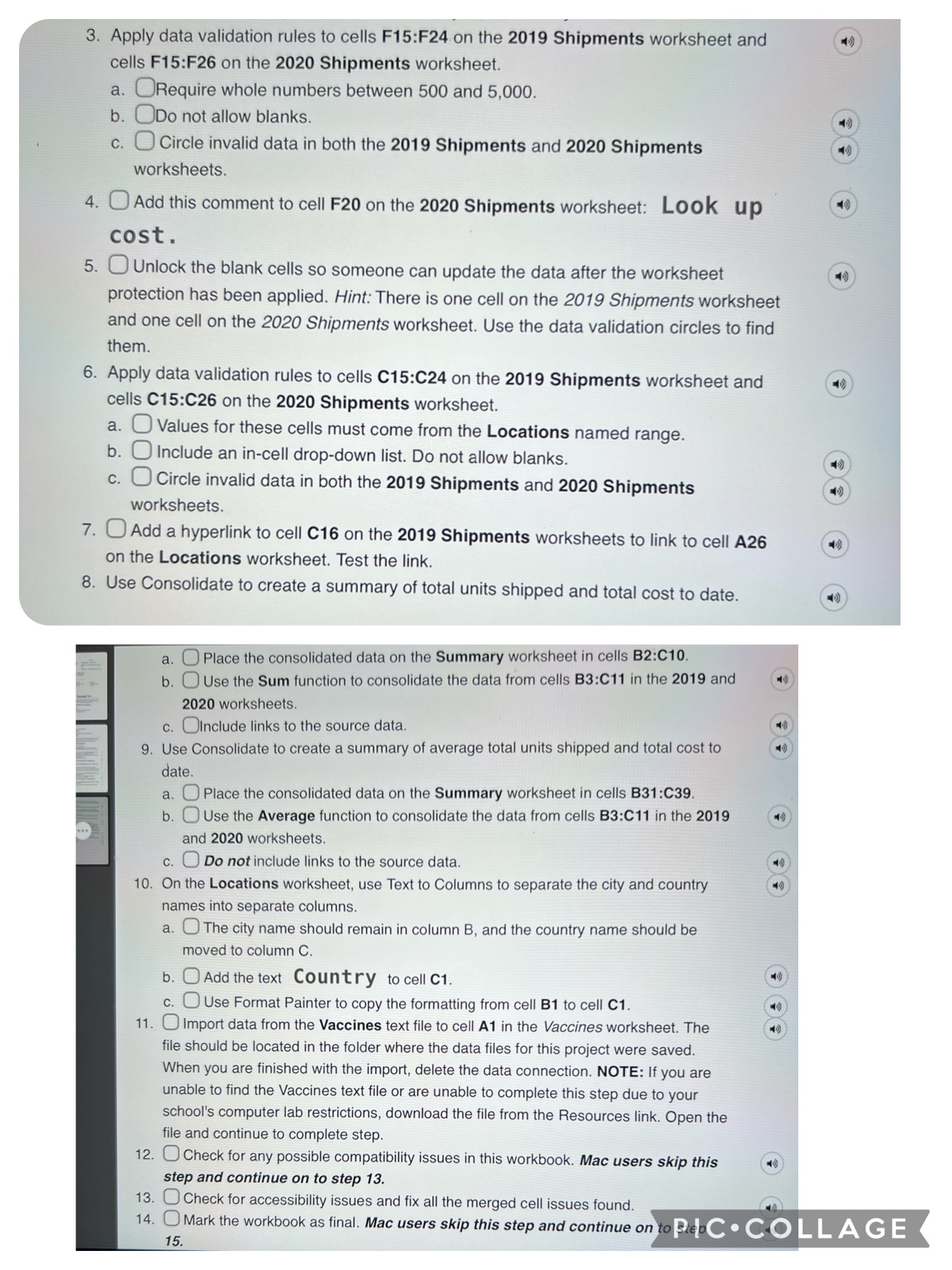
Apply data validation rules to cells F:F on the Shipments worksheet and cells F:F on the Shipments worksheet.
a Require whole numbers between and
b Do not allow blanks.
c Circle invalid data in both the Shipments and Shipments worksheets.
Add this comment to cell F on the Shipments worksheet:
Look up cost
Unlock the blank cells so someone can update the data after the worksheet protection has been applied. Hint: There is one cell on the Shipments worksheet and one cell on the Shipments worksheet. Use the data validation circles to find them.
Apply data validation rules to cells C:C on the Shipments worksheet and cells C:C on the Shipments worksheet.
a Values for these cells must come from the Locations named range.
b Include an incell dropdown list. Do not allow blanks.
c Circle invalid data in both the Shipments and Shipments worksheets.
Add a hyperlink to cell C on the Shipments worksheets to link to cell A on the Locations worksheet. Test the link.
Use Consolidate to create a summary of total units shipped and total cost to date.
a Place the consolidated data on the Summary worksheet in cells B:C
b Use the Sum function to consolidate the data from cells B:C in the and worksheets.
c nclude links to the source data.
Use Consolidate to create a summary of average total units shipped and total cost to date.
a Place the consolidated data on the Summary worksheet in cells B:C
b Use the Average function to consolidate the data from cells B:C in the and worksheets.
c Do not include links to the source data.
On the Locations worksheet, use Text to Columns to separate the city and country names into separate columns.
a The city name should remain in column B and the country name should be moved to column
b Add the text Country to cell C
c O Use Format Painter to copy the formatting from cell B to cell C
Import data from the Vaccines text file to cell A in the Vaccines worksheet. The file should be located in the folder where the data files for this project were saved. When you are finished with the import, delete the data connection. NOTE: If you are unable to find the Vaccines text file or are unable to complete this step due to your school's computer lab restrictions, download the file from the Resources link. Open the file and continue to complete step.
Check for any possible compatibility issues in this workbook. Mac users skip this step and continue on to step
Check for accessibility issues and fix all the merged cell issues found.
Mark
Step by Step Solution
There are 3 Steps involved in it
1 Expert Approved Answer
Step: 1 Unlock

Question Has Been Solved by an Expert!
Get step-by-step solutions from verified subject matter experts
Step: 2 Unlock
Step: 3 Unlock
 Study Help