







Question: Array operation code: public class ArrayOperations { /** * Performs element-wise comparison of arrays and returns true if all the * elements in the arrays
Array operation code:
public class ArrayOperations {
/**
* Performs element-wise comparison of arrays and returns true if all the
* elements in the arrays have the same values.
*
* @param a
* @param b
* @return boolean
*/
public static boolean equalsTo(int a[], int b[]) {
//fill in here
return true;
}
/**
* Performs element-wise subtraction and returns the resulting array. If the
* lengths of the arrays are different, it returns the array with a smaller
* size of elements.
*
* @param a
* @param b
* @return
*/
public static int[] subtract(int a[], int b[]) {
//fill in here
return a; //to be modified
}
/**
* Perform element-wise addition and returns the resulting array If the
* lengths of the arrays are different, it returns the array with a smaller
* size of elements.
* @param a
* @param b
* @return
*/
public static int[] add(int a[], int b[]) {
//fill in here
return a; //to be modified
}
/**
* Prints out an array
*
* @param a
* @param arrayName
*/
public static void printArray(int a[], String arrayName) {
System.out.println();
for (int i = 0; i
System.out.println(arrayName + "[" + i + "] = " + a[i]);
}
System.out.println();
}
}
TestArrayOperation code:
package lab08;
import java.util.Scanner;
/**
* Array operation Driver
* @author Jiju
*/
public class TestArrayOperations {
public static void main(String[] args) {
Scanner kb = new Scanner(System.in);
//get the size of the 1st array
System.out.print("How many elements in the 1st array? ");
int len = kb.nextInt();
kb.nextLine();
int[] a = new int[len];
//get the values
System.out.println(" Enter values for the 1st array.");
for (int i = 0; i
System.out.print("a[" + i + "] = ");
a[i] = kb.nextInt();
kb.nextLine();
}
System.out.print("Press enter...");
kb.nextLine();
System.out.println();
//get the size of the 2nd array
System.out.print("How many elements in the 2nd array? ");
len = kb.nextInt();
kb.nextLine();
int[] b = new int[len];
//get the values
System.out.println(" Enter values for the 2nd array.");
for (int i = 0; i
System.out.print("b[" + i + "] = ");
b[i] = kb.nextInt();
kb.nextLine();
}
System.out.print(" Press enter...");
kb.nextLine();
System.out.println();
System.out.println("Testing add() method");
int c[] = ArrayOperations.add(a, b);
System.out.println("The element-wise addition of the 2 arrays:");
ArrayOperations.printArray(c, "c");
System.out.print(" Press enter...");
kb.nextLine();
System.out.println();
System.out.println("Testing subtract() method");
int d[] = ArrayOperations.subtract(a, b);
System.out.println("The element-wise difference of the 2 arrays:");
ArrayOperations.printArray(d, "d");
System.out.print(" Press enter...");
kb.nextLine();
System.out.println();
System.out.println("Testing equalsTo() method");
if (ArrayOperations.equalsTo(a, b)) {
System.out.println("The 2 arrays are the same.");
} else {
System.out.println("The 2 arrays are different.");
}
}
}
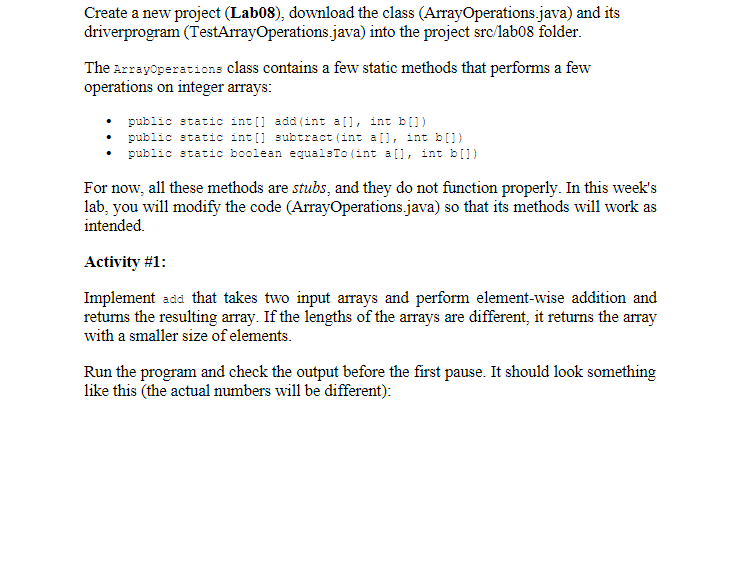
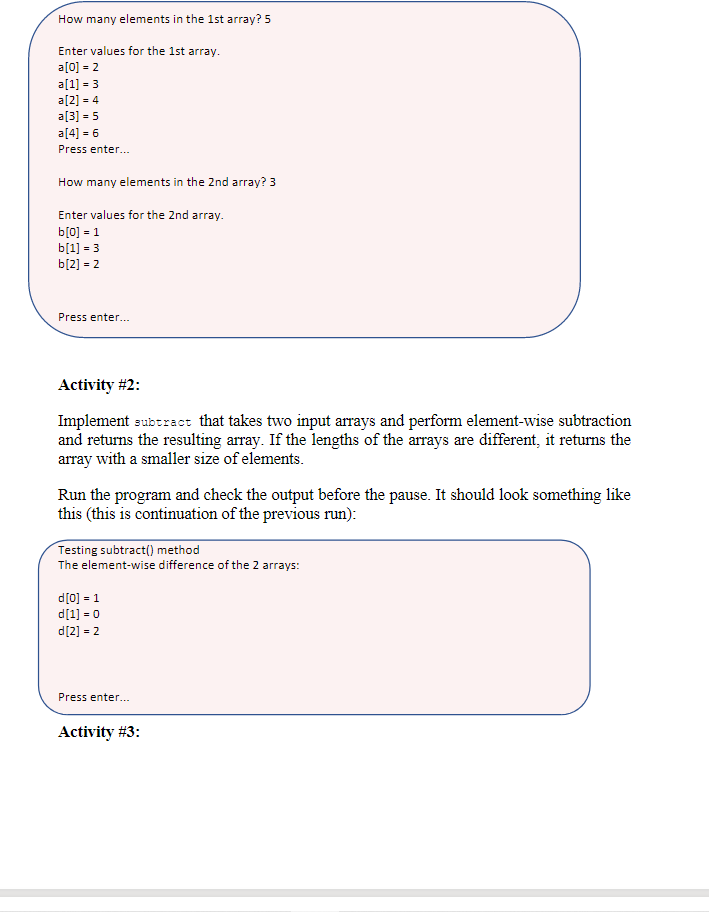
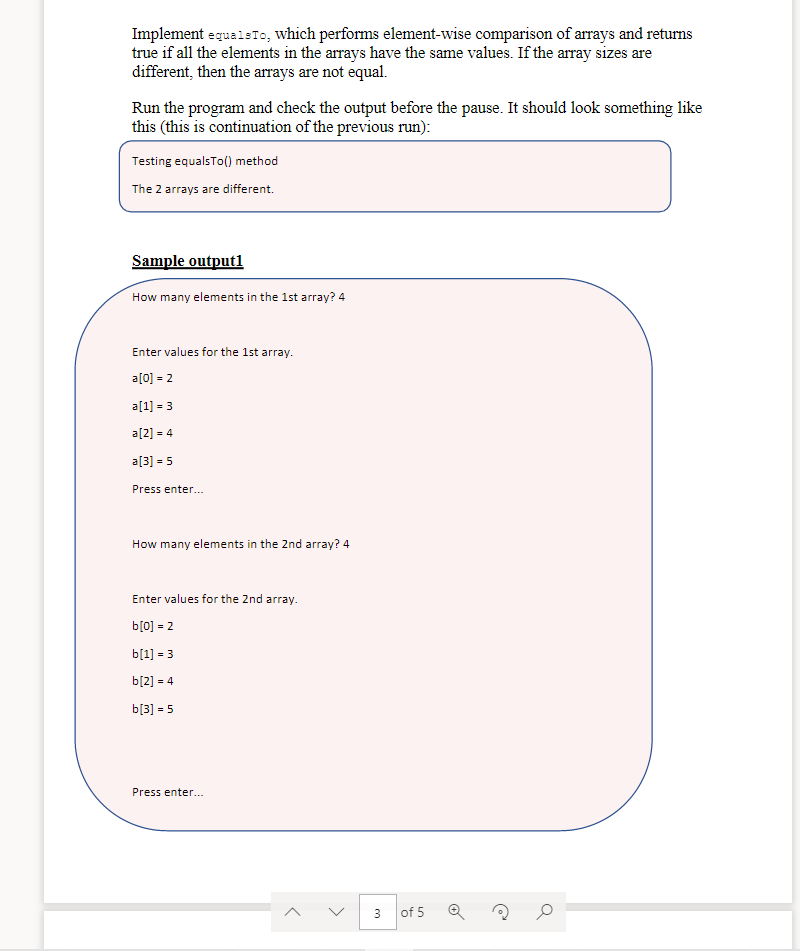
Create a new project (Lab08), download the class (ArrayOperations.java) and its driverprogram (TestArrayOperations.java) into the project src/labo8 folder. The ArrayOperation class contains a few static methods that performs a few operations on integer arrays: public static int[] add (int all, int B[]) public static int[] subtract (int all, int (1) public static boolean equals To (int all, int []) For now, all these methods are stubs, and they do not function properly. In this week's lab, you will modify the code (ArrayOperations.java) so that its methods will work as intended. Activity #1: Implement add that takes two input arrays and perform element-wise addition and returns the resulting array. If the lengths of the arrays are different, it returns the array with a smaller size of elements. Run the program and check the output before the first pause. It should look something like this (the actual numbers will be different): How many elements in the 1st array? 5 Enter values for the 1st array. a[0] = 2 a[1] = 3 a[2] = 4 a[3] = 5 a[4] - 6 Press enter... How many elements in the 2nd array? 3 Enter values for the 2nd array. b[0] = 1 b[1] = 3 b[2] = 2 Press enter... Activity #2: Implement subtract that takes two input arrays and perform element-wise subtraction and returns the resulting array. If the lengths of the arrays are different, it returns the array with a smaller size of elements. Run the program and check the output before the pause. It should look something like this (this is continuation of the previous run): Testing subtract() method The element-wise difference of the 2 arrays: d[0] = 1 d[1] = 0 d[2] = 2 Press enter... Activity #3: Implement equaisto, which performs element-wise comparison of arrays and returns true if all the elements in the arrays have the same values. If the array sizes are different, then the arrays are not equal. Run the program and check the output before the pause. It should look something like this (this is continuation of the previous run): Testing equalsto() method The 2 arrays are different. Sample output1 How many elements in the 1st array? 4 Enter values for the 1st array. a[0] = 2 a[1] = 3 a[2] = 4 a[3] = 5 Press enter... How many elements in the 2nd array? 4 Enter values for the 2nd array. b[0] = 2 b[1] = 3 b[2] =4 b[3] = 5 Press enter... > 3 of 5
Step by Step Solution
There are 3 Steps involved in it

Get step-by-step solutions from verified subject matter experts
 Study Help