







Question: Array2D.c #include #include void printArray(int**, int); int main() { int i = 0, j = 0, n = 5; int **arr = (int**)malloc(n * sizeof(int*));
Array2D.c
#include
Please answer all questions, thanks!
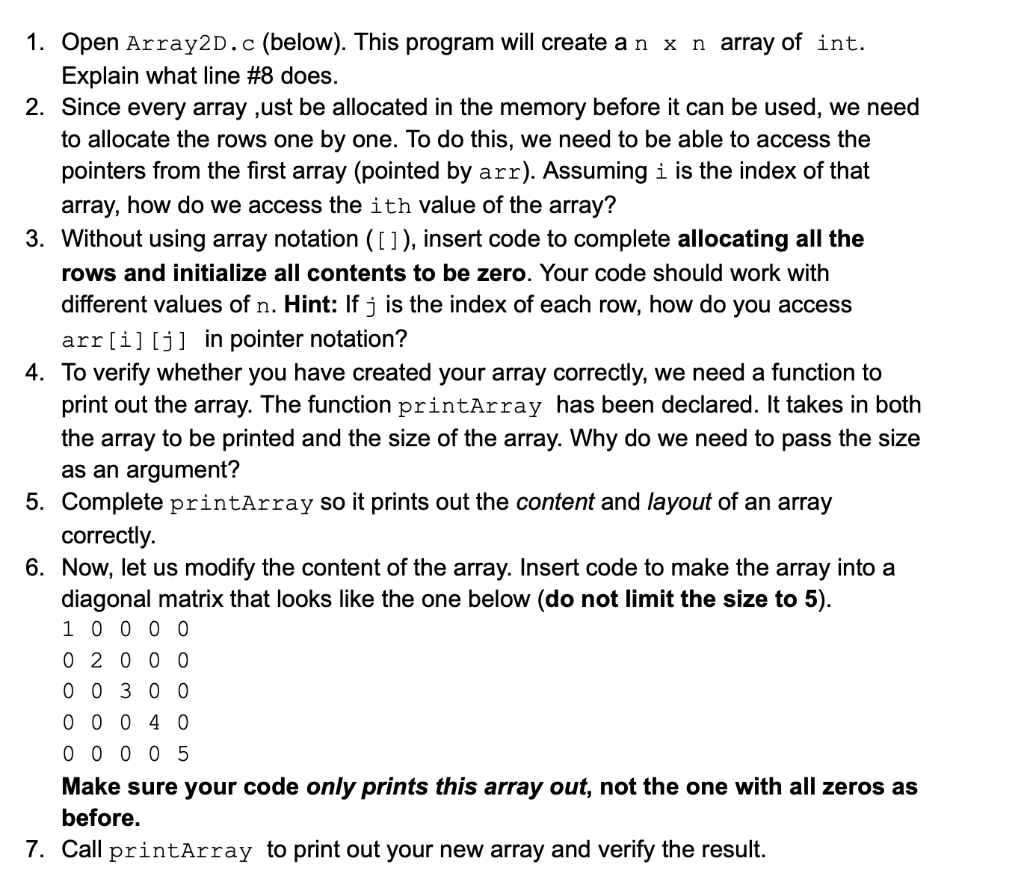
1. Open Array2D. (below). This program will create anxn array of int. Explain what line \#8 does. 2. Since every array , ust be allocated in the memory before it can be used, we need to allocate the rows one by one. To do this, we need to be able to access the pointers from the first array (pointed by arr). Assuming i is the index of that array, how do we access the ith value of the array? 3. Without using array notation ([]), insert code to complete allocating all the rows and initialize all contents to be zero. Your code should work with different values of n. Hint: If j is the index of each row, how do you access arr[i][j] in pointer notation? 4. To verify whether you have created your array correctly, we need a function to print out the array. The function printArray has been declared. It takes in both the array to be printed and the size of the array. Why do we need to pass the size as an argument? 5. Complete printArray so it prints out the content and layout of an array correctly. 6. Now, let us modify the content of the array. Insert code to make the array into a diagonal matrix that looks like the one below (do not limit the size to 5). 1000002000003000004000005 Make sure your code only prints this array out, not the one with all zeros as before
Step by Step Solution
There are 3 Steps involved in it

Get step-by-step solutions from verified subject matter experts
 Study Help