







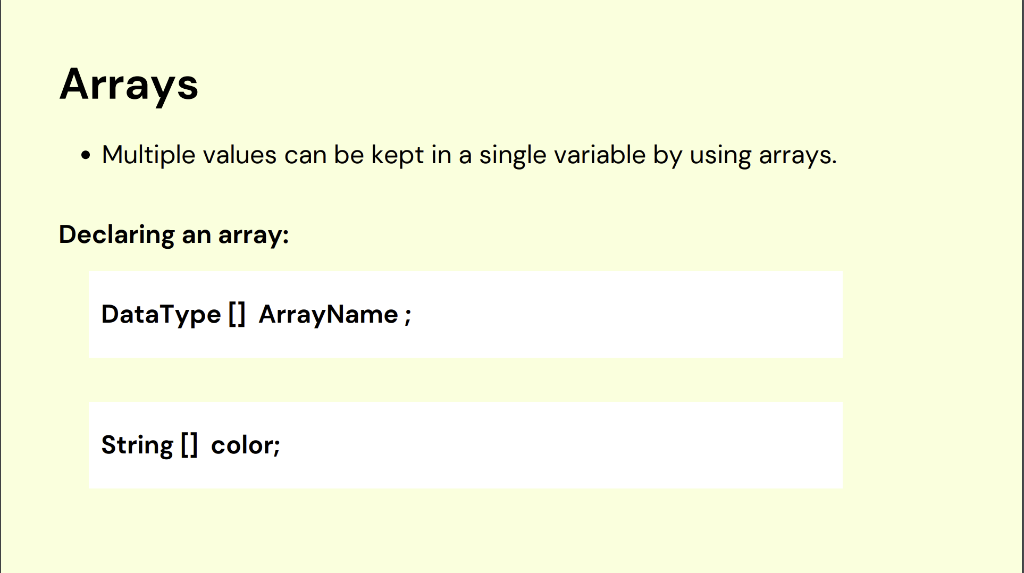
Question: Arrays: Write a program called color.java that demonstrates arrays Arrays - Multiple values can be kept in a single variable by using arrays. Declaring an
![Declaring an array: DataType [] ArrayName ; String [] color; Declaring an](https://s3.amazonaws.com/si.experts.images/answers/2024/08/66c4b1306cb91_44866c4b13003bae.jpg)
![array with values: Accessing a value in an array: ArrayName [position]; What](https://s3.amazonaws.com/si.experts.images/answers/2024/08/66c4b131104ce_44866c4b1309df73.jpg)
![value is in the following positions: String[]color={"orange","yellow","green"}color[0];color[3] Updating an array element: Getting](https://s3.amazonaws.com/si.experts.images/answers/2024/08/66c4b131add9e_44966c4b13151fa9.jpg)
Arrays: Write a program called color.java that demonstrates arrays
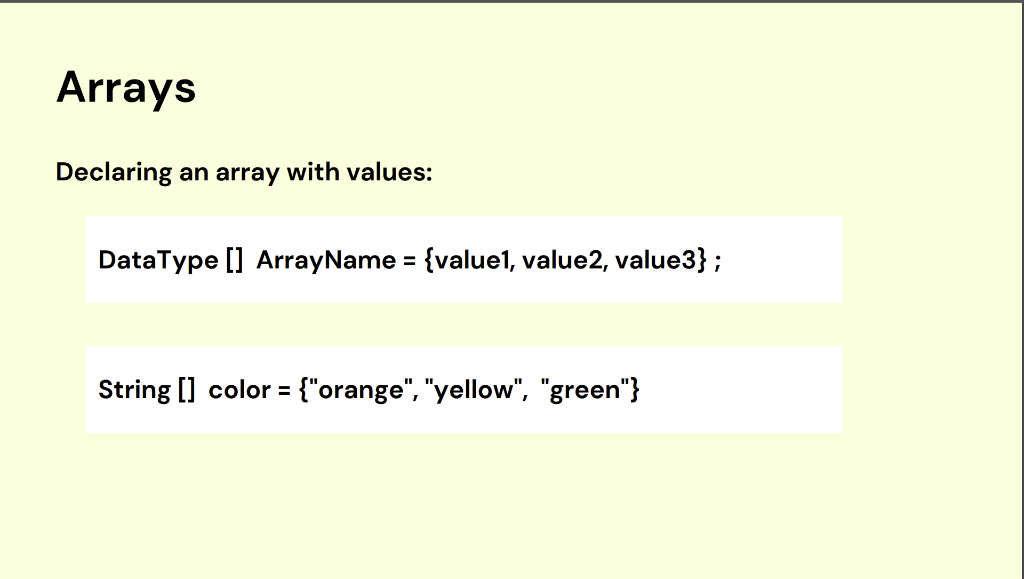
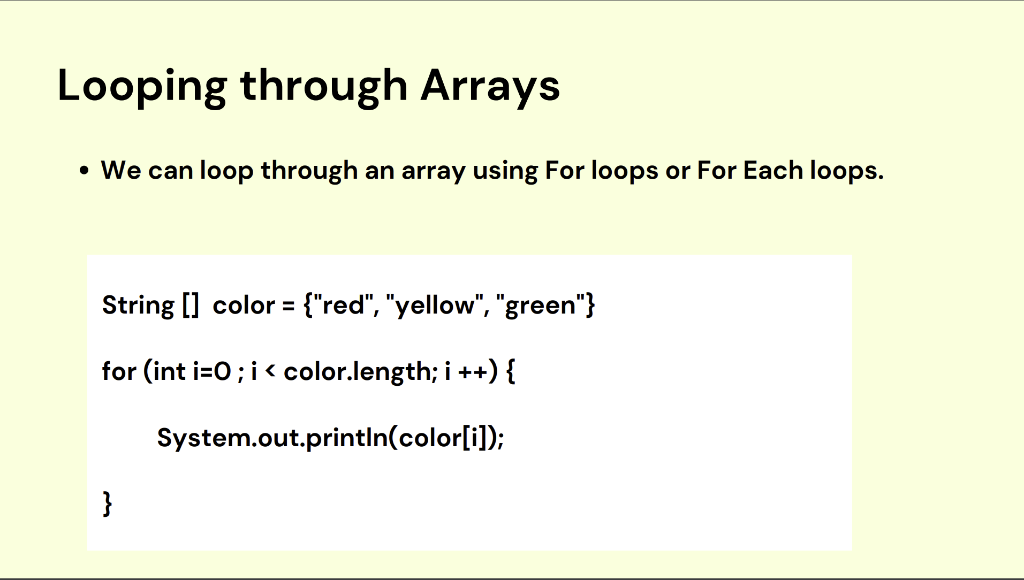
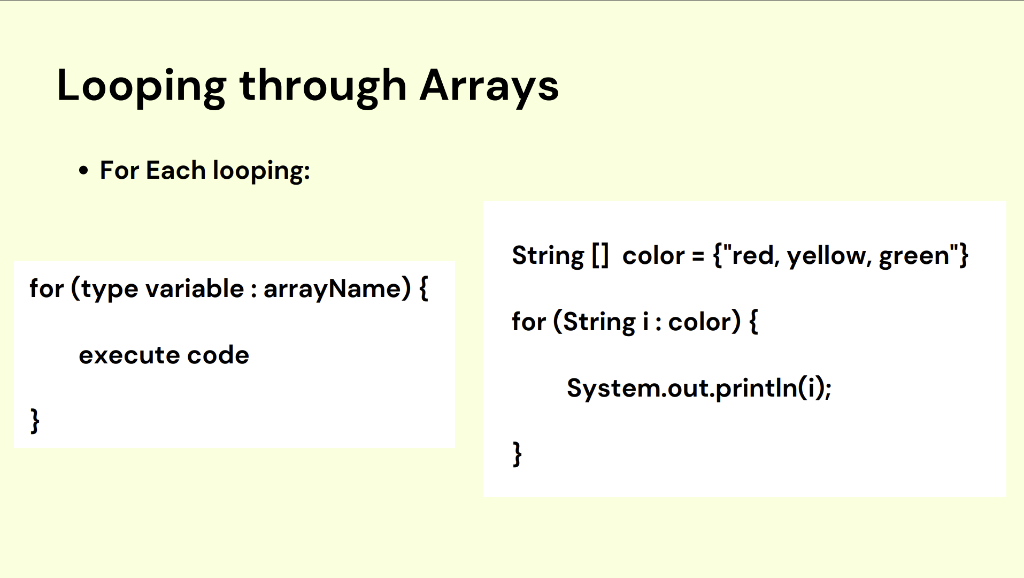
Arrays - Multiple values can be kept in a single variable by using arrays. Declaring an array: DataType [] ArrayName ; String [] color; Declaring an array with values: Accessing a value in an array: ArrayName [position]; What value is in the following positions: String[]color={"orange","yellow","green"}color[0];color[3] Updating an array element: Getting the length of an array: intx=ArrayName.length; -ooping through Arrays - We can loop through an array using For loops or For Each loops. String [] color = { "red", "yellow", "green" } for (int i=0;i i++){ System.out.println (color[i]); \} Looping through Arrays - For Each looping: for(typevariable:arrayName){for(Stringi:color){executecode}String[]color={red,yellow,green"}System.out.printIn(i);}
Step by Step Solution
There are 3 Steps involved in it

Get step-by-step solutions from verified subject matter experts
 Study Help