







Question: As an analytics developer, you need to calculate weekly sales using SAS PROCEDURES. You are generating descriptive statistics for the store sales. It will

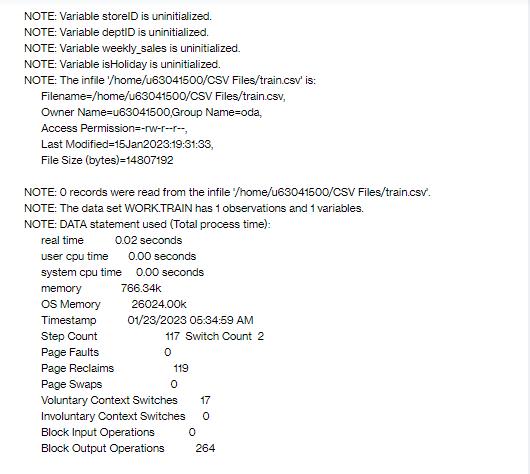
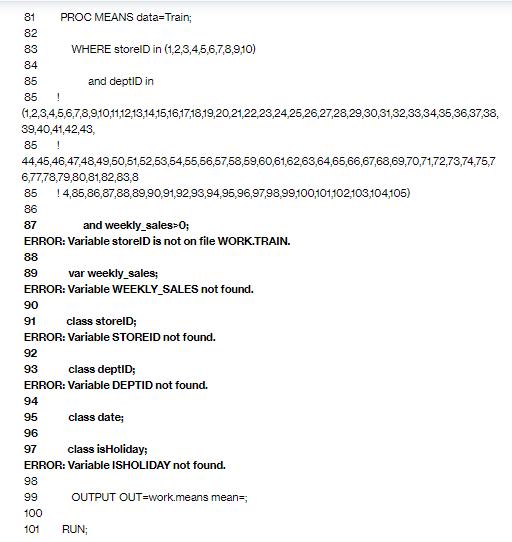


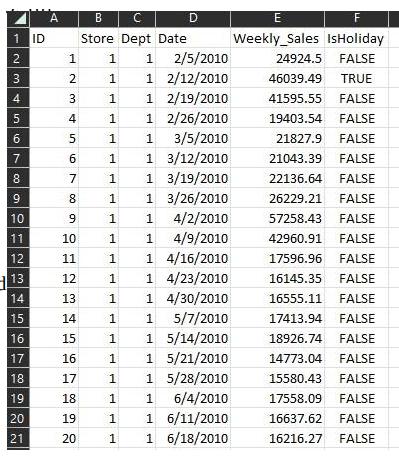
As an analytics developer, you need to calculate weekly sales using SAS PROCEDURES. You are generating descriptive statistics for the store sales. It will help store manager to display popular items in the store entrance. Using the Train.csv file or any other file, complete the following: Step 1: Include PROC MEANS in your SAS script and calculate descriptive statistics that represents weekly sales for a certain department in a given store in a given week. Step 2: Use title and footnotes to output. Step 3: Use the label for each output column. Zip and submit your SAS scripts as well as output screenshots. OPTIONS NONOTES NOSTIMER NOSOURCE NOSYNTAXCHECK; 68 69 DATA Train; 70 71 INFILE '/home/u63041500/CSV Files/train.csv DSD DELIMITER="!: 72 73 LABEL storeID="Store ID" deptID="Department ID" date="Date" weekly_sales="Weekly Sales" isHoliday="Is Holiday"; 74 75 FORMAT date yymmdd10.; 76 77 INFORMAT date yymmdd10.; 78 1 79 80 DATE=date;
Step by Step Solution
3.57 Rating (154 Votes )
There are 3 Steps involved in it
Code DATA Train INFILE Traincsv DSD DELIMITER LABEL storeIDStore ID de... View full answer

Get step-by-step solutions from verified subject matter experts
 Study Help