







Question: as much as you can please Based on Material in Chapter 2: The purpose of this assignment is to apply Excel skills in producing a
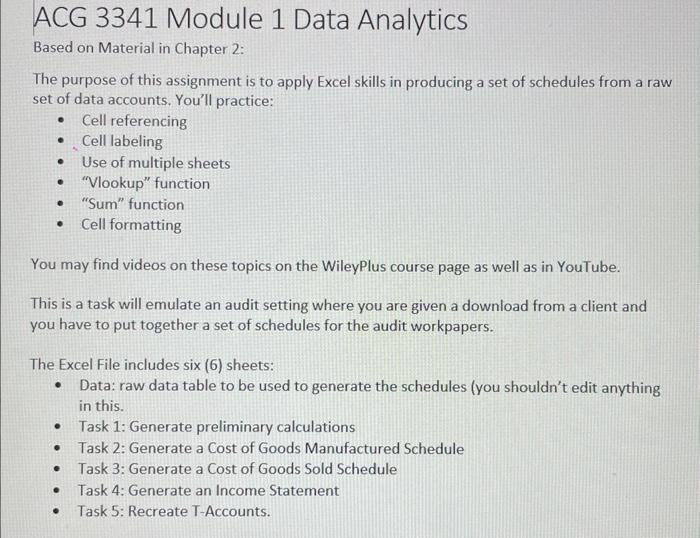
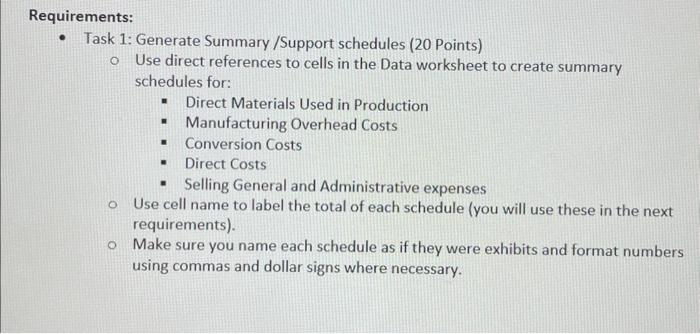
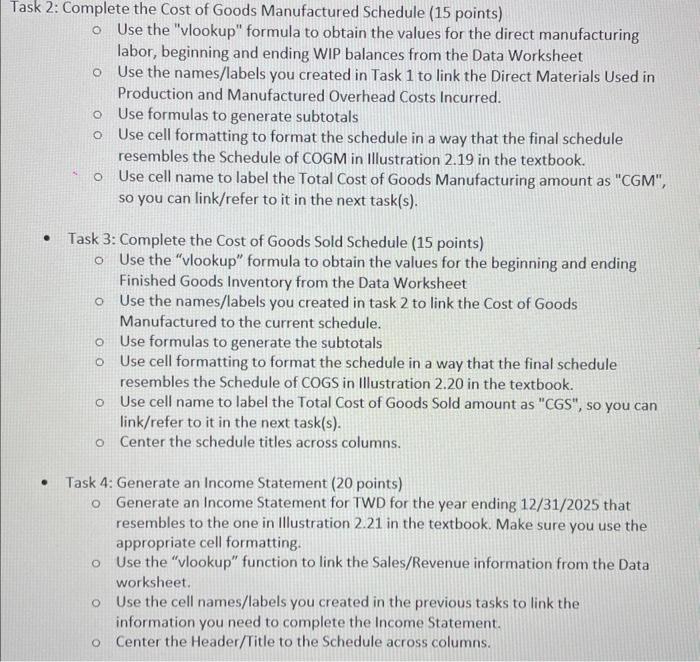
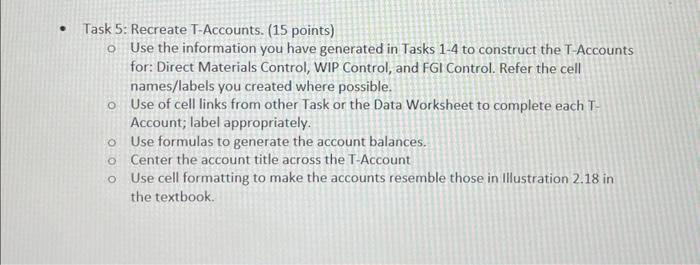
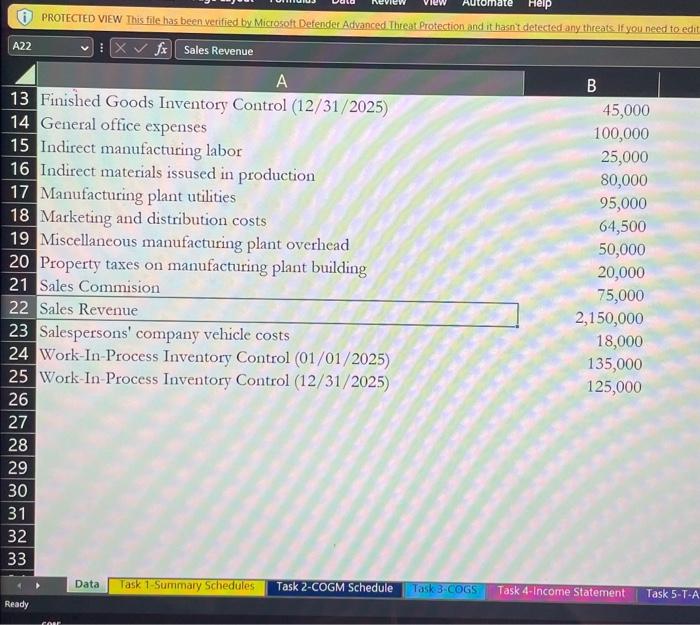
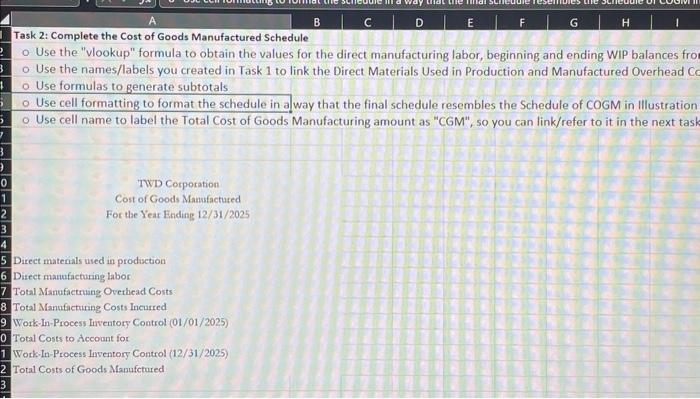
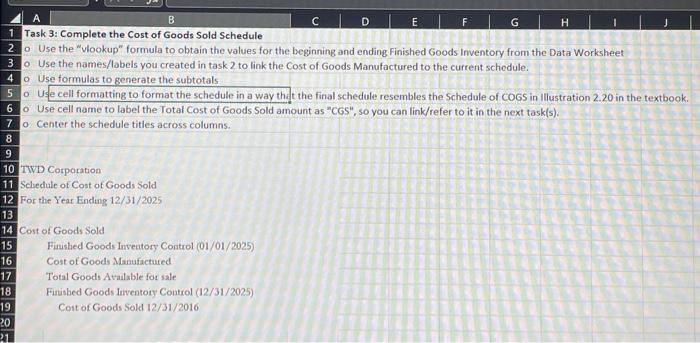
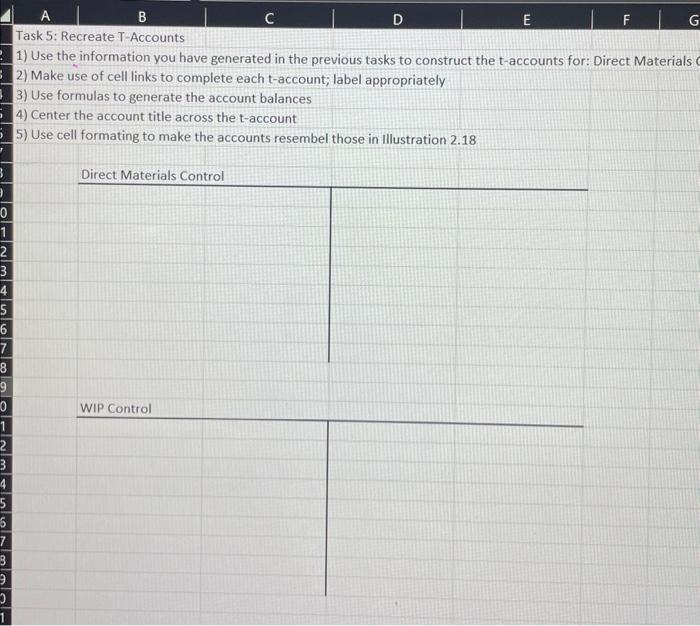
Based on Material in Chapter 2: The purpose of this assignment is to apply Excel skills in producing a set of schedules from a raw set of data accounts. You'll practice: - Cell referencing - Cell labeling - Use of multiple sheets - "Vlookup" function - "Sum" function - Cell formatting You may find videos on these topics on the WileyPlus course page as well as in YouTube. This is a task will emulate an audit setting where you are given a download from a client and you have to put together a set of schedules for the audit workpapers. The Excel File includes six (6) sheets: - Data: raw data table to be used to generate the schedules (you shouldn't edit anything in this. - Task 1: Generate preliminary calculations - Task 2: Generate a Cost of Goods Manufactured Schedule - Task 3: Generate a Cost of Goods Sold Schedule - Task 4: Generate an Income Statement - Task 5: Recreate T-Accounts. - Task 1: Generate Summary /Support schedules (20 Points) Use direct references to cells in the Data worksheet to create summary schedules for: - Direct Materials Used in Production - Manufacturing Overhead Costs - Conversion Costs - Direct Costs - Selling General and Administrative expenses Use cell name to label the total of each schedule (you will use these in the next requirements). Make sure you name each schedule as if they were exhibits and format numbers using commas and dollar signs where necessary. 2: Complete the Cost of Goods Manufactured Schedule ( 15 points) Use the "vlookup" formula to obtain the values for the direct manufacturing labor, beginning and ending WIP balances from the Data Worksheet Use the names/labels you created in Task 1 to link the Direct Materials Used in Production and Manufactured Overhead Costs Incurred. Use formulas to generate subtotals Use cell formatting to format the schedule in a way that the final schedule resembles the Schedule of COGM in Illustration 2.19 in the textbook. Use cell name to label the Total Cost of Goods Manufacturing amount as "CGM", so you can link/refer to it in the next task(s). - Task 3: Complete the Cost of Goods Sold Schedule (15 points) Use the "vlookup" formula to obtain the values for the beginning and ending Finished Goods Inventory from the Data Worksheet Use the names/labels you created in task 2 to link the Cost of Goods Manufactured to the current schedule. Use formulas to generate the subtotals Use cell formatting to format the schedule in a way that the final schedule resembles the Schedule of COGS in Illustration 2.20 in the textbook. Use cell name to label the Total Cost of Goods Sold amount as "CGS", so you can link/refer to it in the next task(s). Center the schedule titles across columns. - Task 4: Generate an Income Statement (20 points) Generate an Income Statement for TWD for the year ending 12/31/2025 that resembles to the one in Illustration 2.21 in the textbook. Make sure you use the appropriate cell formatting. Use the "vlookup" function to link the Sales/Revenue information from the Data worksheet. Use the cell names/labels you created in the previous tasks to link the information you need to complete the Income Statement. Center the Header/Title to the Schedule across columns. Task 5: Recreate T-Accounts. (15 points) Use the information you have generated in Tasks 1-4 to construct the T-Accounts for: Direct Materials Control, WIP Control, and FGI Control. Refer the cell names/labels you created where possible. Use of cell links from other Task or the Data Worksheet to complete each TAccount; label appropriately. Use formulas to generate the account balances. Center the account title across the T-Account Use cell formatting to make the accounts resemble those in Illustration 2.18 in the textbook. (i) PROTECTED VIEW This file has been verified by Microsoft. Defender Advanced Threat Protection and it hasnitdetectedany threats if you need to edif Task 2: Complete the Cost of Goods Manufactured Schedule Use the "vlookup" formula to obtain the values for the direct manufacturing labor, beginning and ending WIP balances fro Use the names/labels you created in Task 1 to link the Direct Materials Used in Production and Manufactured Overhead Ch Use formulas to generate subtotals Use cell formatting to format the schedule in a way that the final schedule resembles the Schedule of COGM in Illustration Use cell name to label the Total Cost of Goods Manufacturing amount as "CGM", so you can link/refer to it in the next tash Task 3: Complete the Cost of Goods Sold Schedule Use the "vlookup" formula to obtain the values for the beginning and ending. Finished Goods Inventory from the Data Worksheet Use the names/labels you created in task2 to link the Cost of Goods Manufactured to the current schedule. Use formulas to generate the subtotals Use cell formatting to format the schedule in a way that the final schedule resembles the Schedule of coGs in Illustration 2.20 in the textbook. Use cell name to label the Total Cost of Goods Sold amount as "CGS", so you can link/refer to it in the next task(s). o Center the schedule titles across columns. TWWD Corporation Seluechale of Cost of Goods Sold For the Year Ending 12/31/2025 Cost of Goods Sold Finished Goods Inventory Control (01/01/2025) Cost of Goods Manufactured Total Goods Available for sale Firisbed Goods inventory Control (12/31/2025) Cost of Goods Sold 12/31/2016 1) Use the information you have generated in the previous tasks to construct the t-accounts for: Direct Materials 2) Make use of cell links to complete each t-account; label appropriately 3) Use formulas to generate the account balances 4) Center the account title across the t-account 5) Use cell formating to make the accounts resembel those in Illustration 2.18 Based on Material in Chapter 2: The purpose of this assignment is to apply Excel skills in producing a set of schedules from a raw set of data accounts. You'll practice: - Cell referencing - Cell labeling - Use of multiple sheets - "Vlookup" function - "Sum" function - Cell formatting You may find videos on these topics on the WileyPlus course page as well as in YouTube. This is a task will emulate an audit setting where you are given a download from a client and you have to put together a set of schedules for the audit workpapers. The Excel File includes six (6) sheets: - Data: raw data table to be used to generate the schedules (you shouldn't edit anything in this. - Task 1: Generate preliminary calculations - Task 2: Generate a Cost of Goods Manufactured Schedule - Task 3: Generate a Cost of Goods Sold Schedule - Task 4: Generate an Income Statement - Task 5: Recreate T-Accounts. - Task 1: Generate Summary /Support schedules (20 Points) Use direct references to cells in the Data worksheet to create summary schedules for: - Direct Materials Used in Production - Manufacturing Overhead Costs - Conversion Costs - Direct Costs - Selling General and Administrative expenses Use cell name to label the total of each schedule (you will use these in the next requirements). Make sure you name each schedule as if they were exhibits and format numbers using commas and dollar signs where necessary. 2: Complete the Cost of Goods Manufactured Schedule ( 15 points) Use the "vlookup" formula to obtain the values for the direct manufacturing labor, beginning and ending WIP balances from the Data Worksheet Use the names/labels you created in Task 1 to link the Direct Materials Used in Production and Manufactured Overhead Costs Incurred. Use formulas to generate subtotals Use cell formatting to format the schedule in a way that the final schedule resembles the Schedule of COGM in Illustration 2.19 in the textbook. Use cell name to label the Total Cost of Goods Manufacturing amount as "CGM", so you can link/refer to it in the next task(s). - Task 3: Complete the Cost of Goods Sold Schedule (15 points) Use the "vlookup" formula to obtain the values for the beginning and ending Finished Goods Inventory from the Data Worksheet Use the names/labels you created in task 2 to link the Cost of Goods Manufactured to the current schedule. Use formulas to generate the subtotals Use cell formatting to format the schedule in a way that the final schedule resembles the Schedule of COGS in Illustration 2.20 in the textbook. Use cell name to label the Total Cost of Goods Sold amount as "CGS", so you can link/refer to it in the next task(s). Center the schedule titles across columns. - Task 4: Generate an Income Statement (20 points) Generate an Income Statement for TWD for the year ending 12/31/2025 that resembles to the one in Illustration 2.21 in the textbook. Make sure you use the appropriate cell formatting. Use the "vlookup" function to link the Sales/Revenue information from the Data worksheet. Use the cell names/labels you created in the previous tasks to link the information you need to complete the Income Statement. Center the Header/Title to the Schedule across columns. Task 5: Recreate T-Accounts. (15 points) Use the information you have generated in Tasks 1-4 to construct the T-Accounts for: Direct Materials Control, WIP Control, and FGI Control. Refer the cell names/labels you created where possible. Use of cell links from other Task or the Data Worksheet to complete each TAccount; label appropriately. Use formulas to generate the account balances. Center the account title across the T-Account Use cell formatting to make the accounts resemble those in Illustration 2.18 in the textbook. (i) PROTECTED VIEW This file has been verified by Microsoft. Defender Advanced Threat Protection and it hasnitdetectedany threats if you need to edif Task 2: Complete the Cost of Goods Manufactured Schedule Use the "vlookup" formula to obtain the values for the direct manufacturing labor, beginning and ending WIP balances fro Use the names/labels you created in Task 1 to link the Direct Materials Used in Production and Manufactured Overhead Ch Use formulas to generate subtotals Use cell formatting to format the schedule in a way that the final schedule resembles the Schedule of COGM in Illustration Use cell name to label the Total Cost of Goods Manufacturing amount as "CGM", so you can link/refer to it in the next tash Task 3: Complete the Cost of Goods Sold Schedule Use the "vlookup" formula to obtain the values for the beginning and ending. Finished Goods Inventory from the Data Worksheet Use the names/labels you created in task2 to link the Cost of Goods Manufactured to the current schedule. Use formulas to generate the subtotals Use cell formatting to format the schedule in a way that the final schedule resembles the Schedule of coGs in Illustration 2.20 in the textbook. Use cell name to label the Total Cost of Goods Sold amount as "CGS", so you can link/refer to it in the next task(s). o Center the schedule titles across columns. TWWD Corporation Seluechale of Cost of Goods Sold For the Year Ending 12/31/2025 Cost of Goods Sold Finished Goods Inventory Control (01/01/2025) Cost of Goods Manufactured Total Goods Available for sale Firisbed Goods inventory Control (12/31/2025) Cost of Goods Sold 12/31/2016 1) Use the information you have generated in the previous tasks to construct the t-accounts for: Direct Materials 2) Make use of cell links to complete each t-account; label appropriately 3) Use formulas to generate the account balances 4) Center the account title across the t-account 5) Use cell formating to make the accounts resembel those in Illustration 2.18
Step by Step Solution
There are 3 Steps involved in it

Get step-by-step solutions from verified subject matter experts
 Study Help