







Question: As you do this exercise, please copy/paste query as well as the query result. This should help in answering the question provided. Please let me
As you do this exercise, please copy/paste query as well as the query result. This should help in answering the question provided. Please let me know if you need more information.
CREATE TABLE Cust ( Customer_number CHAR(3) PRIMARY KEY, Address VARCHAR(20), balance numeric(5,2)
);
INSERT INTO Cust VALUES (101,'14-153_varahagirinagar',2000.30); INSERT INTO Cust VALUES (102,'12/238_vizag',9000.30); INSERT INTO Cust VALUES (101,'13-123_vijayawada',200.30); INSERT INTO Cust VALUES (101,'1-43_varahagirinagar',4000.30); INSERT INTO Cust VALUES (101,'17-034_beach',1800.30);
SELECT * FROM Cust;
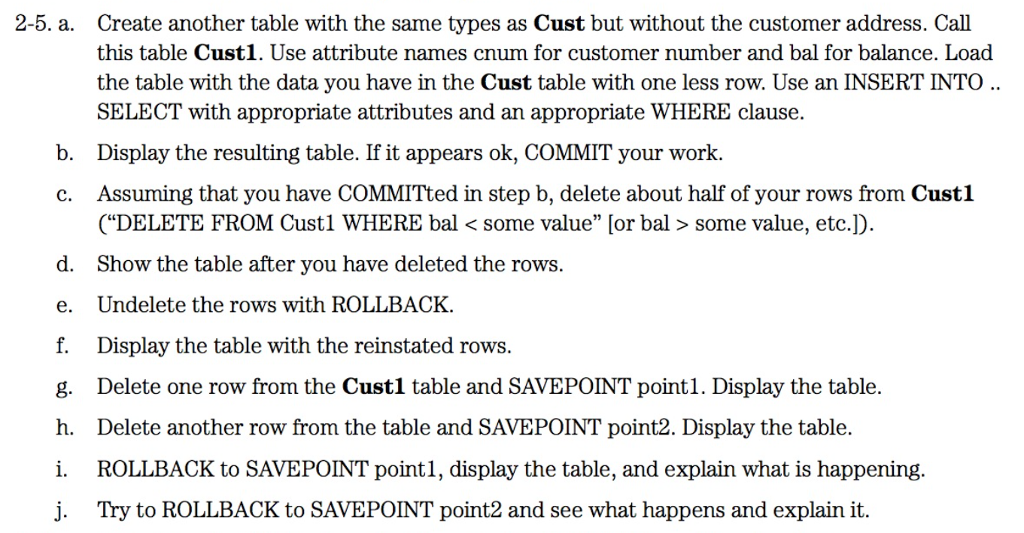
a. Create another table with the same types as Cust but without the customer address. Call this table Cust1. Use attribute names cnum for customer number and bal for balance. Load the table with the data you have in the Cust table with one less row. Use an INSERT INTO SELECT with appropriate attributes and an appropriate WHERE clause. b. Display the resulting table. If it appears ok, COMMIT your work. c. Assuming that you have COMMITted in step b, delete about half of your rows from Cust1 ("DELETE FROM Cust1 WHERE bal some value, etc.]). d. Show the table after you have deleted the rows. e. Undelete the rows with ROLLBACK. f. Display the table with the reinstated rows. g. Delete one row from the Cust1 table and SAVEPOINT point1. Display the table. h. Delete another row from the table and SAVEPOINT point2. Display the table. i. ROLLBACK to SAVEPOINT point1, display the table, and explain what is happening. j. Try to ROLLBACK to SAVEPOINT point2 and see what happens and explain it
Step by Step Solution
There are 3 Steps involved in it

Get step-by-step solutions from verified subject matter experts
 Study Help