







Question: Assemble your MIPS program from Q1B in the MARS simulator, and test it. Look at the 'Code' column under the 'Execute' tab in the MARS
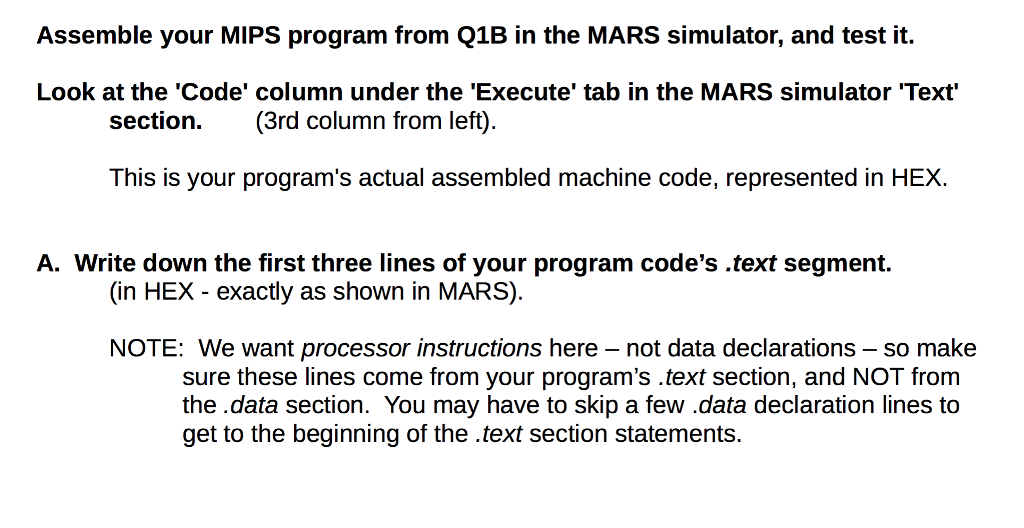
Assemble your MIPS program from Q1B in the MARS simulator, and test it. Look at the 'Code' column under the 'Execute' tab in the MARS simulator Text section. (3rd column from left) This is your program's actual assembled machine code, represented in HEX. A. Write down the first three lines of your program code's .text segment. (in HEX exactly as shown in MARS) NOTE: We want processor instructions here - not data declarations - so make sure these lines come from your program's text section, and NOT from the.data section. You may have to skip a few .data declaration lines to get to the beginning of the text section statements IT! Assemble your MIPS program from Q1B in the MARS simulator, and test it. Look at the 'Code' column under the 'Execute' tab in the MARS simulator Text section. (3rd column from left) This is your program's actual assembled machine code, represented in HEX. A. Write down the first three lines of your program code's .text segment. (in HEX exactly as shown in MARS) NOTE: We want processor instructions here - not data declarations - so make sure these lines come from your program's text section, and NOT from the.data section. You may have to skip a few .data declaration lines to get to the beginning of the text section statements IT
Step by Step Solution
There are 3 Steps involved in it

Get step-by-step solutions from verified subject matter experts
 Study Help