


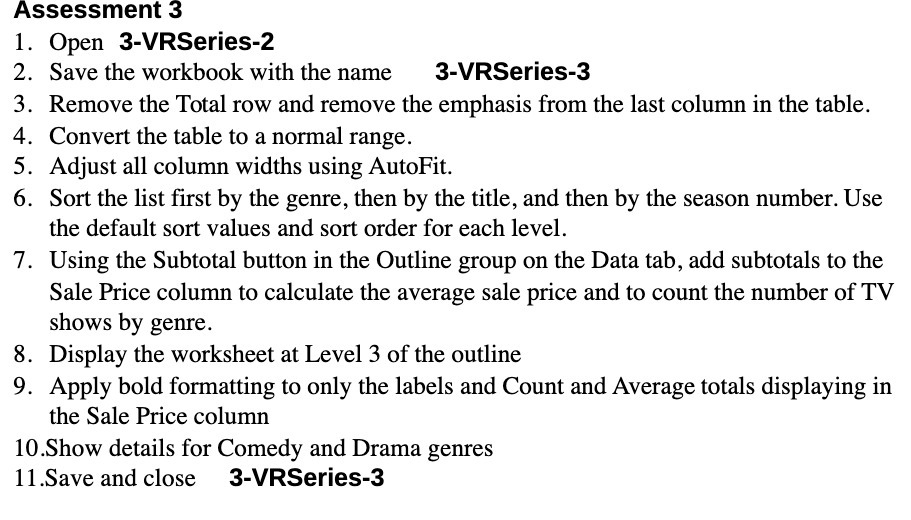
Question: Assessment 3 Open 3-VRSeries-2 . Save the workbook with the name 3-VRSeries-3 . Remove the Total row and remove the emphasis from the last column
Assessment 3 Open 3-VRSeries-2 . Save the
Assessment 3 Open 3-VRSeries-2 . Save the workbook with the name 3-VRSeries-3 . Remove the Total row and remove the emphasis from the last column in the table. 1. 2 3 4. Convert the table to a normal range. 5. Adjust all column widths using AutoFit. 6 . Sort the list rst by the genre, then by the title, and then by the season number. Use the default sort values and sort order for each level. 7. Using the Subtotal button in the Outline group on the Data tab, add subtotals to the Sale Price column to calculate the average sale price and to count the number of TV shows by genre. 8. Display the worksheet at Level 3 of the outline 9. Apply bold formatting to only the labels and Count and Average totals displaying in the Sale Price column 10.Show details for Comedy and Drama genres 11.Save and close 3-VRSeries-3

Step by Step Solution

There are 3 Steps involved in it

1 Expert Approved Answer
Step: 1 Unlock blur-text-image

Question Has Been Solved by an Expert!

Get step-by-step solutions from verified subject matter experts

Step: 2 Unlock
Step: 3 Unlock

Students Have Also Explored These Related Accounting Questions!