







Question: assigned from 1 to 6 , and so on. Explain how to assign the correct code using an IF statement. Click the icon to view
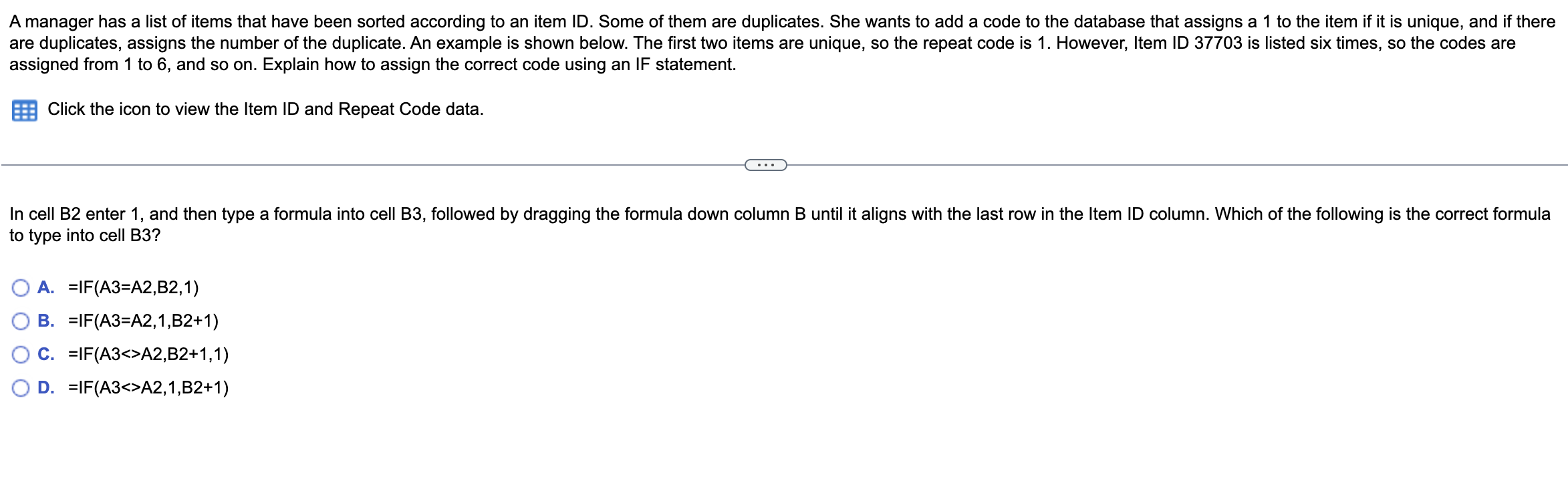
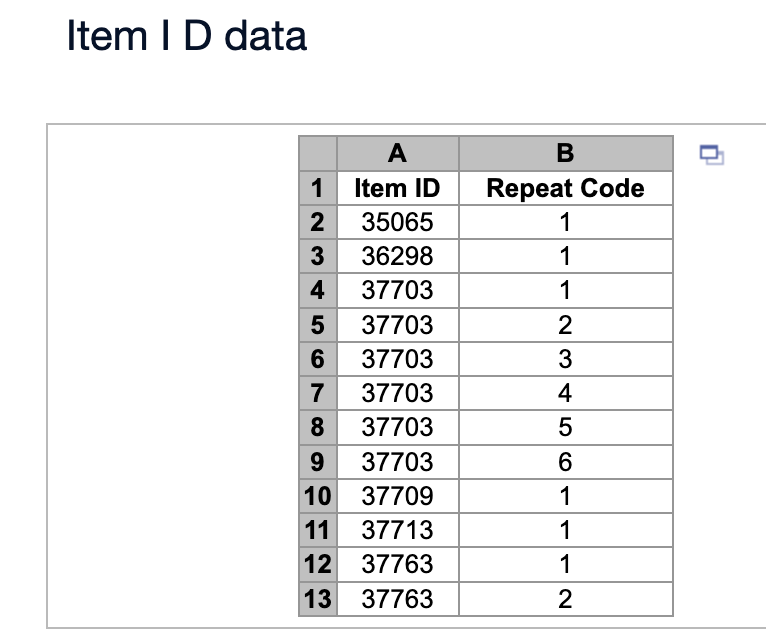
assigned from 1 to 6 , and so on. Explain how to assign the correct code using an IF statement. Click the icon to view the Item ID and Repeat Code data. to type into cell B3? A. =IF(A3=A2,B2,1) B. =IF(A3=A2,1,B2+1) C. =IF(A3A2,B2+1,1) D. =IF(A3A2,1,B2+1) Item I D data
Step by Step Solution
There are 3 Steps involved in it
1 Expert Approved Answer
Step: 1 Unlock

Question Has Been Solved by an Expert!
Get step-by-step solutions from verified subject matter experts
Step: 2 Unlock
Step: 3 Unlock
 Study Help