





Question: Assignment 1. Build a loan amortization model. Please follow ALL of the instructions below carefully as this is a graded assignment. As with all of
Assignment 1. Build a loan amortization model.
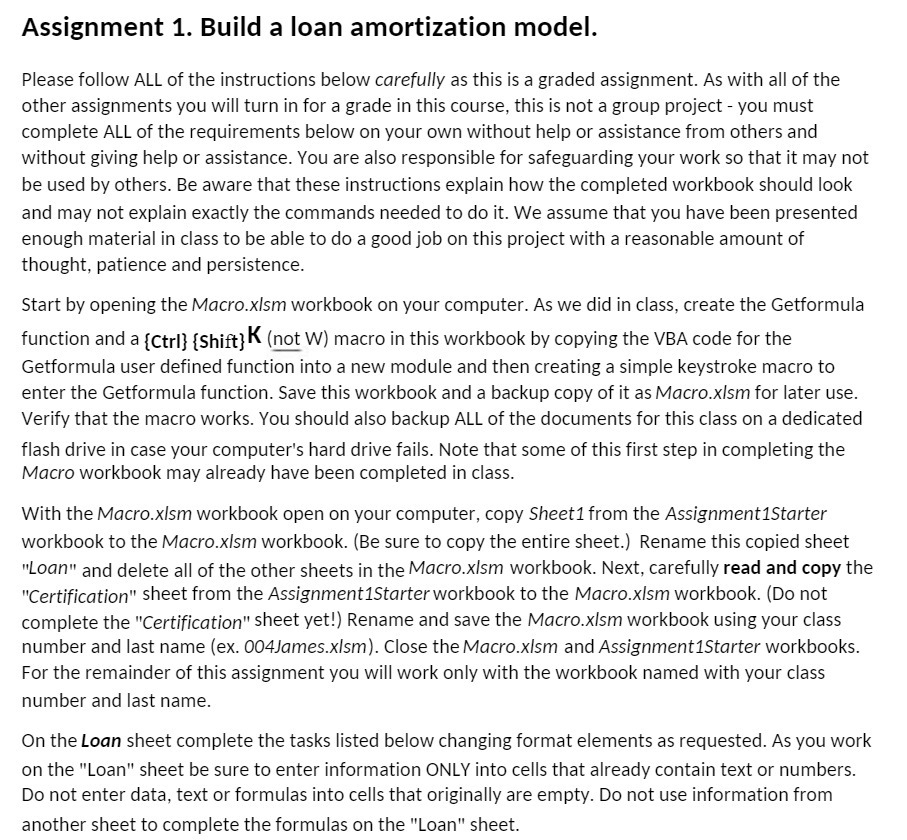
Assignment 1. Build a loan amortization model. Please follow ALL of the instructions below carefully as this is a graded assignment. As with all of the other assignments you will turn in for a grade in this course. this is not a group project you must complete ALL of the requirements below on your own without help or assistance from others and without giving help or assistance. You are also responsible for safeguarding your work so that it may not be used by others. Be aware that these instructions explain how the completed workbook should look and may not explain exactly the commands needed to do it. We assume that you have been presented enough material in class to be able to do a good job on this project with a reasonable amount of thought. patience and persistence. Start by opening the Macroxlsm workbook on your computer. As we did in class, create the Getformula function and a [cm] [Shift] K (n_ot W} macro in this workbook by copying the VBA code for the Getformula user defined function into a new module and then creating a simple keystroke macro to enter the Getformula function. Save this workbook and a backup copy of it as Macroxlsm for later use. ly'erify that the macro works. You should also backup ALL of the documents for this class on a dedicated flash drive in case your computer's hard drive fails. Note that some of this first step in completing the Macro workbook may already have been completed in class. With the Mocro.xlsm workbook open on your computer, copy Sheeti from the AssignmentiStarter workbook to the Macroxlsm workbook. [Be sure to copy the entire sheet.) Rename this copied sheet "Loan" and delete all of the other sheets in the Macroxlsm workbook. Next. carefully read and copy the \"(:erhfjmtjhh" sheet from the AssignmentIStorterworkbook to the Macroxlsm workbook. [Do not complete the "Certification" sheet yet!} Rename and save the Macroxlsm workbook using your class number and last name (ex. 004lomes.xlsm}. Close the Mocro.xlsm and AssignmentIStorter workbooks. For the remainder of this assignment you will work only with the workbook named with your class number and last name. On the Loan sheet complete the tasks listed below changing format elements as requested. As you work on the "Loan" sheet be sure to enter information ONLY into cells that already contain text or numbers. Do not enter data. text or formulas into cells that originally are empty. Do not use information from another sheet to complete the formulas on the "Loan" sheet

Step by Step Solution

There are 3 Steps involved in it

1 Expert Approved Answer
Step: 1 Unlock blur-text-image

Question Has Been Solved by an Expert!

Get step-by-step solutions from verified subject matter experts

Step: 2 Unlock
Step: 3 Unlock

Students Have Also Explored These Related Accounting Questions!