







Question: Assignment #2 - Chapter Review Problem 191 Taxpayers Information: Taxpayer #1 Name: Owen Cornell SIN: 805 232 105 DOB: August 19, 1977 Taxpayer #2 Name:
Assignment #2 - Chapter Review Problem 191
Taxpayers Information:
| Taxpayer #1 | |
| Name: | Owen Cornell |
| SIN: | 805 232 105 |
| DOB: | August 19, 1977 |
| Taxpayer #2 | |
| Name: | Sonja Cornell |
| SIN: | 805 232 212 |
| DOB: | June 3, 1979 |
| Address: | 2621 River Road, Your City, YP, P0M 1B0 |
| Phone number: | (XXX) 983-2425 |
| Email address: | No email address |
| Taxpayer #3 | |
| Name: | Kirsten Cornell |
| SIN: | 805 232 329 |
| DOB: | July 1, 2001 |
| Address: | 2621 River Road, Your City, YP, P0M 1B0 |
Owen and Sonja Cornell are married. They are the parents of two children: Kirsten and Ingrid (born on May 17, 2010). Ingrid does not have any income.
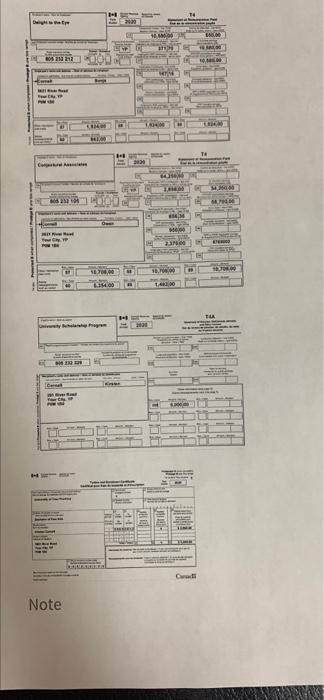
Kirsten graduated from secondary school in June. She received a scholarship for her excellent work in school and has a T4A with $5,000 in Box 105. Kirsten took the summer off to do some travelling. In September, Kirsten began full-time study at the University of Your Province. She lives in a university residence during the academic year, but she uses River Road as her official address. In addition to tuition of $3,000, Kirsten spent $350 on books and $25 for student association fees. She has receipts for these expenses. Kirstens T2202 shows that she attended university full-time for four months. She wants to transfer maximum tuition amounts to her father.
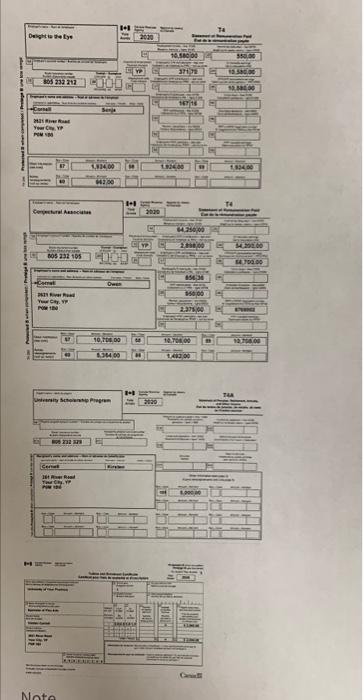
Owen works as a meteorologist and Sonja works part-time as a graphic artist. Their information slips are reproduced on the following pages.
Owen and Sonja paid the following medical expenses in 2020, for which they were not reimbursed by their insurance:
| July 16 | Kirsten | Dr. Wolf, orthodontist | $2,100 | |
| August 15 | Ingrid | Dr. Wolf, orthodontist | $5,000 | |
| All year | Sonja | Chiropractor* | $2,500 |
*Note: For anyone in NT or NU, assume the chiropractic treatment took place outside of NT or NU (and would include any related eligible medical travel expenses).
Owen has official receipts for these expenses. The only other medical expenses the Cornells had in 2020 were the premiums for the health insurance plan Owen paid through his employer.
Sonja was in hospital for six weeks during the year, but all of her expenses were covered by their health plan. She paid Victoria Lipinski (SIN 805 212 438) $2,000 to care for Ingrid after school on the days she worked and for the six weeks she was in hospital.
Box 22:
BC: 11,280; AB: 11,660; SK: 12,675; MB: 14,210; ON: 12,100; NB: 14,110; NS: 14,800; PE: 14,450; NL: 14,446; YT: 11,590; NT: 10,400; NU: 9,370;
Note
Do NOT attempt to complete this assignment using the TPS. Data entry of these topics has not yet been discussed. Also, your answers should reflect your theoretical tax knowledge not your data entry skills.
The assignment will have questions about all taxpayers situations. You only need to prepare Kristens Federal Tax Return and Schedule 11.
Use the fillable forms package available for download from uLearn > Connect > All communities > Tax Academy 2021 > Topics > English > Fundamentals of Income Tax (Level 1) > Fillable Forms Packages
Assignment #2 will be completed in uLearn and you should have the questions below answered and ready to reference before opening the assignment in uLearn.
Refer to your Learning Guide for full instructions on how to submit your answers for grading for this Assignment #2.
Assignment Instructions.
- Complete the required forms and schedules using the fillable forms package and save them in your computer.
- Log in to uLearn to answer the questions in your transcript. The assignment will ask questions about the completed return and there will be a mix of multiple choice and numeric fill in the blank questions (i.e. asking for values from specific lines of the tax return).
Fill in the blank instructions.
When entering the numbers it should be noted that the dollar symbol ($) is never to be used and all entries must be entered as numbers with the correct use of commas (,) and need to be entered to exactly two decimal places.
So for example if you were to enter the value of "one thousand" into a fill in the blank question the system will only accept the entry: 1,000.00 as a correct answer.
Warning if the answer to a specific question is "zero" this will also require two decimal places and must be entered as: 0.00 to be marked correct (i.e. the value 0 will not be accepted as correct)
| Based on the information provided, answer the questions below and complete Kirsten's Tax Return and Schedule 11: |
1. How much of the scholarship she received must Kirsten include in her income? Explain your answer
2. Kirsten is filing her own tax return; will she receive a GST/HST credit? Why or why not?
3.How much of her expenses for books and association fees can Kirsten claim on her tax return? Explain your answer.
4. Explain how the child care expenses should be claimed (by whom and how much).
5. List the medical expenses that can be claimed below.
6. Who should claim the medical expenses? Explain your answer.
7. Calculate the amount of the medical expense to be claimed on Line 33099 and on Line 33199. Show your calculations for both Lines.
8. Complete the federal Tax Return including a Schedule 11 for Kirsten.
De 2009 10 ELLER HTM CIM Ha . 0.000 MI S. 10.00 14 14 IN | Holi Note 1:1 Deighaeye 2029 10.5 od 37 805232 212 016 Co SER YoYP WS 14.00 est 1.1 Te 3600 2000 ho NOS 231105 16259 G 15000 2011 YowCWF 2375,00 10,000 10.000 100 OPICS DO COM TUR Share GERE TYP Nota De 2009 10 ELLER HTM CIM Ha . 0.000 MI S. 10.00 14 14 IN | Holi Note 1:1 Deighaeye 2029 10.5 od 37 805232 212 016 Co SER YoYP WS 14.00 est 1.1 Te 3600 2000 ho NOS 231105 16259 G 15000 2011 YowCWF 2375,00 10,000 10.000 100 OPICS DO COM TUR Share GERE TYP Nota
Step by Step Solution
There are 3 Steps involved in it

Get step-by-step solutions from verified subject matter experts
 Study Help