







Question: Assignment 2 : Image Brightness Adjustment for Photo Editing Software Objective: Adjust the brightness of an 8 - bit grayscale pixel value using binary operations
Assignment : Image Brightness Adjustment for Photo Editing
Software
Objective: Adjust the brightness of an bit grayscale pixel value using binary
operations to increase or decrease brightness.
Instructions:
Input Representation: Start with an bit binary input for a pixels
brightness level. Use in decimal
Brightness Increase:
Draw a block diagram to show the original brightness value being
increased by a factor of using a binary operation.
If the result exceeds the bit limit cap the output at
Additional Brightness Boost:
Add a constant brightness boost of binary to the
increased brightness value. Draw a block to represent this addition.
Brightness Decrease:
Draw a block diagram that reduces the brightness by a factor of
using a binary operation.
Subtract a small constant binary to decrease
brightness further and draw a block to represent this subtraction.
Deliverables:
Block diagrams for each brightness adjustment step, with labels for each
operation and binary values.
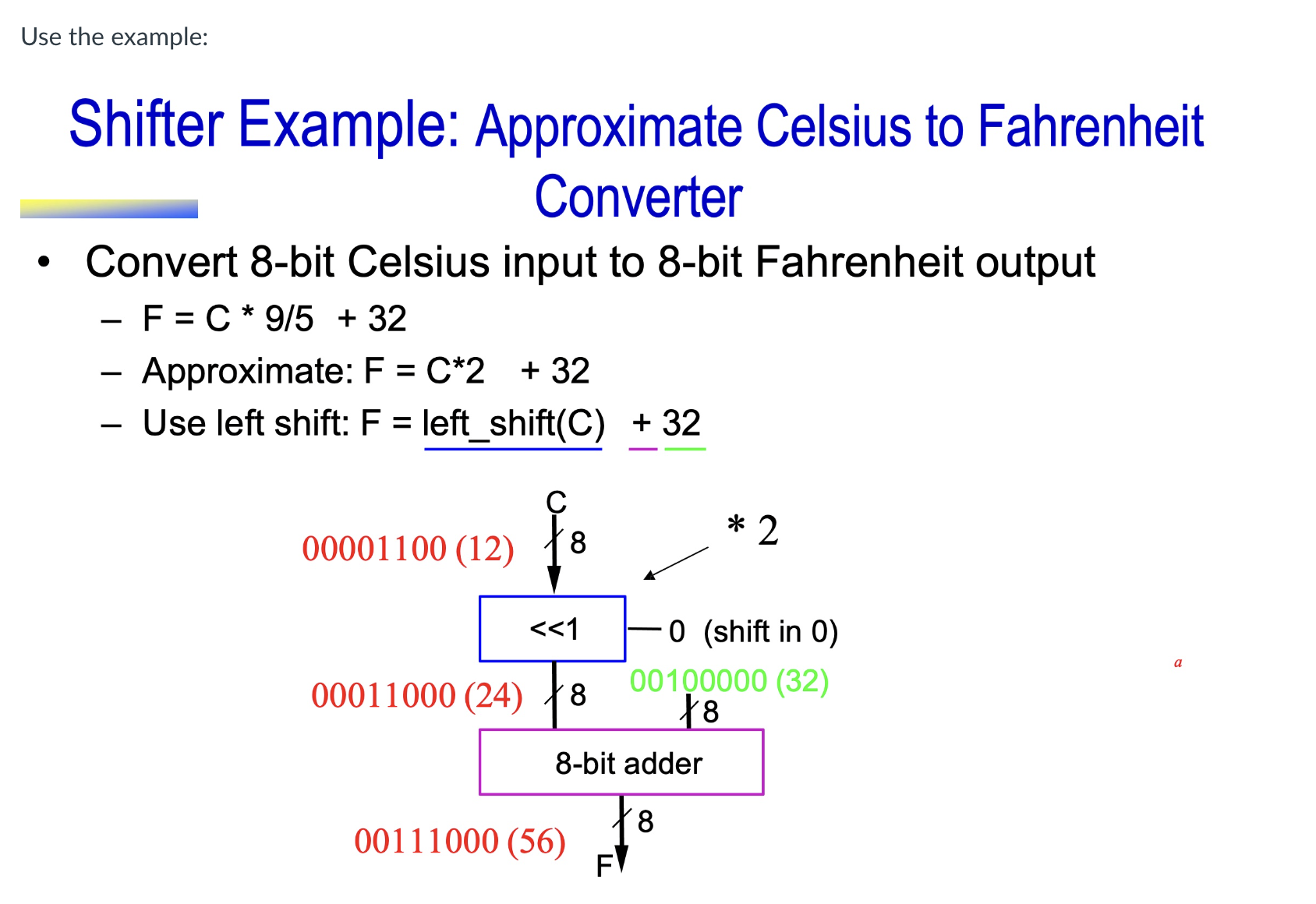
Use the example:
Shifter Example: Approximate Celsius to Fahrenheit Converter
Convert bit Celsius input to bit Fahrenheit output
F C
Approximate: F C
Use left shift: F leftshiftCunderline
Step by Step Solution
There are 3 Steps involved in it
1 Expert Approved Answer
Step: 1 Unlock

Question Has Been Solved by an Expert!
Get step-by-step solutions from verified subject matter experts
Step: 2 Unlock
Step: 3 Unlock
 Study Help