







Question: Assignment 2: Iterations and Arrays In this lab you will create a temperature analyzing system. For this lab assume that the user will input the
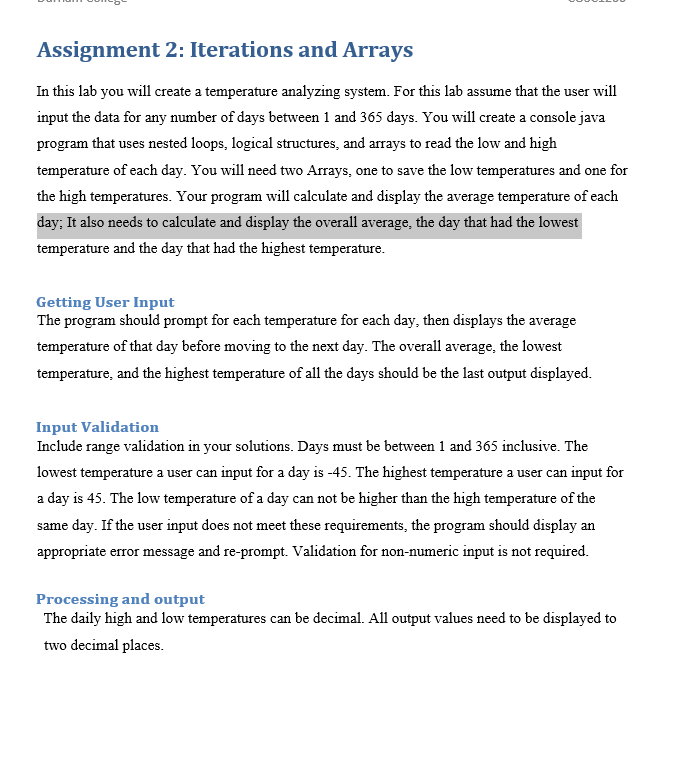
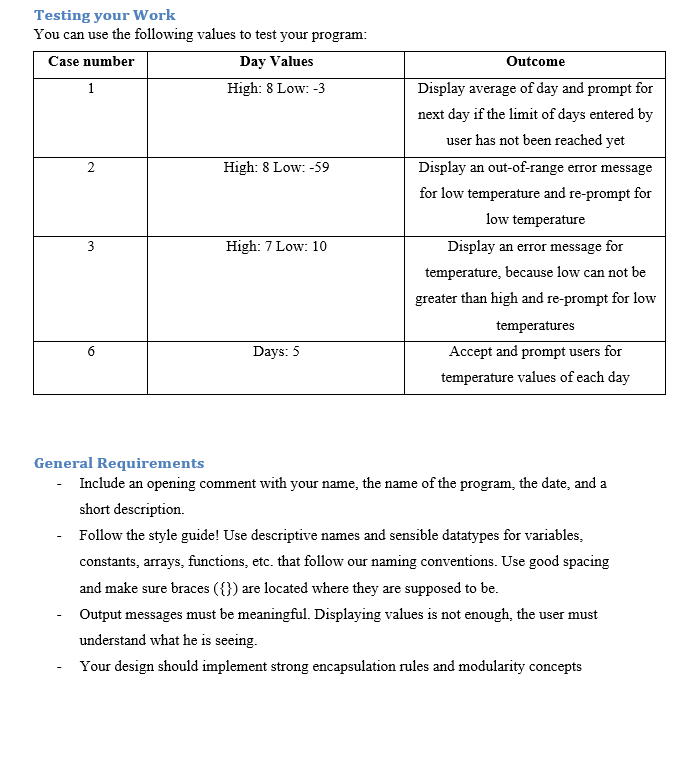
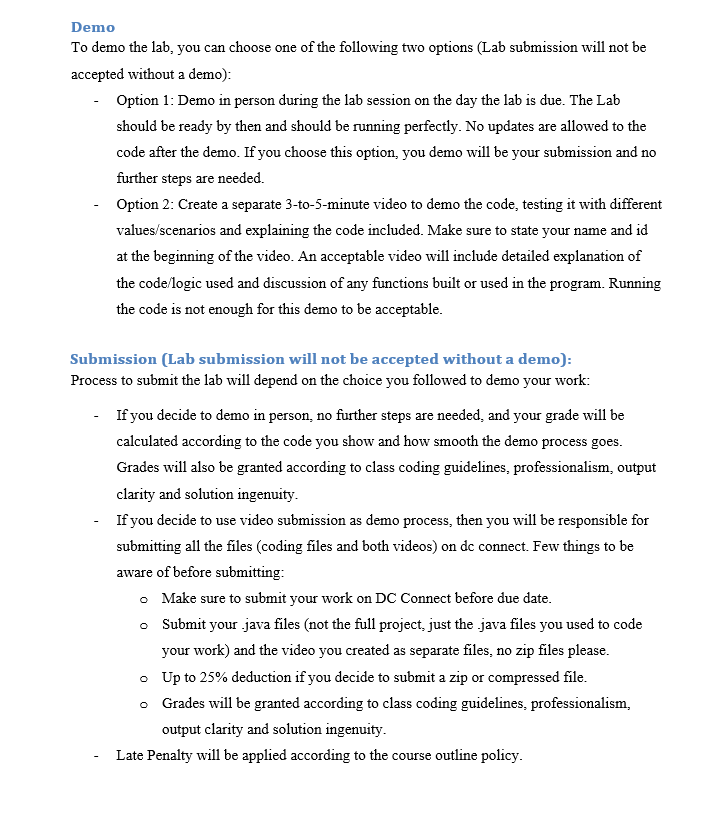
Assignment 2: Iterations and Arrays In this lab you will create a temperature analyzing system. For this lab assume that the user will input the data for any number of days between 1 and 365 days. You will create a console java program that uses nested loops, logical structures, and arrays to read the low and high temperature of each day. You will need two Arrays, one to save the low temperatures and one for the high temperatures. Your program will calculate and display the average temperature of each day; It also needs to calculate and display the overall average, the day that had the lowest temperature and the day that had the highest temperature. Getting User Input The program should prompt for each temperature for each day, then displays the average temperature of that day before moving to the next day. The overall average, the lowest temperature, and the highest temperature of all the days should be the last output displayed. Input Validation Include range validation in your solutions. Days must be between 1 and 365 inclusive. The lowest temperature a user can input for a day is 45. The highest temperature a user can input for a day is 45 . The low temperature of a day can not be higher than the high temperature of the same day. If the user input does not meet these requirements, the program should display an appropriate error message and re-prompt. Validation for non-numeric input is not required. Processing and output The daily high and low temperatures can be decimal. All output values need to be displayed to two decimal places. Testing your Work You can use the following values to test your program: General Requirements - Include an opening comment with your name, the name of the program, the date, and a short description. - Follow the style guide! Use descriptive names and sensible datatypes for variables, constants, arrays, functions, etc. that follow our naming conventions. Use good spacing and make sure braces ({}) are located where they are supposed to be. - Output messages must be meaningful. Displaying values is not enough, the user must understand what he is seeing. - Your design should implement strong encapsulation rules and modularity concepts Demo To demo the lab, you can choose one of the following two options (Lab submission will not be accepted without a demo): - Option 1: Demo in person during the lab session on the day the lab is due. The Lab should be ready by then and should be running perfectly. No updates are allowed to the code after the demo. If you choose this option, you demo will be your submission and no further steps are needed. - Option 2: Create a separate 3-to-5-minute video to demo the code, testing it with different values/scenarios and explaining the code included. Make sure to state your name and id at the beginning of the video. An acceptable video will include detailed explanation of the code/logic used and discussion of any functions built or used in the program. Running the code is not enough for this demo to be acceptable. Submission (Lab submission will not be accepted without a demo): Process to submit the lab will depend on the choice you followed to demo your work: - If you decide to demo in person, no further steps are needed, and your grade will be calculated according to the code you show and how smooth the demo process goes. Grades will also be granted according to class coding guidelines, professionalism, output clarity and solution ingenuity. - If you decide to use video submission as demo process, then you will be responsible for submitting all the files (coding files and both videos) on dc connect. Few things to be aware of before submitting: - Make sure to submit your work on DC Connect before due date. - Submit your .java files (not the full project, just the .java files you used to code your work) and the video you created as separate files, no zip files please. - Up to 25% deduction if you decide to submit a zip or compressed file. - Grades will be granted according to class coding guidelines, professionalism, output clarity and solution ingenuity. - Late Penalty will be applied according to the course outline policy
Step by Step Solution
There are 3 Steps involved in it

Get step-by-step solutions from verified subject matter experts
 Study Help