







Question: Assignment #3 SC: Multiplication CSA 45 pts Name: Class Day /Time: Due Date: Assignment #3-SC: Multiplication Draw a flowchart and write the corresponding SC machine
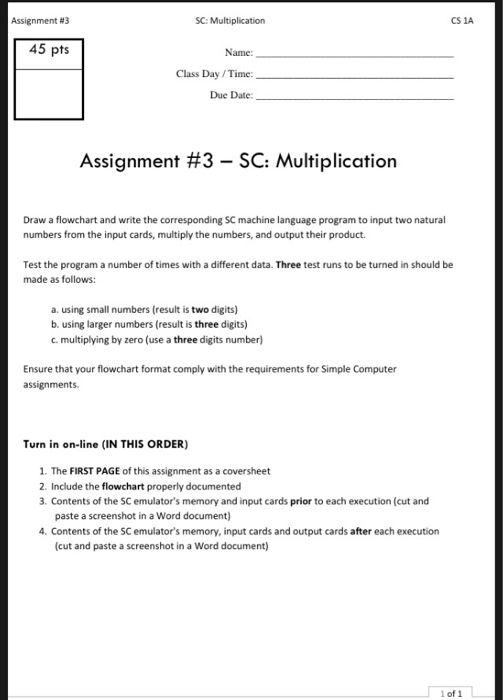
Assignment #3 SC: Multiplication CSA 45 pts Name: Class Day /Time: Due Date: Assignment #3-SC: Multiplication Draw a flowchart and write the corresponding SC machine language program to input two natural numbers from the input cards, multiply the numbers, and output their product Test the program a number of times with a different data. Three test runs to be turned in should be made as follows: a. using small numbers (result is two digits) b. using larger numbers (result is three digits) c. multiplying by zero (use a three digits number) Ensure that your flowchart format comply with the requirements for Simple Computer assignments Turn in on-line (IN THIS ORDER) 1. The FIRST PAGE of this assignment as a coversheet 2. Include the flowchart properly documented 3. Contents of the SC emulator's memory and input cards prior to each execution (cut and paste a screenshot in a Word document) 4. Contents of the SC emulator's memory, input cards and output cards after each execution (cut and paste a screenshot in a Word document) 1 of 1 Assignment #3 SC: Multiplication CSA 45 pts Name: Class Day /Time: Due Date: Assignment #3-SC: Multiplication Draw a flowchart and write the corresponding SC machine language program to input two natural numbers from the input cards, multiply the numbers, and output their product Test the program a number of times with a different data. Three test runs to be turned in should be made as follows: a. using small numbers (result is two digits) b. using larger numbers (result is three digits) c. multiplying by zero (use a three digits number) Ensure that your flowchart format comply with the requirements for Simple Computer assignments Turn in on-line (IN THIS ORDER) 1. The FIRST PAGE of this assignment as a coversheet 2. Include the flowchart properly documented 3. Contents of the SC emulator's memory and input cards prior to each execution (cut and paste a screenshot in a Word document) 4. Contents of the SC emulator's memory, input cards and output cards after each execution (cut and paste a screenshot in a Word document) 1 of 1
Step by Step Solution
There are 3 Steps involved in it

Get step-by-step solutions from verified subject matter experts
 Study Help