







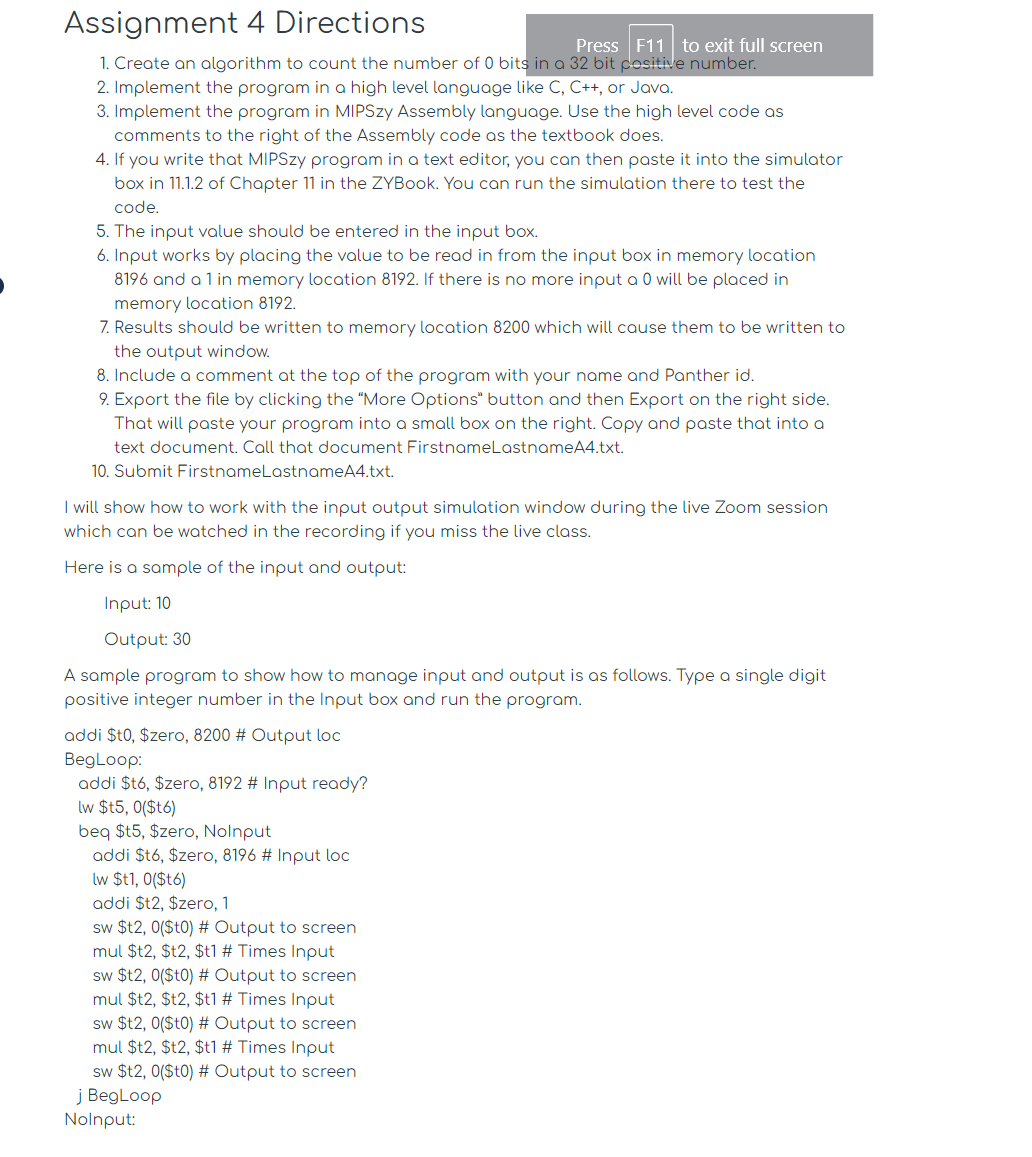
Question: Assignment 4 Directions Create an algorithm to count the number of 0 bits in a 3 2 bit positive number. Implement the program in a
Assignment Directions
Create an algorithm to count the number of bits in a bit positive number.
Implement the program in a high level language like C C or Java.
Implement the program in MIPSzy Assembly language. Use the high level code as
comments to the right of the Assembly code as the textbook does.
If you write that MIPSzy program in a text editor, you can then paste it into the simulator
box in of Chapter in the ZYBook. You can run the simulation there to test the
code.
The input value should be entered in the input box.
Input works by placing the value to be read in from the input box in memory location
and a in memory location If there is no more input a will be placed in
memory location
Results should be written to memory location which will cause them to be written to
the output window.
Include a comment at the top of the program with your name and Panther id
Export the file by clicking the "More Options" button and then Export on the right side.
That will paste your program into a small box on the right. Copy and paste that into a
text document. Call that document FirstnameLastnameAtxt
Submit FirstnameLastnameAtxt
I will show how to work with the input output simulation window during the live Zoom session
which can be watched in the recording if you miss the live class.
Here is a sample of the input and output:
Input:
Output:
A sample program to show how to manage input and output is as follows. Type a single digit
positive integer number in the Input box and run the program.
addi $t $zero, # Output loc
BegLoop:
addi $t $zero, # Input ready?
lw $$
beq $t $zero, Nolnput
addi $t $zero, # Input loc
lw $t$t
addi $t $zero,
sw $t$t # Output to screen
mul $t $t $t # Times Input
sw $t$t # Output to screen
mul $t $t $t # Times Input
sw $t$t # Output to screen
mul $t $t $t # Times Input
sw $t$t # Output to screen
j BegLoop
Nolnput:
Step by Step Solution
There are 3 Steps involved in it
1 Expert Approved Answer
Step: 1 Unlock

Question Has Been Solved by an Expert!
Get step-by-step solutions from verified subject matter experts
Step: 2 Unlock
Step: 3 Unlock
 Study Help