Question: Assignment 6: Creating the Babbage Bookkeeping Database Problem: Babbage Bookkeeping is a local company that provides bookkeeping services to several small businesses in the area.
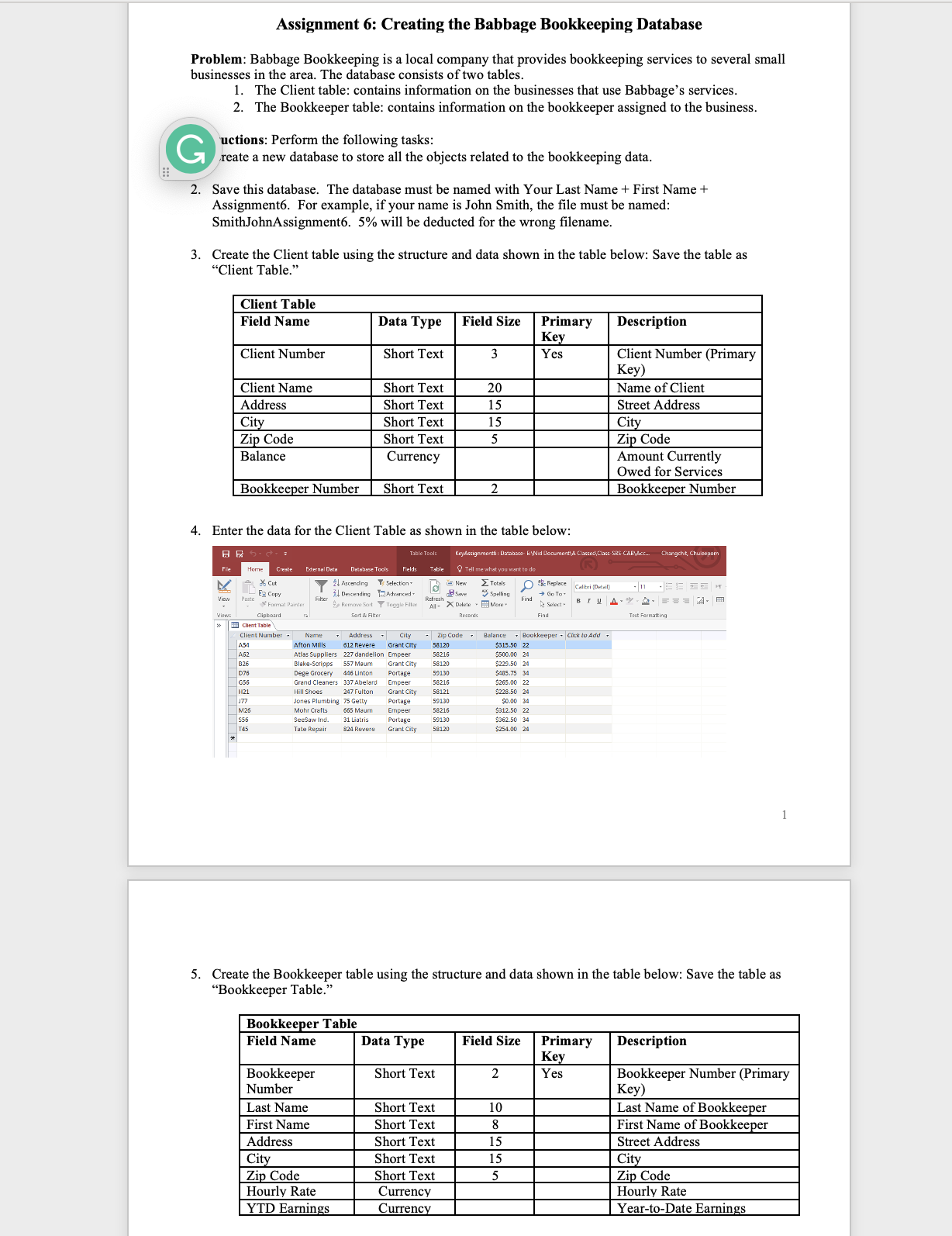
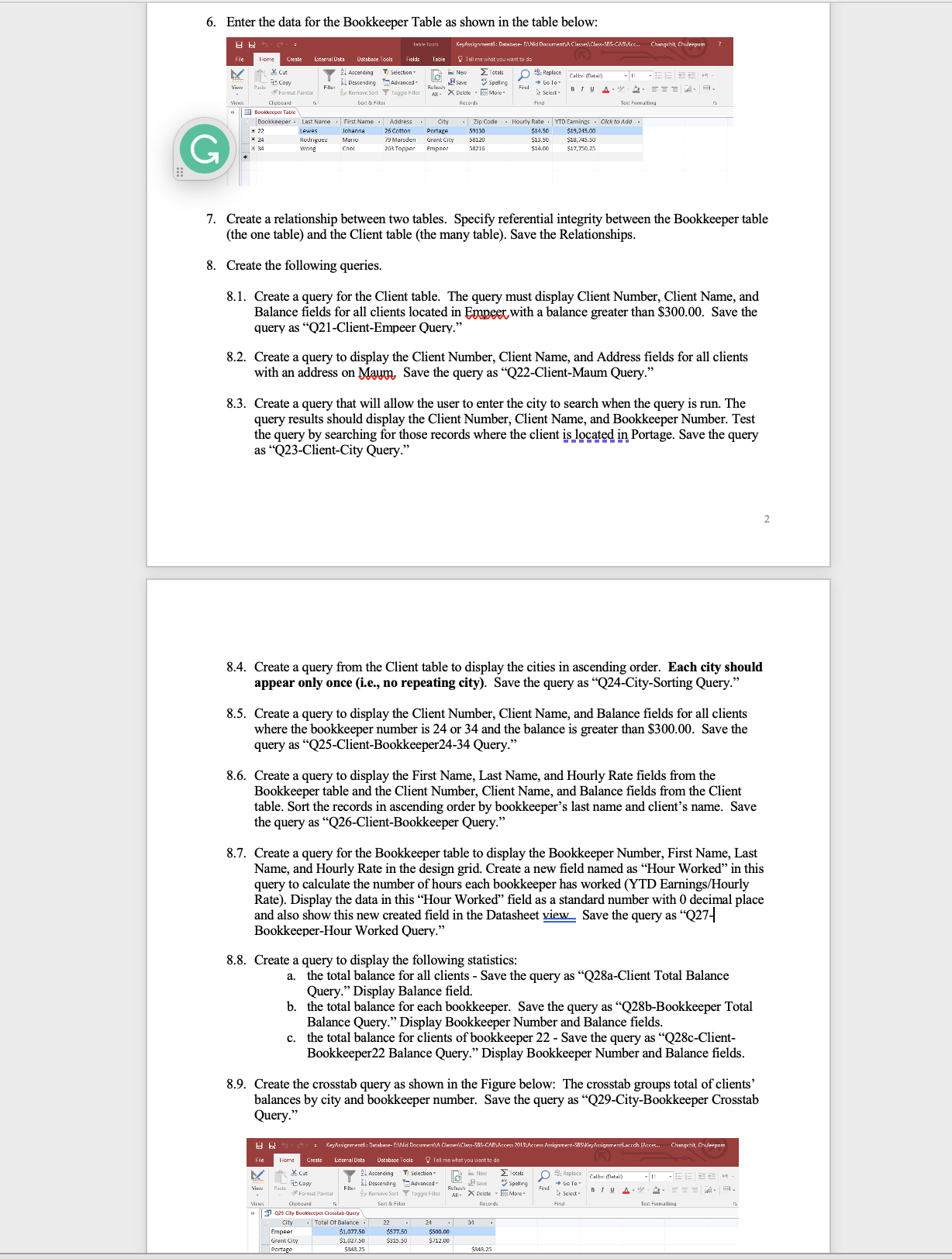
Assignment 6: Creating the Babbage Bookkeeping Database Problem: Babbage Bookkeeping is a local company that provides bookkeeping services to several small businesses in the area. The database consists of two tables. 1. The Client table: contains information on the businesses that use Babbage's services. 2. The Bookkeeper table: contains information on the bookkeeper assigned to the business. G uctions: Perform the following tasks: reate a new database to store all the objects related to the bookkeeping data. :: 2. Save this database. The database must be named with Your Last Name + First Name + Assignment6. For example, if your name is John Smith, the file must be named: SmithJohnAssignment6. 5% will be deducted for the wrong filename. 3. Create the Client table using the structure and data shown in the table below: Save the table as "Client Table." Client Table Field Name Data Type Field Size Primary Description Key Client Number Short Text Yes Client Number (Primary Key Client Name Short Text 20 Name of Client Address Short Text 15 Street Address City Short Text 15 City Zip Code Short Text 5 Zip Code Balance Currency Amount Currently Owed for Services Bookkeeper Number Short Text Bookkeeper Number 4. Enter the data for the Client Table as shown in the table below: BE Table Tools KeyAssignment: Database Exid De lasser\\ Class SBS CAB\\ACE. Changehit, Chulsepom File Home Create External Dets Database Tools Fields Tell me what you want to do Cut 24 Ascending Ty Selection New E Totals Oh Replace Callni [Detail) View il Descending Advanced Betwen A Save Spelling GO To Farmat Painter Remine Sort T Toggle Filter Al- X Delete . Mare. Find Select - BIUAYA . = = = Am Views Clipboard Sort & Filter Find Text Formatting a Client Table Client Number . Narne - Address City Zip Code . Balance . Bookkeeper - Click to Add Afton Mills 612 Revere Grant City 58120 $315.50 22 Atlas Suppliers 227 dandelion Empeer $500.00 24 Blake-Scripps 557 Maum Dege Grocery 446 Linton Grant City $225.50 24 portage 59130 $485-75 34 Grand Cleaners 307 Abelard Emgeer 58216 $265.00 22 Hill Shoes 247 Fulton Grant City 58121 $228.50 24 Jones Plumbing 75 Getty Mohr Crafts 665 Maur portage 00 34 58216 50 22 SeeSaw Ind 31 Listris Portage 362.50 34 Tate Repair 824 Revere Grant City 58120 $254 00 24 . Create the Bookkeeper table using the structure and data shown in the table below: Save the table as "Bookkeeper Table." Bookkeeper Table Field Name Data Type Field Size Primary Description Key Bookkeeper Short Text 2 Yes Bookkeeper Number (Primary Number Key) Last Name Short Text 10 Last Name of Bookkeeper First Name Short Text First Name of Bookkeeper Address Short Text 15 Street Address City Short Text 15 City Zip Code Short Text Zip Code Hourly Rate Currency Hourly Rate YTD Earnings Currency Year-to-Date Earnings6. Enter the data for the Bookkeeper Table as shown in the table below: AClass-SFS-CARVice.. Changehit, Cholerpom Home External Data Database Tools X Cunt 24 Ascending Ty Selection New E Totals OH Replace Calleri (Detail) is Copy Al Descendre Advanced e save spelling Format Painter 4, Remove Sort Y Toggle Fiber All- X Delete - More B TU A Y A . = = = A. . Clipboard Sert & Fiter Records Find Text Formatting " Bookkeeper Tabi Bookkeeper - Last Name . First Name - Address .Zip Code - Hourly Rate . YTD Eamings - Click to Add - Lewes Jonahina 25 COTTON 59180 $14.50 $19,215.00 Rodriguez $18, 745.50 wong Chol Grant City 263 Topper Empaor $14.CO $17,750.25 7. Create a relationship between two tables. Specify referential integrity between the Bookkeeper table (the one table) and the Client table (the many table). Save the Relationships 8. Create the following queries. 8.1. Create a query for the Client table. The query must display Client Number, Client Name, and Balance fields for all clients located in Emopeer with a balance greater than $300.00. Save the query as "Q21-Client-Empeer Query." 8.2. Create a query to display the Client Number, Client Name, and Address fields for all clients with an address on Mayg, Save the query as "Q22-Client-Maum Query." 8.3. Create a query that will allow the user to enter the city to search when the query is run. The query results should display the Client Number, Client Name, and Bookkeeper Number. Test the query by searching for those records where the client is located in Portage. Save the query as "Q23-Client-City Query." 8.4. Create a query from the Client table to display the cities in ascending order. Each city should appear only once (i.e., no repeating city). Save the query as "Q24-City-Sorting Query." 8.5. Create a query to display the Client Number, Client Name, and Balance fields for all clients where the bookkeeper number is 24 or 34 and the balance is greater than $300.00. Save the query as "Q25-Client-Bookkeeper24-34 Query." 8.6. Create a query to display the First Name, Last Name, and Hourly Rate fields from the Bookkeeper table and the Client Number, Client Name, and Balance fields from the Client table. Sort the records in ascending order by bookkeeper's last name and client's name. Save the query as "Q26-Client-Bookkeeper Query." 8.7. Create a query for the Bookkeeper table to display the Bookkeeper Number, First Name, Last Name, and Hourly Rate in the design grid. Create a new field named as "Hour Worked" in this query to calculate the number of hours each bookkeeper has worked (YTD Earnings/Hourly Rate). Display the data in this "Hour Worked" field as a standard number with 0 decimal place and also show this new created field in the Datasheet view . Save the query as "Q27 Bookkeeper-Hour Worked Query." 8.8. Create a query to display the following statistics: a. the total balance for all clients - Save the query as "Q28a-Client Total Balance Query." Display Balance field. b. the total balance for each bookkeeper. Save the query as "Q28b-Bookkeeper Total Balance Query." Display Bookkeeper Number and Balance fields. the total balance for clients of bookkeeper 22 - Save the query as "Q28c-Client- Bookkeeper22 Balance Query." Display Bookkeeper Number and Balance fields. 8.9. Create the crosstab query as shown in the Figure below: The crosstab groups total of clients' balances by city and bookkeeper number. Save the query as "Q29-City-Bookkeeper Crosstab Query." Fie Home Create Eternal Data Tel me 21 Ascending / Selection 2 Totals A save " spring 20c Replace Calkri (Detail th Copy Filler ! Descendre Advanced Via Paste of Format Painter Sort Y Toggle Fiber All- X Delete - More- Fired Ascent. B TU A . Y A . = = = A. R. Views Clisbeard Seri & Fiter Records Text Formatting 429 City Bookkeeper Crosstab Query\\ CITY Total Of Balance - 22 24 Empeer $1,077.50 $577.50 $500.00 Grant City $1 027.50 $315.50 $712.00 Portage $848.25
Step by Step Solution
There are 3 Steps involved in it
1 Expert Approved Answer
Step: 1 Unlock
Question Has Been Solved by an Expert!
Get step-by-step solutions from verified subject matter experts
Step: 2 Unlock
Step: 3 Unlock
Students Have Also Explored These Related Accounting Questions!









 Study Help