







Question: Assignment: Imagine you are writing photo processing software, and now you are implementing a grayscale filter. The photos you are processing have a red, green,
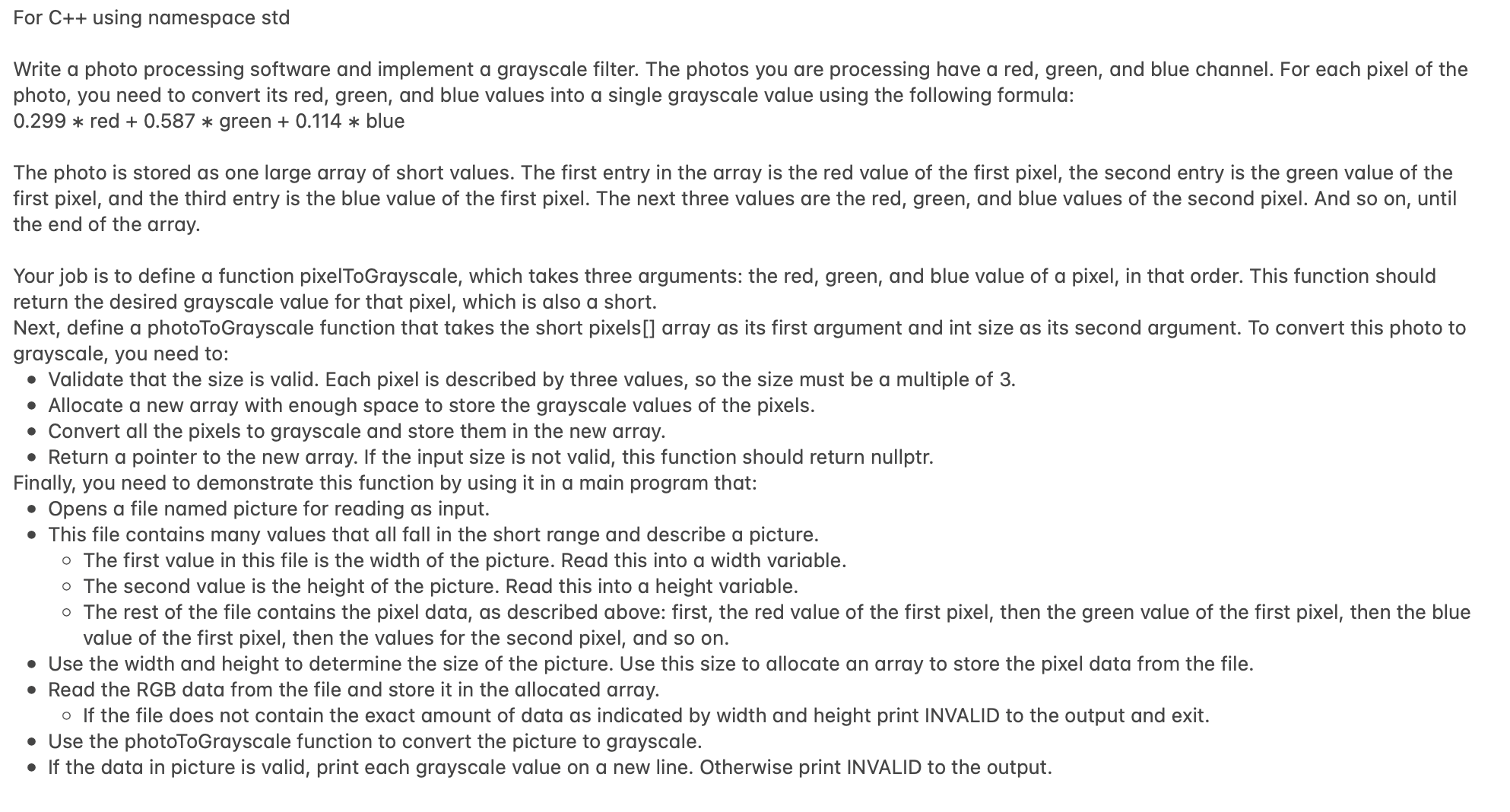
Assignment: Imagine you are writing photo processing software, and now you are implementing a grayscale filter. The photos you are processing have a red, green, and blue channel. For each pixel of the photo, you need to convert its red, green, and blue values into a single grayscale value using the following formula:
The photo is stored as one large array of short values. The first entry in the array is the red value of the first pixel, the second entry is the green value of the first pixel, and the third entry is the blue value of the first pixel. The next three values are the red, green, and blue values of the second pixel. And so on until the end of the array.
Your job is to define a function pixelToGrayscale, which takes three arguments: the red, green, and blue value of a pixel, in that order. This function should return the desired grayscale value for that pixel, which is also a short.
Next, define a photoToGrayscale function that takes the short pixels array as its first argument and int size as its second argument. To convert this photo to grayscale, you need to:
Validate that the size is valid. Each pixel is described by three values, so the size must be a multiple of
Allocate a new array with enough space to store the grayscale values of the pixels.
Convert all the pixels to grayscale and store them in the new array.
Return a pointer to the new array. If the input size is not valid, this function should return nullptr.
Finally, you need to demonstrate this function by using it in a main program that:
Opens a file named picture for reading as input.
This file contains many values that all fall in the short range and describe a picture.
The first value in this file is the width of the picture. Read this into a width variable.
The second value is the height of the picture. Read this into a height variable.
The rest of the file contains the pixel data, as described above: first, the red value of the first pixel, then the green value of the first pixel, then the blue value of the first pixel, then the values for the second pixel, and so on
Use the width and height to determine the size of the picture. Use this size to allocate an array to store the pixel data from the file.
Read the RGB data from the file and store it in the allocated array.
If the file does not contain the exact amount of data as indicated by width and height print INVALID to the output and exit.
Use the photoToGrayscale function to convert the picture to grayscale.
If the data in picture is valid, print each grayscale value on a new line. Otherwise print INVALID to the output. For C using namespace std
Write a photo processing software and implement a grayscale filter. The photos you are processing have a red, green, and blue channel. For each pixel of the
photo, you need to convert its red, green, and blue values into a single grayscale value using the following formula:
red green blue
The photo is stored as one large array of short values. The first entry in the array is the red value of the first pixel, the second entry is the green value of the
first pixel, and the third entry is the blue value of the first pixel. The next three values are the red, green, and blue values of the second pixel. And so on until
the end of the array.
Your job is to define a function pixelToGrayscale, which takes three arguments: the red, green, and blue value of a pixel, in that order. This function should
return the desired grayscale value for that pixel, which is also a short.
Next, define a photoToGrayscale function that takes the short pixels array as its first argument and int size as its second argument. To convert this photo to
grayscale, you need to:
Validate that the size is valid. Each pixel is described by three values, so the size must be a multiple of
Allocate a new array with enough space to store the grayscale values of the pixels.
Convert all the pixels to grayscale and store them in the new array.
Return a pointer to the new array. If the input size is not valid, this function should return nullptr.
Finally, you need to demonstrate this function by using it in a main program that:
Opens a file named picture for reading as input.
This file contains many values that all fall in the short range and describe a picture.
The first value in this file is the width of the picture. Read this into a width variable.
The second value is the height of the picture. Read this into a height variable.
The rest of the file contains the pixel data, as described above: first, the red value of the first pixel, then the green value of the first pixel, then the blue
value of the first pixel, then the values for the second pixel, and so on
Use the width and height to determine the size of the picture. Use this size to allocate an array to store the pixel data from the file.
Read the RGB data from the file and store it
Step by Step Solution
There are 3 Steps involved in it
1 Expert Approved Answer
Step: 1 Unlock

Question Has Been Solved by an Expert!
Get step-by-step solutions from verified subject matter experts
Step: 2 Unlock
Step: 3 Unlock
 Study Help